
Why Salesforce Staff Augmentation Is Becoming a Strategic Choice
Salesforce staff augmentation is no longer a stop-gap. Learn why more businesses now use external specialists to access expertise, move faster, and scale...
Updated October 16, 2026

AI data security is a growing priority for businesses, and new Clutch data shows consumers are paying attention too. As ads arrive in AI assistants like ChatGPT, 56% of users worry about privacy and how their data is used, and half (50%) say ads alongside confidential work documents would be unacceptable. This guide covers the threats, best practices, and tools businesses need to protect sensitive data in 2027, including the data they bring into AI tools.
Companies today collect and process massive amounts of data: customer information, financial transactions, proprietary algorithms, employee records, and more. The rise of artificial intelligence (AI) has only added to this data volume, as every model trained, insight generated, and automated process relies on the information that keeps your business running. This makes companies highly attractive targets for cybercriminals.
Protect AI data by controlling what enters a tool, who can access connected sources, how long information is retained, and where outputs can go. NIST’s Generative AI Profile distinguishes AI’s use in offensive cyber activity from risks to AI systems themselves, including prompt injection and data poisoning. Businesses need to address both, especially based on what users say in a recent Clutch survey report on ads in AI assistants like ChatGPT.
Looking for a IT Services agency?
Compare our list of top IT Services companies near you
The stakes are high. According to recent Clutch surveys about data privacy, 90% of consumers say protecting their personal privacy is very or extremely important, and 77% say a company’s data privacy policies influence their purchasing decisions. A single breach can erode trust and directly impact revenue, making robust AI data security a critical business concern.
The linked consumer report surveyed 413 U.S. consumers in January 2027. The new findings about ads in AI assistants add a more specific trust concern: people want clear boundaries around confidential work. These responses describe attitudes toward data use; they do not establish that an AI assistant leaked documents or shared them with advertisers.
The product distinction matters. OpenAI’s advertising FAQ says ads may appear on eligible Free and Go accounts, while Business and Enterprise accounts do not have ads. It also says conversations are not shared with advertisers. Review the exact plan and data-use terms of any assistant your business approves, rather than treating an ad-supported consumer account and a managed business workspace as interchangeable.
MGM Resorts’ 2025 annual report describes a September 2023 cybersecurity issue affecting some systems, in which criminal actors may have accessed personal information about some customers. The example shows the business stakes of a cyber incident; it does not establish that an AI voice clone caused the attack.
For business leaders, the practical task is to protect access to customer and employee information, verify unusual requests through a trusted channel, and prepare to respond when a tool or account is compromised.
We surveyed 250 professionals in the IT and cybersecurity industry to better understand the state of data security and what businesses are doing to safeguard their data and prevent operational breakdowns and data theft.
AI data security protects the confidentiality, integrity, and availability of information used by AI systems. It covers training data, prompts, uploaded files, connected data sources, model outputs, and logs. Businesses using an off-the-shelf assistant need controls for the data they provide and retrieve, even when they do not train their own model. OWASP’s sensitive-information disclosure guidance explains risks to personal information, business data, and credentials in AI applications. Core protections include:
AI data security differs from using AI for cybersecurity. The first protects the information handled by an AI system; the second uses AI to help detect or respond to threats. A threat-detection tool does not automatically make your employees’ use of a chatbot secure.
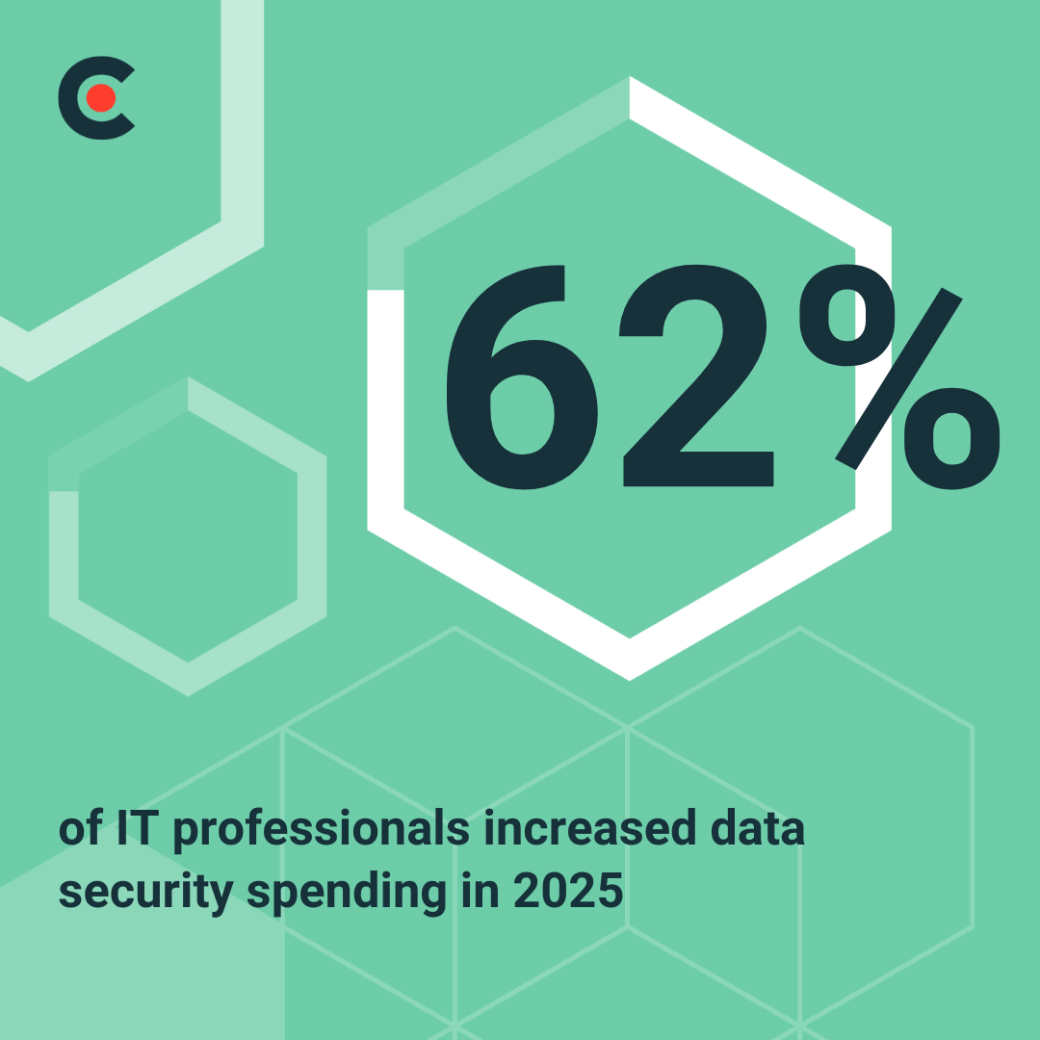
Our survey found that 62% of respondents increased data security spending in 2025. This is a finding about the surveyed professionals’ organizations, not a measurement of all businesses’ spending in 2027. Use it as context for reviewing whether your current budget covers the data and AI tools your team actually uses.
Prioritize spending around identifiable gaps: unapproved AI tools, excessive access to documents, missing incident ownership, or retention settings no one has reviewed. Buying another tool will not resolve an unclear data policy or an integration with broader access than it needs.
The 2025 survey identified three leading data security challenges. Use these findings to assess your team’s capacity, then review AI application risks such as data disclosure and prompt injection.
AI and machine learning (ML) models train on enormous datasets. As your business collects more information, it also expands its breach potential. Companies store confidential data across more systems than ever, making tracking, managing, and protecting it more complicated.
The survey’s 38% figure captures concern about complex AI-driven attacks. NIST’s Generative AI Profile discusses how generative AI can support phishing, malware, and impersonation. Train staff to verify sensitive requests and give them a clear way to report suspicious activity.
AI security requires specific knowledge, but experts trained in cybersecurity and AI’s ins and outs are rare. Many teams are under pressure to re-educate or expand — fast. Without skilled personnel, even state-of-the-art tools fall short of their security potential, and hackers can weasel through the gaps.
Map risks to the workflow before selecting a control. OWASP identifies sensitive-information disclosure and prompt injection as distinct risks; both can arise when an assistant processes business data.
| Risk | Business example | Control to verify |
| Sensitive-data disclosure | A prompt, upload, or output contains confidential information. | Approved data rules; inspection of inputs and outputs; restricted sharing. |
| Indirect prompt injection | Instructions hidden in a retrieved document redirect an assistant. | Treat retrieved content as untrusted; restrict tool access and destinations. |
| Excessive access | An assistant can retrieve a file its user should not see. | Enforce authorization in the data source before retrieval. |
| Poisoned training or source data | Tampered records distort model behavior or retrieved answers. | Approve data sources; control changes; test suspicious cases. |
For example, a customer-support assistant should not retrieve another customer’s account records, even if a prompt requests them. Enforce that boundary in the application and data source. OWASP warns against using system prompts as security controls; an instruction telling a model to keep secrets is not a substitute for authorization.
Start by defining permitted AI use and the data each tool may handle. Keep encryption, access reviews, and monitoring in place, then add controls for prompts, file uploads, connectors, and generated outputs.
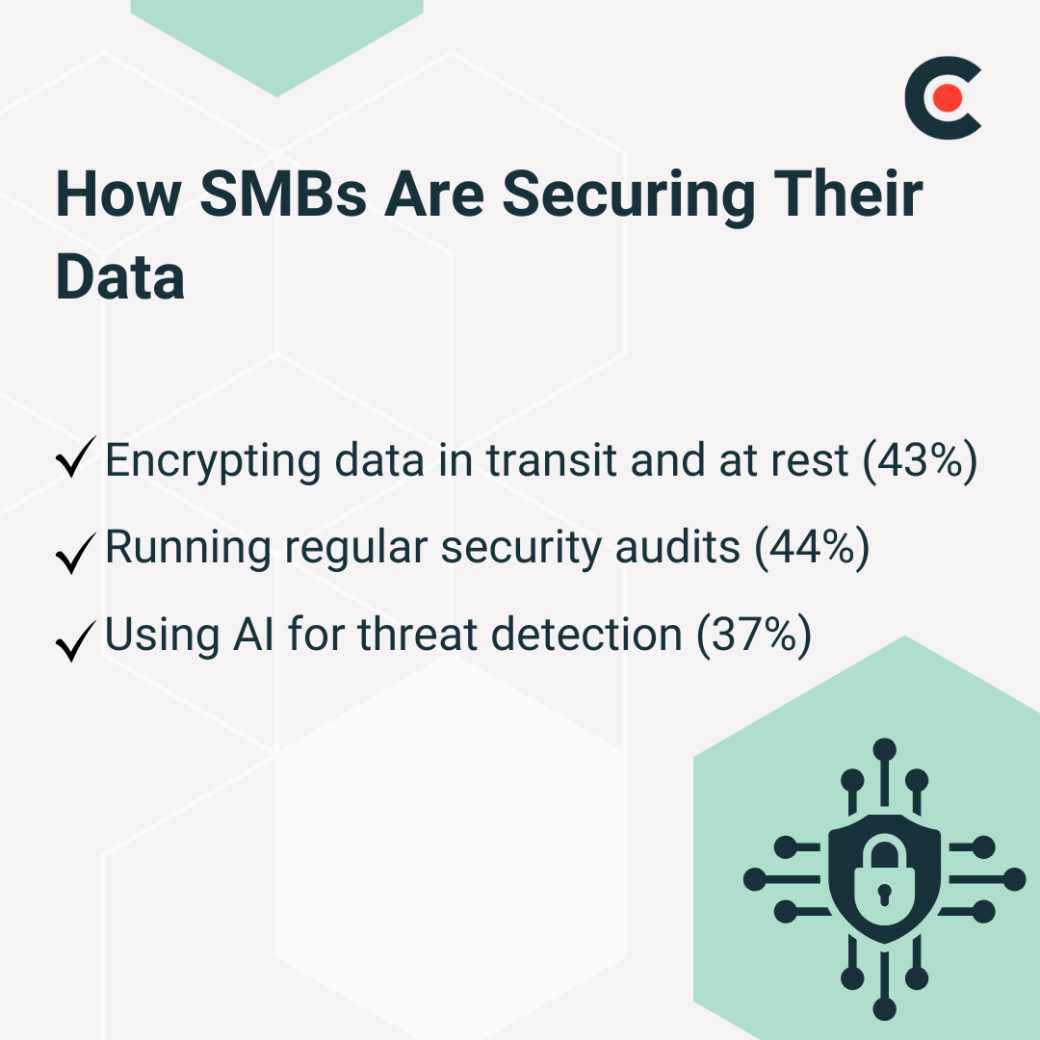
The existing IT survey reported the following security practices. These percentages describe adoption among respondents; they are not comparative effectiveness scores.
Create an inventory of AI assistants, browser extensions, APIs, and integrations. For each, record the owner, approved purpose, account or workspace type, permitted data, access permissions, and retention policy. Use NIST’s AI risk-management guidance to structure the review.
Give employees examples of public, internal, confidential, and restricted information. Keep credentials and unnecessary personal information out of prompts; use redacted or synthetic examples for testing. Require explicit approval for confidential customer, employee, financial, or contractual data, rather than assuming a paid subscription makes every use appropriate.
For each provider and exact plan, check whether inputs or outputs may be used for model training, how long chats and files are retained, who can review them, and how deletion works. OpenAI says ChatGPT Business workspace data is excluded from training by default. That commitment does not mean all data is immediately deleted or that every connected app has the same terms.
Limit connectors to the folders and records needed for the task. Verify access with test users who have different permissions, and require approval before an agent sends confidential information externally or performs a consequential action.
Encryption is one of the most effective and widely adopted cybersecurity defenses. It protects data in two critical states: when it’s traveling between networks and when it’s stored long term.
Encrypt data as it moves between systems and in storage, and review who can use the encryption keys. IBM’s data-security overview describes encryption alongside authentication and access controls as layers of protection.
Encryption does not replace authorization. An AI service permitted to process a document can encounter readable content during that processing, and a compromised authorized account can still expose data. NIST’s Zero Trust Architecture treats authentication and authorization as separate requirements for access to enterprise resources. Review service identities, permissions, and key access alongside encryption.
Ask your privacy and legal teams to determine the requirements that apply to the data and use case. Do not treat encryption or a vendor certification as evidence that the entire AI workflow meets every applicable obligation.
Verify encryption settings for storage, backups, and data transfers, and document key ownership and recovery procedures. Pair those checks with controls over prompts, outputs, logs, and connected applications.
Regular audits let you review your company’s security controls. In our existing survey, 44% of respondents reported regular security audits. Check access and configurations on a schedule and after material changes to an AI tool, model, or integration.
A comprehensive audit looks at everything:
These audits often uncover hidden risks, like employee accounts with more access than they need, outdated plugins in core applications, or sensitive information stored in the wrong place.
Security audits also help highlight training gaps. If employees consistently share their credentials or click suspicious links, that’s a red flag. With regular reviews, you can fine-tune your company’s technical defenses, policies, and employee education efforts.
Extend the audit to AI-specific evidence: the approved-tool inventory, current provider terms, connector permissions, retention settings, and test results showing that users cannot retrieve restricted records. Assign an owner and due date to each finding and verify remediation.
In the existing IT survey, 37% of respondents reported using AI for threat detection. This measures reported adoption, not how well the tools detected incidents or reduced false alarms.
AI-based monitoring can help identify unusual activity. IBM’s AI-security overview describes tools that analyze patterns and flag anomalies. Evaluate these capabilities alongside your existing monitoring, with realistic tests and a person responsible for investigating alerts.
Such aberrations might include:
Agree on alert coverage and escalation hours before relying on automated monitoring. Test whether the system detects the events relevant to your business, and review missed incidents as well as unnecessary alerts.
Evaluate automated responses separately from detection. Define which actions may run automatically, who can reverse them, and when human approval is required. Measure response time and disruption to legitimate work instead of assuming an AI label guarantees fewer false alarms.
As cyberthreats become more complicated and harder to spot, AI is taking on a bigger role in many defense strategies—not as a replacement for people but as a second set of eyes that sees what humans might miss.
Additional reading, “AI & Cybersecurity: Implementing AI for Threat Detection.”
More than half of the businesses we surveyed (56%) now either fully outsource their data security or have their internal IT staff collaborate with external specialists. For many SMBs, the dual-pronged approach is the best of both worlds: in-house oversight with outside expertise.
Outsourcing brings in specialists who live and breathe cybersecurity. They stay on top of new dangers, tools, and updated regulations that your internal team may not have the staffing or time to manage. They also use sophisticated defense technology and processes that might be too expensive or complex for smaller companies to implement independently.
Working with experts can also improve your incident response time, reduce the strain on your in-house staff, and shake up your company’s risk management perspective. When attacks evolve faster than your internal team can catch up, collaborating with specialists can mean the difference between a minor issue and a full-blown crisis.
Ultimately, outsourcing doesn’t mean ceding control; it means adding firepower. When your team works with outsourced experts, you get wider coverage, more innovative strategies, and a stronger chance of warding off cybercriminals.
In the existing IT survey, 56% of businesses fully outsourced data security or combined internal IT staff with external specialists. That result describes an operating model, not evidence that outsourcing produces better security in every organization.
Outsourcing brings in specialists who live and breathe cybersecurity. They stay on top of new dangers, tools, and updated regulations that your internal team may not have the staffing or time to manage. They also use sophisticated defense technology and processes that might be too expensive or complex for smaller companies to implement independently.
Working with experts can also improve your incident response time, reduce the strain on your in-house staff, and shake up your company’s risk management perspective. When attacks evolve faster than your internal team can catch up, collaborating with specialists can mean the difference between a minor issue and a full-blown crisis.
Use an external specialist when you need a capability your team cannot maintain, such as AI application testing, an access-control assessment, or incident-response coverage. Specify permitted data access, escalation responsibilities, evidence of testing, and how access is removed when the engagement ends. Keep an internal owner accountable for decisions and follow-up.
Choose tools for a defined control gap and the environment you use. The following documented examples serve different purposes; they are not a ranking or a claim that a tool secures an entire AI workflow.
| Control need | Documented example | What to verify |
| Employee data-loss controls | Microsoft Purview: Endpoint DLP can warn or block sensitive data sharing with third-party AI sites on onboarded Windows computers. | Supported apps, browsers, devices, licensing, and policy enforcement. |
| Screening AI application traffic | Google Cloud Model Armor: screens prompts and responses for configured risks, including prompt injection and sensitive data. | Integrate it into the actual request path; test thresholds, coverages, and false positives. |
| Testing models you build or operate | Adversarial Robustness Toolbox: provides ML evaluation tools for evasion, poisoning, extraction, and inference threats. | Model and framework fit, engineering expertise, and the attacks included in your test plan. |
Pilot a tool using synthetic or approved test data. Test both prohibited and permitted workflows, document what it misses or wrongly blocks, and decide who monitors results. Review whether inspection logs create another copy of sensitive information.
These techniques allow organizations to build and deploy AI systems while minimizing exposure of sensitive data.
These methods are most relevant to teams developing or operating data-intensive AI systems. A business using a hosted assistant should first review permitted data, access, retention, and provider terms. Neither method replaces that governance work.
AI models themselves can be targeted and manipulated. Robustness frameworks help organizations proactively identify vulnerabilities before deployment.
By embedding these tests into development and deployment workflows, companies can strengthen model integrity and reduce the likelihood of exploitation.
For an assistant connected to business documents, include test cases for cross-user access, instructions hidden in retrieved files, and attempted external disclosure. OWASP’s prompt-injection guidance describes direct and indirect injection risks. Use synthetic records, limit testing to authorized systems, and record whether the application blocks the unsafe action—not only whether the model refuses in one response.
Repeat the relevant checks after changes to models, data sources, permissions, or integrations. A passed test is evidence about the scenarios tested, not proof that every prompt-injection attempt will be stopped.
Start with one high-value workflow and a named business owner. Inventory the data it uses, approve the account or service, and document permitted inputs, retention, connectors, and output destinations. Have security and privacy owners review the design before adding confidential data.
Test with synthetic data, confirm that permissions match the intended user, and rehearse a suspected-exposure response. The response should identify who can suspend a connector, revoke compromised credentials, preserve relevant logs securely, assess affected records, and coordinate further action. Record changes and retest before expanding the workflow.
AI data security requires clear rules for the information people upload, the sources assistants can access, and the outputs they can share. Maintain security foundations—encryption, audits, monitoring, and external expertise where needed—but verify how they apply to each AI workflow. Assign owners, test access boundaries, and review the controls when tools or data uses change.
![How to Create a Budget for BI & Analytics Services [With Template]](https://img.shgstatic.com/clutch-static-prod/image/resize/715x400/s3fs-public/article/f07e9d6bd89e7f70df9c94301acdd847.png)