7 Tips For Designing Web Forms
Clutch surveyed 502 web users about what they actually want from form design. Here are 7 data-backed UX principles that reduce abandonment and improve...
Updated February 16, 2026

In 2025, 83% of small businesses have websites. You know you need to make yours, but before you start sketching landing pages, you’ll need to decide whether to hire a pro designer or roll up your sleeves for a DIY website.
A decade ago, a website was a luxury, like fancy business cards or a billboard. But now that a majority of small businesses are online, with 12% launching websites in just the past year, it’s no longer optional. Your business needs a website.
Unlike social media or online marketplaces, your website gives you complete control over your brand. No resizing your product photos to fit Shopify’s layout or chopping up long videos for TikTok. And, best of all, no ever-changing algorithms.
Looking for a Web Design agency?
Compare our list of top Web Design companies near you
Of course, not just any cookie-cutter web template will do. In fact, 83% of consumers judge your website's credibility in under 20 seconds, and design is the number one reason they choose to stay or click away.
So, you either need the right skills to show your business in the best light, or a great web design agency that really gets your vision. Based on Clutch data, here are the pros and cons of hiring an agency versus handling web design in-house.
Like most small business owners, you probably don’t have unlimited resources. You may feel tempted to build your own website just to cut costs. Plus, when you’re the brain behind your site, you get full creative control.
But don’t get too hung up on the initial price tag. Vladyslav Teplynskyi, Founder of Teplin, explains, “One of the biggest mistakes small business owners make is choosing a solution based solely on upfront costs or speed of launch.”

While DIY platforms often cost $20 to $50 per month (excluding hosting or plug-in costs), consider the hidden cost of your time. A basic DIY site can also lead to an estimated $3,000 in opportunity cost, as you’re spending hours away from running your business.
Teplynskyi continues, “Many businesses find themselves needing custom features or more advanced integrations down the line, only to realize that their chosen platform makes this either impossible or very expensive.”
Before committing to the DIY route, consider your business’s needs — and what your website might need to handle in the future. For example, if you want to drive traffic with flash sales, you need a site that can handle spikes in visitors without embarrassing crashes.
Look around the rest of your industry, too. If your competitors have flashy, professionally built sites, your DIY web design might seem amateurish, to put it lightly. That could damage trust and lead to missed sales — cancelling out any money you thought you were saving.
Already dreaming up color palettes and layouts for your DIY website? Not so fast. Before you start browsing templates, consider these factors:
| Pros of DIY Websites | Cons of DIY Websites |
|
|
You don’t need to sign yourself up for a coding bootcamp or memorize Python to design a website. The majority of small businesses use no-code (41%) or low-code (34%) platforms.
WordPress is the most popular low-code option, used by 75% of small businesses. It has thousands of plugins that let you add everything from silly animations to cybersecurity protections. Use a template to get started or customize the source code. With a little experimentation — and maybe tutorials — you can build a site that lets your business shine.
For no-code options, consider Squarespace and Wix. Their convenient drag-and-drop editors and basic templates let you quickly add content. Or try Shopify for an e-commerce store.
Some platforms even offer AI website makers for a truly hands-off option. For example, Wix’s AI builder lets you describe your dream site and generates it in minutes. It can also create images and write content in your brand voice, so you don’t even need to wait for your copywriter.
No-code tools offer fewer customizations than WordPress, but that’s not necessarily a bad thing. You may prefer their simplicity, especially if you’re in a time crunch.
Many businesses hire web designers instead of creating do-it-yourself sites. A professional agency can build a custom website that matches your brand and leaves clunkier competitors in the dust.
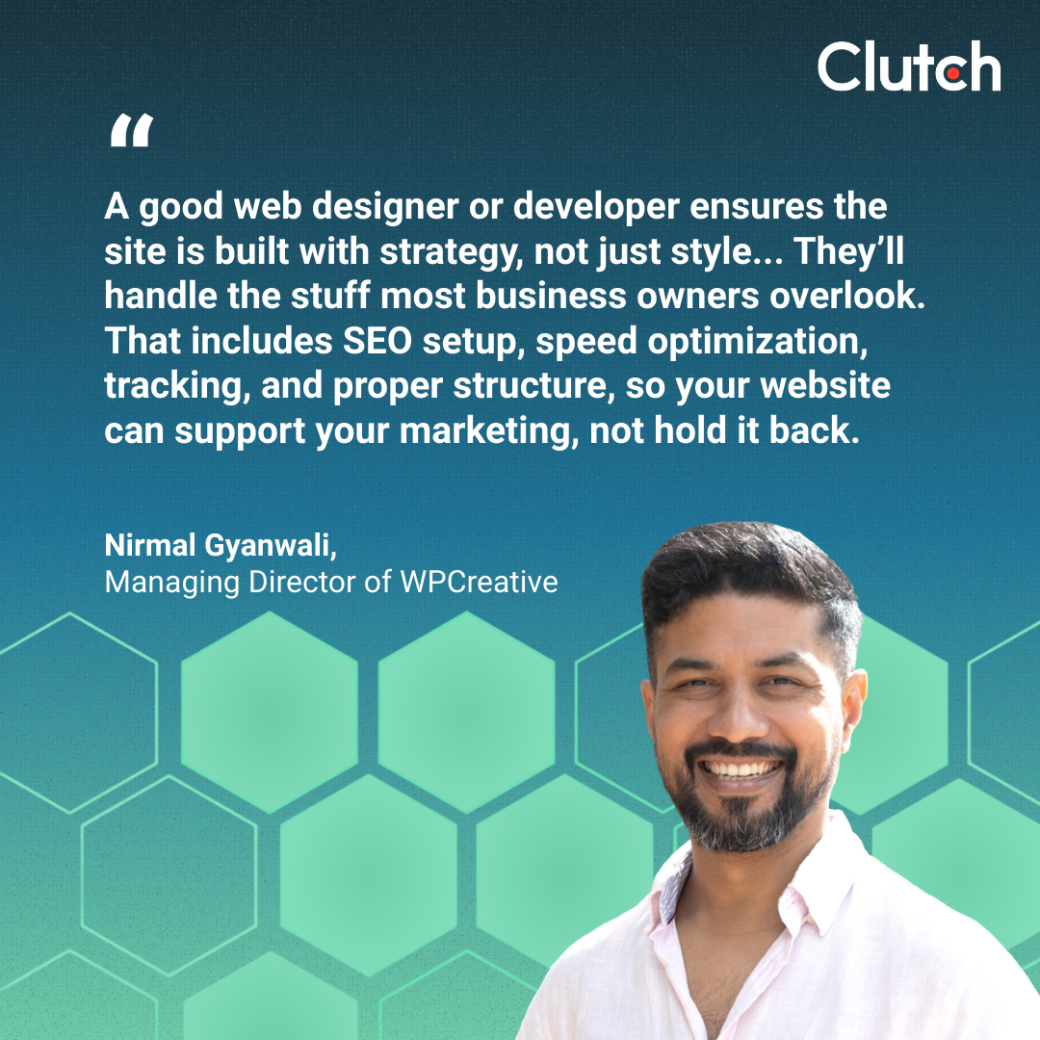
“A good web designer or developer ensures the site is built with strategy, not just style,” says Nirmal Gyanwali, Managing Director of WPCreative. “They can optimize the user experience, refine the design to align with your brand, and make sure the site works across all devices.”
For example, a pro can test menu setups and site maps to help customers find what they need quickly. They’ll also use adaptable layouts, so your site functions perfectly on any device.
Plus, professionals understand the nitty-gritty tech details. Gyanwali shares, “They’ll handle the stuff most business owners overlook. That includes SEO setup, speed optimization, tracking, and proper structure, so your website can support your marketing, not hold it back.”
Additionally, they will ensure your website follows accessibility guidelines, making it accessible to all users and protecting your business from potential lawsuits.
These details may seem minor — especially when you just want to share your products and contact info — but they matter in the long run. Shaving a second or two off your loading time, for instance, increases the chances that visitors will stick around.
Worried about getting smacked with a giant bill? Partnering with an agency is actually less of a splurge than it used to be. In fact, only 16% of businesses without a site say cost is a barrier, compared to 26% in 2018.
That’s because professionals can create high-performing sites more quickly and efficiently than DIYers, saving time and money. They may even use low-code or no-code tools that you can maintain yourself. For example, you could hire a Squarespace web designer to get your site up and running, then update it in-house.
Altogether, most web design projects reviewed on Clutch cost less than $10,000. If hiring an agency by the hour, prices typically range from $25 to $149.
Like the DIY route, building a new website with an agency has its benefits and drawbacks:
| Pros of Hiring an Agency | Cons of Hiring an Agency |
|
|
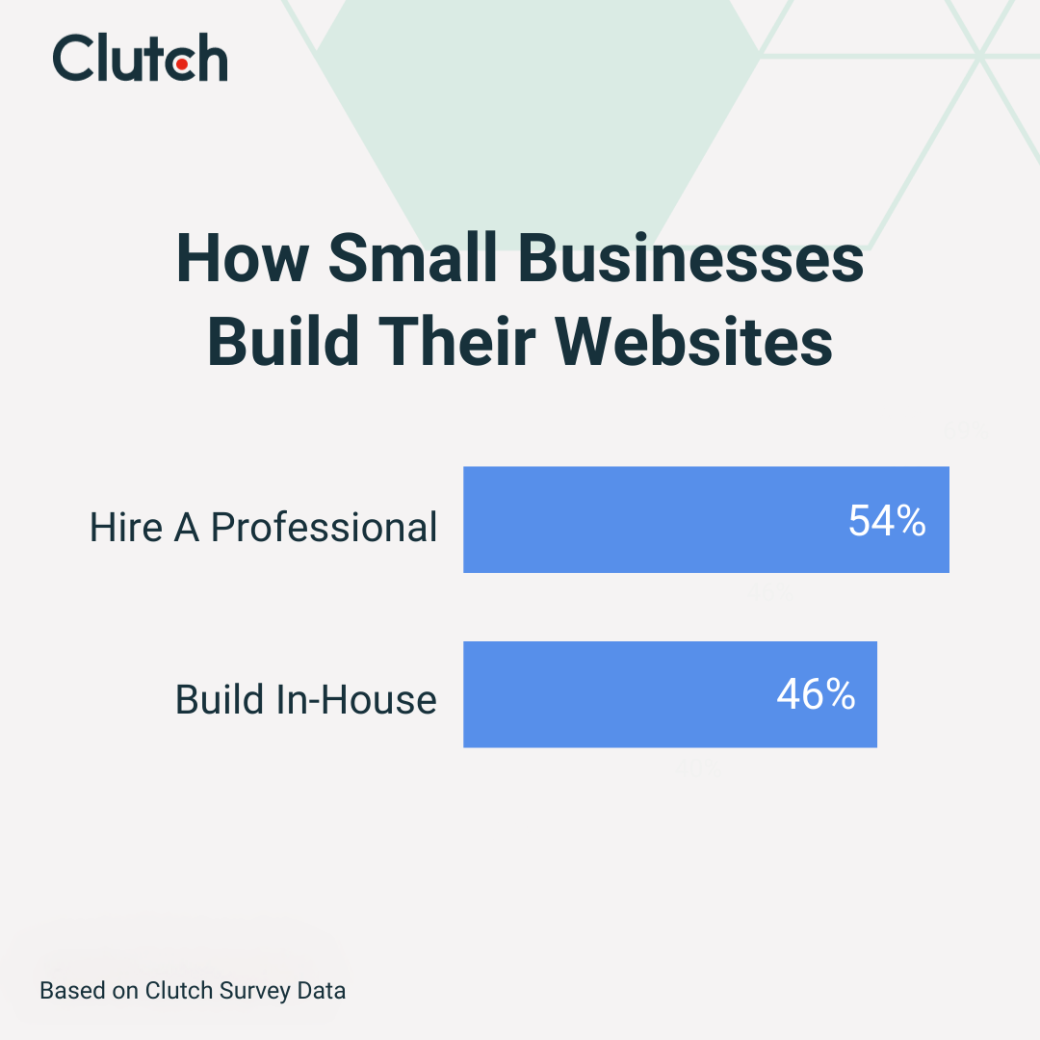
Small businesses are pretty evenly divided when it comes to websites: 54% hire a professional, while 46% build it themselves.
Of course, just because you can DIY doesn’t mean you should. Gyanwali observes, “There’s a big difference between having a website and having a website that actually works for your business.”
A site that takes forever to load or doesn’t fit your brand image won’t do your business any favors. In fact, it could even hurt your reputation if it makes your company seem less legitimate.
Here are a few more factors to consider as you weigh a DIY website vs. professional help:
| DIY | Professional Agency | |
| Budget | Usually cheaper, especially if you use an affordable platform like Wix or WordPress | Higher upfront investment |
| Skill level and time | No-code and low-code platforms require minimal skills, but it may take a few days to learn the ins and outs | No tech skills necessary, but you may need to wait for the agency to wrap up other projects |
| Necessary features | Good for basic, low-tech sites without any flashy add-ons | Best for companies that want complex checkout processes, AI chatbots, and other nifty features |
| Industry norms | Often fine for local and in-person businesses, like a flower boutique | Expected for e-commerce and SaaS businesses |
| Long-term business goals | Great if you want a low-maintenance option and only plan on basic content marketing | Can help attract new customers and boost credibility |
Ultimately, it all comes down to your comfort level and needs. Willing to experiment or only want a basic site? A DIY project can be a fun adventure, especially with resources like our web design checklist. If you need something more sophisticated or don’t have time to go down the WordPress rabbit hole, hire a professional.
Both DIY and professional sites can help you connect with clients, but which route is right for your business?
Going DIY is a good option if you have the time to build it, want full control, or only need a basic site.
Outsourcing to an agency might be a better fit if you don't have the time or resources to build your site in-house, or if you are looking for a more advanced and strategic design. If outsourcing is the path you’d like to take, browse Clutch’s directory of top-rated web design agencies to find the right partner for your business.