
Web Hosting Options: A Decision Guide for Businesses
Understand the pros and cons of different web hosting options to choose the best solution for your business.
Updated May 29, 2026

Choosing the right type of website can make or break your online presence. It’s the foundation of your brand, your marketing, and in many cases, your sales. But with so many ways to build one, each offering different levels of control, cost, and complexity, how do you know which is right for you?
Today, 83% of small businesses already have a website, but not all of them are built to last. The real challenge isn’t just getting a site online, it’s choosing a type of website that can grow and adapt with your business over time.
With options ranging from no code to low code to full code, the decision can feel overwhelming, especially if you’re unsure which path will serve you best in the long run.
In this guide, we’ll break down the pros and cons of each type of website, show you what kind of business they work best for, and help you make a confident, informed choice that supports your business now and in the future.
We’ll start with the easiest option: no code websites. These have become super popular recently, especially on Shopify, where e-commerce store owners can create beautiful sites without any coding knowledge.
As the name suggests, "no code" means building a website or an app without writing any code. Instead of using complex programming, you use drag-and-drop editors (like Webflow, Weebly, or Wix) and pre-built templates to design your site.
But here's the catch: No code doesn’t really mean there’s no code at all. The platform itself is built on code, but you don’t have to interact with it. Everything runs behind the scenes while you focus on choosing layouts, managing the user interface, customizing elements, and adding content.
Although there are quite a few options for creating a no-code website, the following are the most widely used:
Wix currently holds 45% of the no-code marketshare, while Squarespace commands 18%. Their popularity reflects how affordable, accessible, and simple these platforms are, allowing small businesses and solopreneurs to build professional websites without any coding experience.
Pros of No Code Websites:
The biggest advantage of no-code website builders? Simplicity. You don’t have to wrestle with complex code or hand off your project to a developer; just pick a template, customize the design and you’re good to go. Not to mention, no-code platforms can reduce maintenance costs by up to 80%, simplifying application management and reducing ongoing expenses. For small businesses, programmers, and solopreneurs, it saves major time and money.
Some people believe use of no code may result in sacrificing style or functionality, but this is simply not true. Modern website builders regularly update the templates and design options based on industry changes. Even if you're designing your website using a no-code developer, you can still create a professional site with the latest design trends and functionality.
Cons of No Code Websites:
You may find some challenges using the no-code platforms if you need deep customization or advanced functionality. Similarly, when it comes to SEO, some builders don’t offer the same level of optimization, and that can impact your site’s long-term growth.
Vladyslav Teplynskyi, Founder and CEO of Teplin Agency, says, "While no-code platforms can get a site live quickly, they often offer limited options for speed optimization and that can negatively impact SEO and user retention."
It can be hard to scale these websites as your business grows, since you have limited control over the code. Plus, no-code platforms can be expensive in the long run if you need advanced features or integrations.
Teplynskyi calls these hidden costs. He says, "With no-code platforms, hidden costs can include subscription fees, additional charges for plugins and integrations, and the potential for the platform to shut down or change its terms."
Integrations can be another challenge, as you need many third-party tools and plugins to add features like analytics or e-commerce functionality. You're paying for each integration separately (hence, the higher costs) and using time to set up and maintain them.
For example, to add event details to your site, you may be looking at a $19 plugin. Similarly, you’ll have to spend up to $100 on a plugin to let people book appointments through your website. These costs add up over time, and there will be a learning curve to each integration, too.
A no-code website is best for scenarios where you're short on resources and don't require much customization. Solopreneurs, small service-based businesses, and e-commerce startups with relatively straightforward needs benefit from no-code websites. These businesses typically don't have a large budget or full-time developers on staff, so using a no-code website builder can save time and money.
Learn More: “What is No-Code and Should You Be Using it?”
Low code options come into play if you can code a bit or need more customization.
A low-code website builder is a platform that requires you to have some coding knowledge but offers pre-built templates and other tools to make development easier. So, non-developers can create websites with more complexity than what's possible with no code platforms. A beginner-level technical knowledge (that you’re willing to increase over time) is usually sufficient to take this route.
Some notable platforms for creating low-code websites are:
Pros of Low Code Websites:
As Teplynskyi puts it, a major advantage of low-code solutions is that they "offer more flexibility, especially for internal tools or dashboards." Unlike no-code builders, low-code platforms provide a higher level of customization, making it easier to scale your website as your needs evolve. Plus, with better optimization options, you can improve SEO and overall site performance.
Cons of Low Code Websites:
The added flexibility with a low-code builder comes at a price. As Teplynskyi notes, "Low-code solutions might come with fees for advanced features or transaction fees, and there can be costs associated with connecting the platform to external systems." In other words, while low code offers more power, you’ll need to budget for those extra capabilities.
Low-code platforms combine ease of use and customization. Looking for a simple website with no need for full-scale development, low code is a perfect option. If you have a long-term growth plan, a scalable low-code solution can evolve with your needs.
These platforms are also a smart pick for businesses that want a distinctive website without the complexity of building everything from scratch. This includes entrepreneurs who need advanced functionality, whether it’s integrations, automation, or custom workflows.
The conventional method of designing a website from scratch with code is still an option for those who want complete control over their website's design and functionality.
Full code means building a website from scratch. To create a website using full code, the developer needs to be proficient in backend programming languages like HTML, CSS, and JavaScript. With full code, you can get your website to be exactly how you envision it.
There's a lot of room for customization and flexibility. However, you'll either need coding expertise or you'll have to work with a developer.
Unlike no code and low code, where you use certain platforms to build a website, full code requires frameworks and libraries. Some options are:
Pros of Full Code Websites:
Full-code website design comes with unlimited customization. You can optimize your site for speed, SEO, performance, accessibility, and scalability. There's also a lot of room to add security features and third-party integrations.
Cons of Full Code Websites:
Full code is the most expensive option. Teplynskyi explains, "Full-code websites, while offering the most freedom, require ongoing expenses for development, maintenance, hosting, and security." Since you're developing everything from scratch, full-code website design also takes more time.
Then, there's the maintenance aspect. The website developer may need to make changes and fix bugs regularly. Even if you're using a CMS or framework, you'll still need to have some coding knowledge to fix bugs and for further customization.
Teplynskyi notes, "Full-code websites require a larger investment but provide the highest level of customization, scalability, and control over the site's performance and security. A full-code solution may be the best choice if you envision needing specific features, custom integrations, or advanced SEO strategies."
If you're a company or individual that needs high performance and topmost security for their website, go for full code. Similarly, opt for full code if you want your website to have specific functionality and regular updates.
Large enterprises that rely on complex systems, such as Salesforce or SAP integrations, often choose full-code solutions. E-commerce giants like Amazon and eBay also need custom-built platforms to handle vast product catalogs, high traffic volumes, and secure transactions.
The same is the case with media and publishing platforms, such as the New York Times and the BBC. They need full-code websites to support dynamic content management and editorial workflows. Even tech startups building SaaS products, like Notion or Slack, rely on full-code development to create tailored user experiences and scalable applications.
The answer depends on your specific needs and budget.
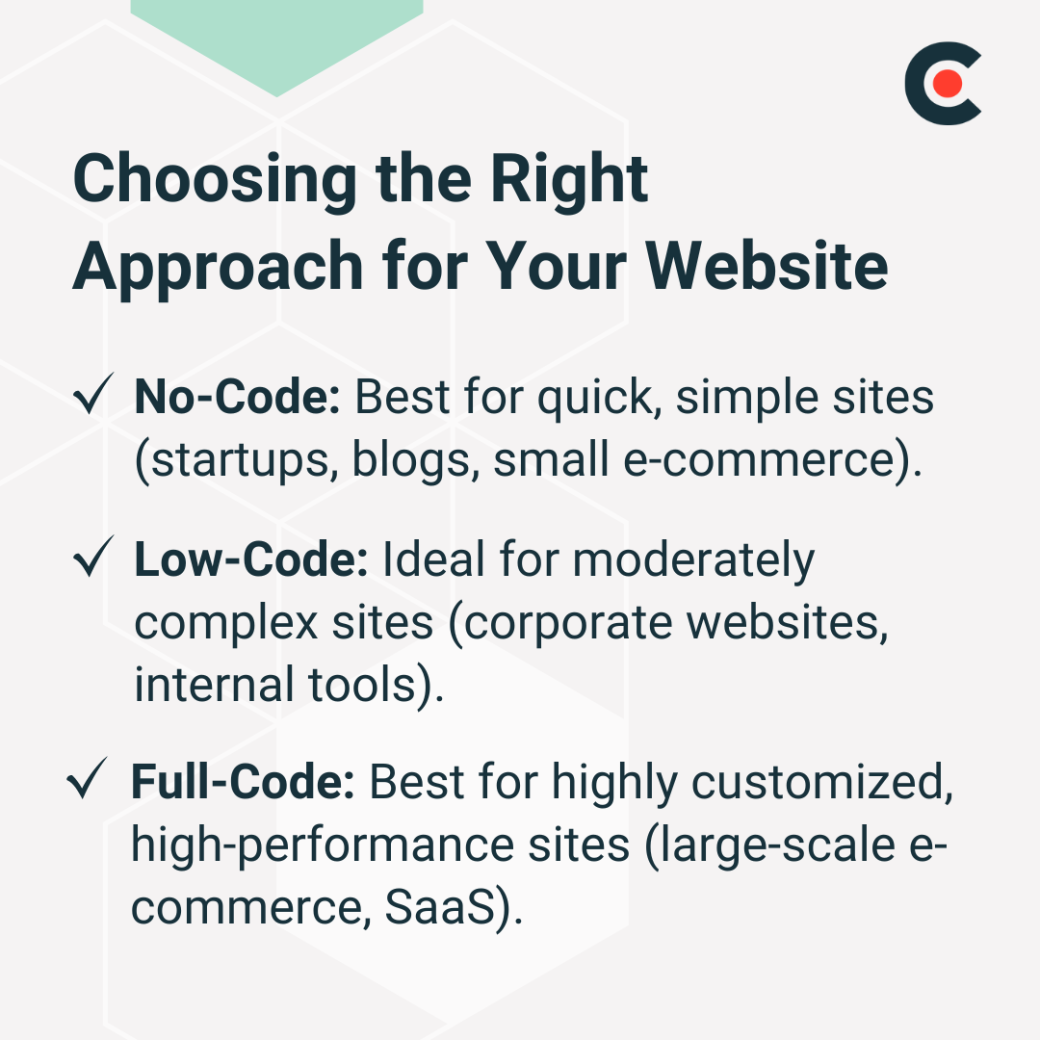
Go for no code if you're looking for a quick solution that doesn't require much effort or up-front investment. It's ideal for smaller sites with a few pages and basic features. To take Teplynskyi's advice, "No-code platforms are great for startups testing MVPs, simple blogs, or small e-commerce sites with minimal custom needs."
However, if you want your website to be a little more complex but still not require your team to have extensive coding knowledge, low code may be the way to go. It gives you more room for customization and advanced features without the need for a full coding skill set.
Teplynskyi recommends, "Low-code is often a good fit for corporate websites and internal business tools where automation and integrations are beneficial, but the complexity is manageable." So, it's the middle ground between no code and full code.
However, he also says, "While no-code and low-code platforms can be cost-effective and quick to deploy, they often come with limitations that become apparent only when the business starts to scale."
If you want to take a leap from a simple website to a fully customized, high-performing, and secure one, full code is your best bet. You can tailor it to your exact needs. Only go this route if you have the budget for it, though.
Teplynskyi explains, "Industries that require highly custom features, such as large-scale e-commerce, SaaS platforms, or marketplaces, often benefit most from a full-code approach. This gives them the ability to build unique user experiences and handle large amounts of traffic or data processing." If you have extensive business needs and the resources to invest in coding, opt for full code.
What if you're unsure which of these three to choose? In that case, start with a no- or low-code website and upgrade as needed.
According to Clutch data, 88% of small businesses with a website in 2025 relied on either no-code or low-code solutions, highlighting how widely these approaches are being adopted.

Teplynskyi suggests making the transition to full-code "when the limitations of your current platform start hindering growth. This often happens when you need more advanced features, faster loading times, or better integration with other tools. It's also a smart move when your brand has established a stable revenue stream, and you have the budget to invest in a long-term solution."
Web design keeps evolving, although full code remains the most powerful and scalable option for businesses. It offers more flexibility and customization but comes at higher costs and requires technical knowledge.
In comparison, low-code and no-code options are more accessible and user-friendly but may have limitations in terms of functionality and scalability.
When choosing between these three, account for your business needs and resources. If you opt for a full-code website, Clutch makes it easy for you to find the right web developer for the job.