7 Tips For Designing Web Forms
Clutch surveyed 502 web users about what they actually want from form design. Here are 7 data-backed UX principles that reduce abandonment and improve...
Updated February 16, 2026

83% of small businesses have already launched a website. Could an AI or no-code web builder help you join them?
When customers are looking for new brands, products, or services, they turn to their best friend: the internet. Now that the majority of small businesses are online, shoppers have plenty of choices.
Thankfully, being online isn’t a luxury anymore. With new AI and no-code tools, building a website no longer requires a massive budget or weeks of planning. In fact, you don’t even need coding skills.
Looking for a Web Design agency?
Compare our list of top Web Design companies near you
These website builders check off all the boxes for small businesses: they’re fast, easy to pick up, and won’t drain your bank account. In this article, you'll learn how you can use them for designing professional sites, and when to consider outsourcing instead.
When you think about web design, most people immediately think about aesthetics: the color scheme or that flattering headshot you’ll use for your About page. However, before you can decide how your website looks, you need to figure out what it should do.
This looks different for every industry. A fashion retailer needs a product shop with beautiful photos and customer reviews. For a dog groomer, a pricing list and a scheduling tool may be enough.
You should also think about the type of content you want to share:
These questions may seem tedious, but not planning is risky. Temelko Dechev, CEO of ExpandX, explains, “Embarking on a website development project without well-defined goals can lead to misalignment between the website's functionality and the business's needs. This oversight often results in wasted resources and suboptimal outcomes.”

Avoid these issues with a little forethought. When you have the website's mission in mind, it’s easier to pick platforms and designs.
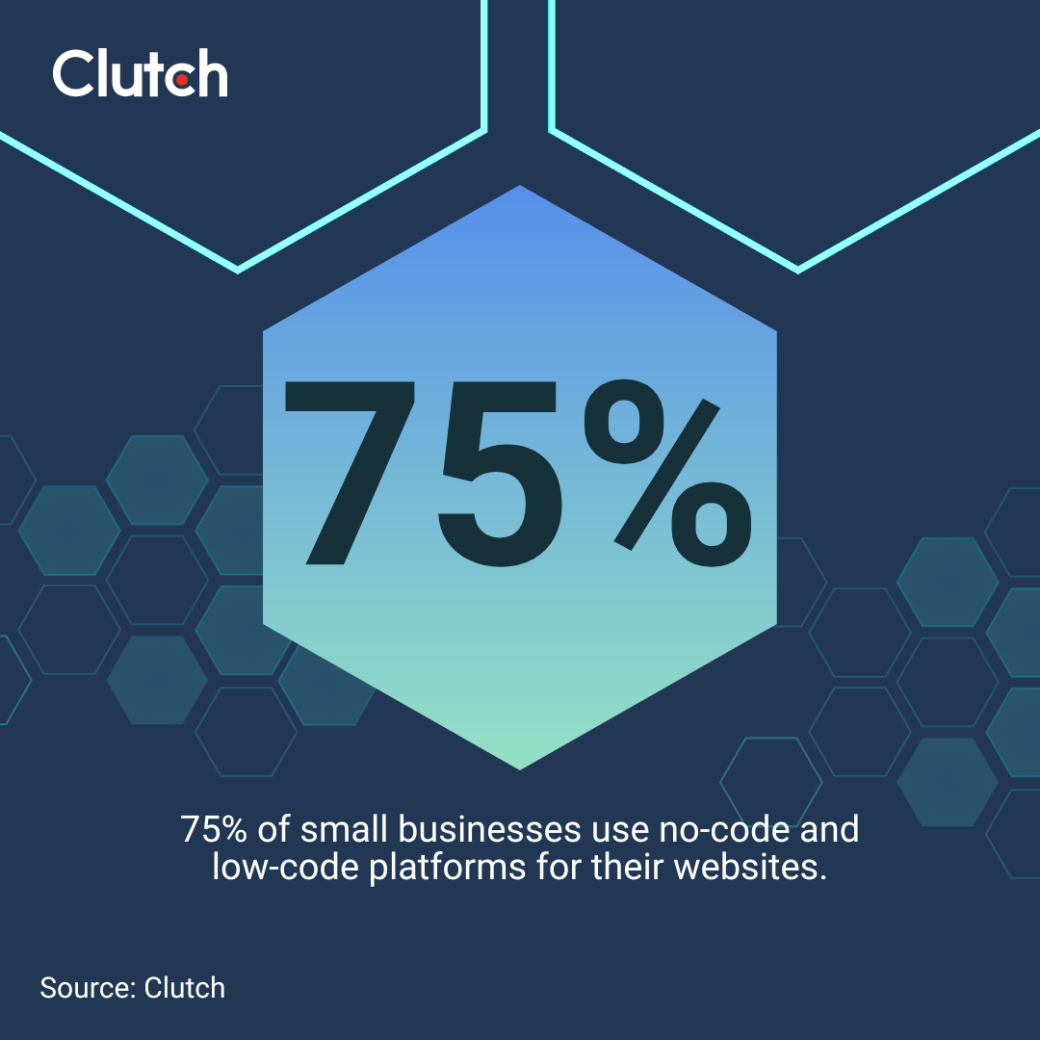
While you could theoretically code a website from scratch, it’s probably not necessary. Three out of four small businesses use tools that fall under two umbrellas: no-code and low-code.
No-code platforms are the most beginner-friendly. Just drag-and-drop elements or tell AI what you want and you’ve got a functional website. Wix and Squarespace are two popular no-code website builders.
WordPress, Shopify, and other low-code tools are a little more advanced. They’re still easy to learn, but you’ll need some coding knowledge to customize them.
“No-code platforms are great for startups testing MVPs, simple blogs, or small e-commerce sites with minimal custom needs,” explains Vladyslav Teplynskyi, Founder of Teplin.
He continues, “Low-code is often a good fit for corporate websites and internal business tools where automation and integrations are beneficial but the complexity is manageable.”

Look for a platform that meets all your needs, and start small. You don’t need an 80-page WordPress site right away — that can come later, when you’re more comfortable.
It’s easy to get caught up in the technical details, but remember who your website is really for: your customers. If they can’t figure out how it works, it’s not actually helping your business.
Picture how real humans will interact with your site. Dechev recommends, “Design navigation based on user intent and buyer journey stages.” For example, people in the discovery phase will appreciate an About page. When they’re ready to buy, Products or Services will get them to the checkout lane faster.
Every site also needs a home page and a contact page, which should go in your top menu so they're easy to find. If you're interested in content marketing, you could also create a blog or a resources page.
Pay attention to your layout, too. Short paragraphs and bullet point lists make your content more skimmable, especially for people on mobile. And place call-to-action buttons (“Checkout now!”) where users are most likely to click them.
Learning how to create a site that actually fits your brand doesn’t have to be a chore. Start by working through these three steps:
As you assemble your site, focus on page speed and mobile responsiveness. Add headers and bold key phrases so smartphone users can get the gist quickly. And resist the urge to install a lot of plugins. While they may add cool functions, they can also turn your sleek site into a slow, clunky nightmare.
At every step, prioritize the essentials over aesthetics. You can always enhance your site's appearance after the big launch.
Free AI website generators let you describe your vision in plain language and spin up a site to match. A bakery might say, “I want a cozy website with an image carousel on the home page and a contact form to request custom cakes.”
AI can’t read your mind, so expect to spend some time trying different prompts until you get the right look. Wix’s AI builder, for instance, adjusts the layout and content based on your instructions. It’s not as flexible as building a custom site, but it’s definitely less work.
Many platforms also have built-in AI tools to improve designs you’ve built yourself. Try Shopify Magic to edit your product photos, or install a WordPress AI plugin for automatic search engine optimization (SEO).
In addition to design, AI can assist with copy, and you need both to create a website that converts.
“Content and design are two sides of the same coin,” explains Josh Webber, CEO of Big Red Jelly. “Design attracts, while content engages. You need both for a lasting impact.”

Use a tool like ChatGPT to draft your home page, product descriptions, and other content. You can even upload your brand book to teach it your tone and favorite lingo, just like you’d get a human copywriter up to speed.
Of course, you should never blindly copy and paste AI-generated content into your site. Even the most helpful tools can add random text or spread misinformation. Avoid embarrassing PR crises by fact-checking and proofreading everything.
When it comes to creating your website, a lot of businesses come to the question: Should we DIY our website or hire an agency?
With so many tools available, practically anyone can build a simple site in a weekend. This approach gives you total control over every part of your site, from the layout to special features like pop-ups.
Here are a few pros and cons of DIY small business web design:
| Pros of DIY Websites | Cons of DIY Websites |
|
|
Maybe you don’t have the time (or patience) to learn how to make a site, even with no-code tools. Or perhaps you want more advanced features that platforms like Wix just don’t offer.
Consider hiring a professional web designer to build your entire site, or at least part of it. They understand how customers interact with sites, so they can design a smoother experience.
Of course, outsourcing is typically more expensive than building a site yourself. According to Clutch data, web designers charge an average of $100 to $149 an hour, with most projects totaling less than $10,000. However, the long-term benefits of a professional site can make up for these upfront fees, especially if it leads to more sales.
Before you contact agencies, consider these advantages and drawbacks:
| Pros of Outsourcing | Cons of Outsourcing |
|
|
The third option is a hybrid approach. Use an AI or no-code website builder for small businesses to lay the foundation, then hand it off to a designer if you run into any issues. This can save money and give you more control over the site.
The hard work isn’t over once your site is finished. Before launch day, take the time to test it on mobile and desktop devices.
As Dechev points out, “With a significant portion of users accessing websites via mobile devices, failing to optimize for mobile responsiveness can lead to a loss of potential customers.”
Many platforms offer mobile-responsive templates to help you avoid this issue from the get-go. You should also optimize your site with basic SEO techniques, such as adding metadata to every page and sprinkling relevant keywords into your content.
Update your website frequently to fix bugs and refresh stale content. And consider a total redesign every three to five years to keep your site at peak performance. According a recent Clutch survey, 81% of small businesses have redesigned their website at least once, so a total overhaul will help you stay competitive.
With AI and no-code tools, designing professional websites is more beginner-friendly and affordable than ever. Focus on getting the essentials down and creating the smoothest user experience. And remember: you can bring in professional help at any time if you get stuck.
Prefer the convenience of outsourcing? Check out Clutch’s directory of vetted web designers for expert help.
For more support, check out these articles: