7 Tips For Designing Web Forms
Clutch surveyed 502 web users about what they actually want from form design. Here are 7 data-backed UX principles that reduce abandonment and improve...
Updated March 24, 2026

83% of consumers judge your website's credibility in under 20 seconds, and design is the number one reason they choose to stay or click away.
Have you ever clicked on a website and immediately felt something was off? Maybe the design looked outdated, the product descriptions were suspiciously vague, or the return policy was nowhere to be found. You probably didn’t stick around long, and you definitely didn’t make a purchase.
You’re not the only one who has clicked away. In fact, 87% of consumers have immediately left a website because it didn’t look trustworthy.
Looking for a Web Design agency?
Compare our list of top Web Design companies near you
The reality is this: trust issues don’t just cost you clicks. They cost you customers.
But what exactly makes a website earn or lose trust?
This report reveals what online shoppers notice in those first few seconds, what makes them leave, and how to design a website that builds trust and drives sales.
Customers determine whether a website is trustworthy almost as soon as they land on it. According to Clutch survey data:
Not to mention, only 13% judge your brand after thoroughly interacting with your site. That means you have a very short window to build trust with your visitors, and they aren’t giving you the benefit of the doubt.
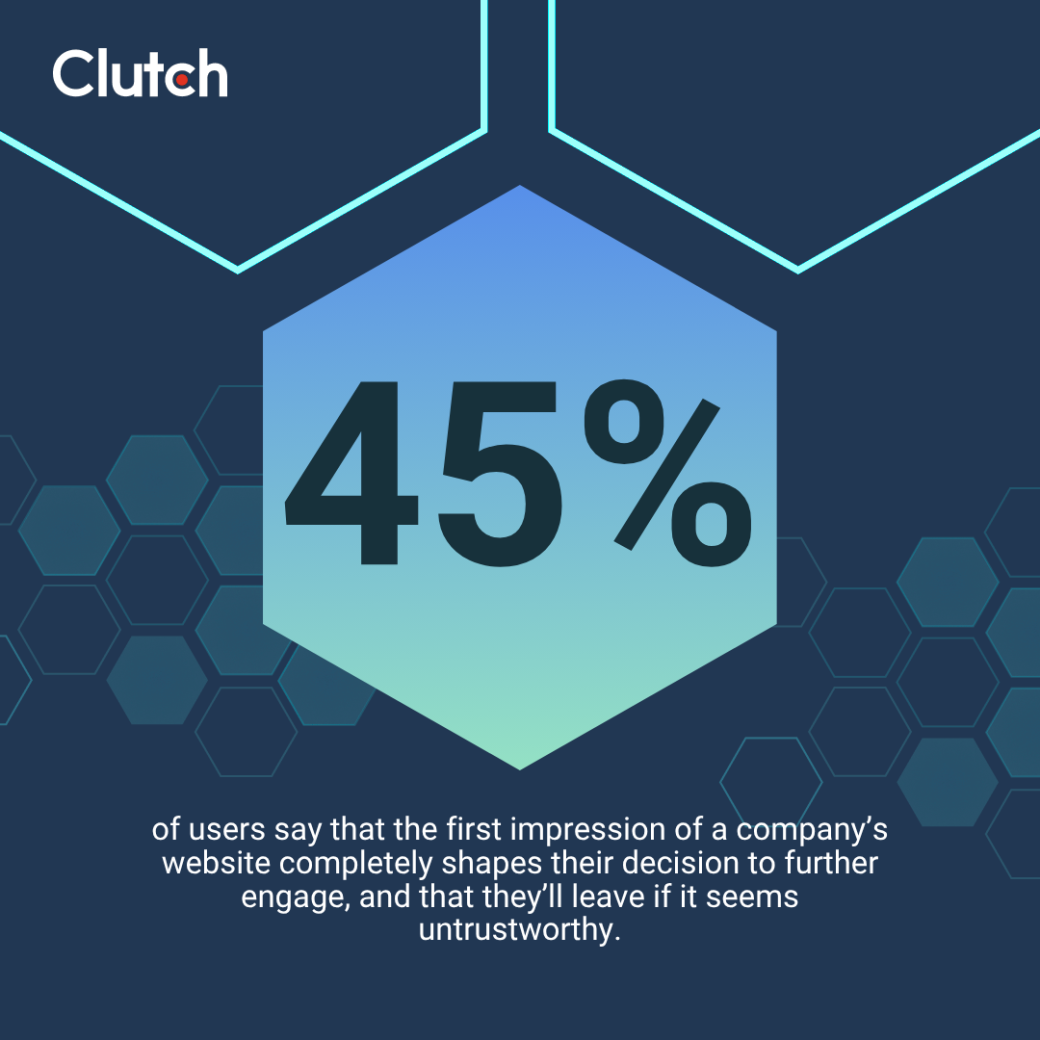
If you lose the trust of a website visitor, you’ve essentially lost a potential customer. Forty-five percent (45%) of users say that the first impression of a company’s website completely shapes their decision to further engage, and that they’ll leave if it seems untrustworthy.
With the stakes this high, your business needs to start building trust with each visitor as soon as they click onto your website. Otherwise, your revenue is taking a massive hit.
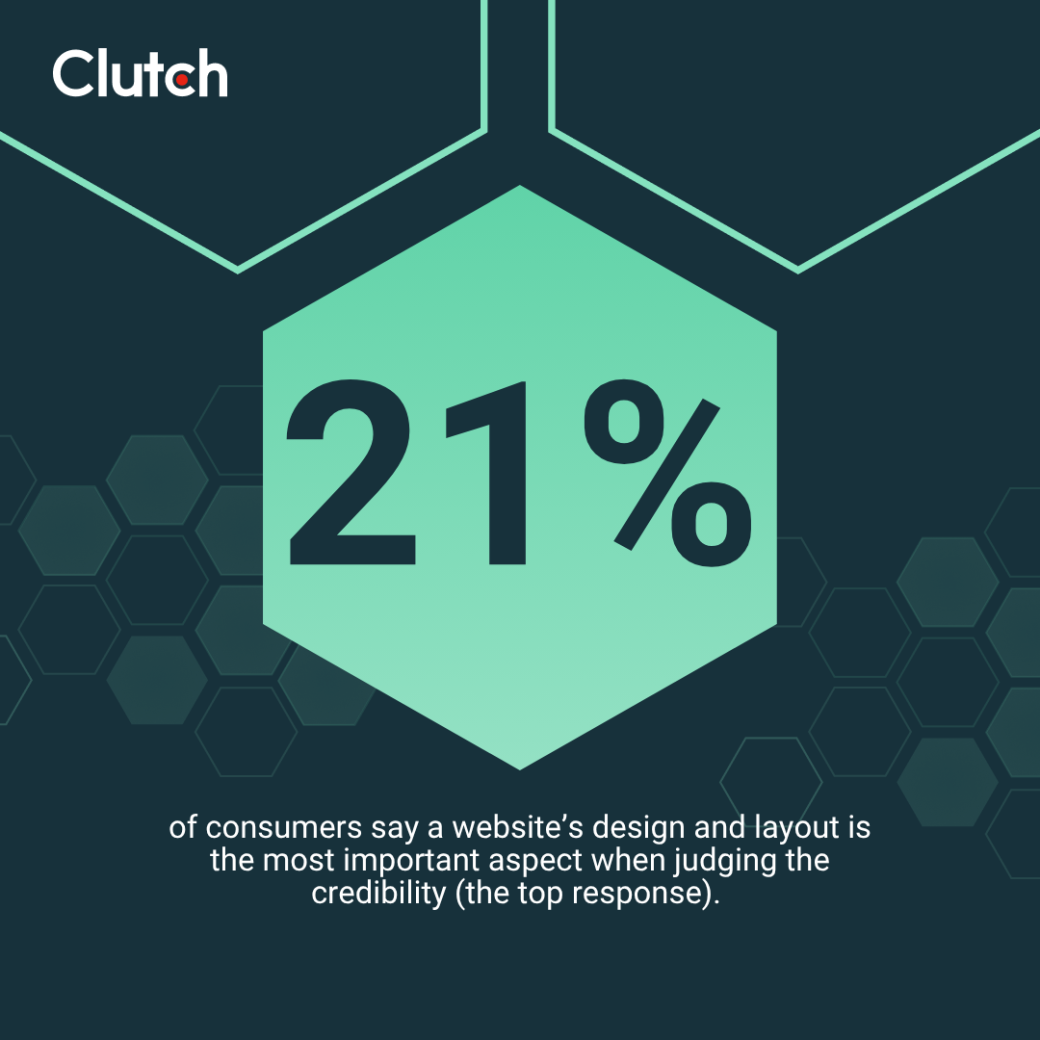
What are online shoppers assessing to determine credibility? The number one factor is design, with 21% of users saying a site’s design and layout are the biggest indicators of credibility.
What users notice first matters more than ever. However, not every design detail carries the same weight, and some elements instantly shape a user’s perception. According to consumers, these are the first things they notice when they land on a new website:
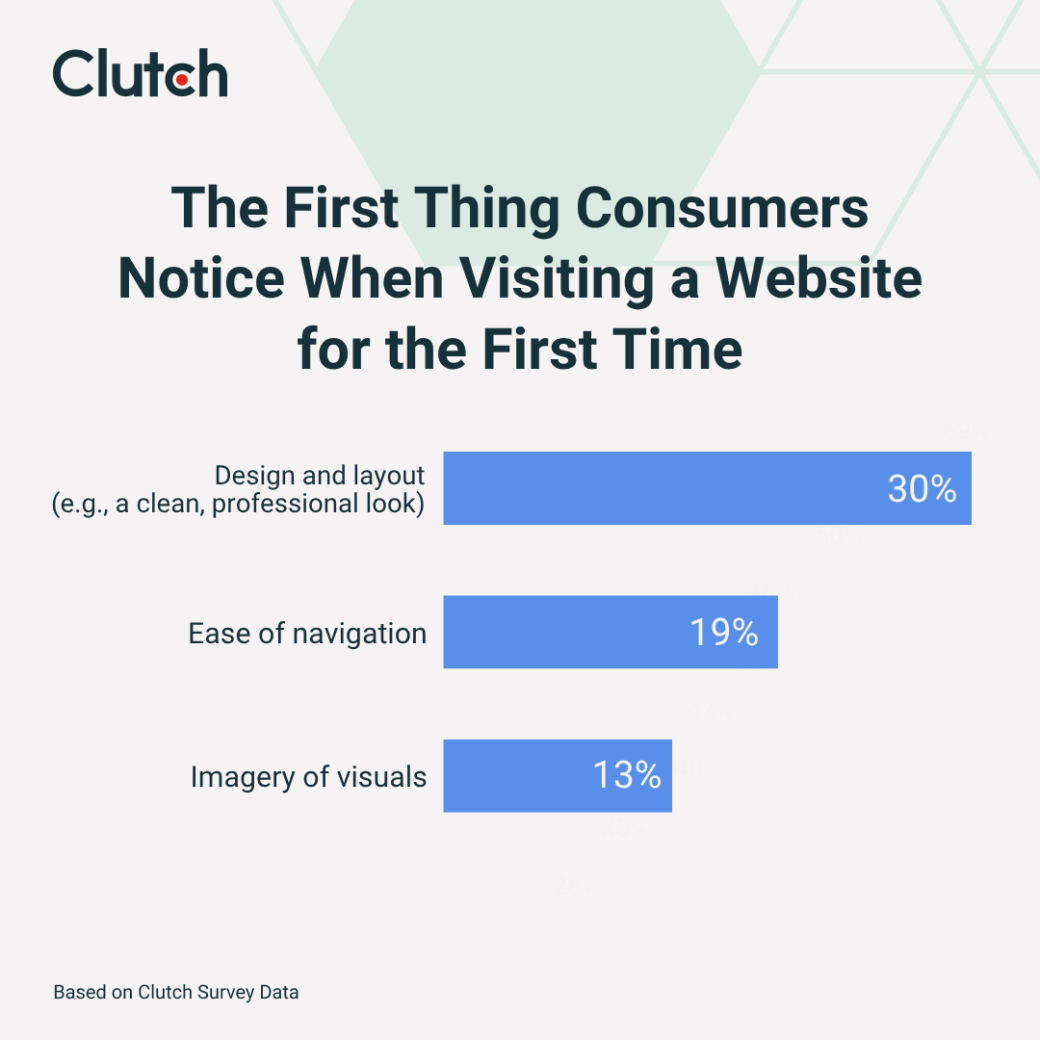
Together, these visual cues either build credibility or break it. If your website’s design is outdated, the navigation is confusing, or the images are blurry, you’re likely losing more than half of your visitors before they even have a chance to explore your site.
To retain and build trust with users on your website, it’s essential to have a clean, professional, and user-friendly design. Some areas to focus on include:
While having a professional website design is a major key to building trust and establishing credibility with users, there are several other factors consumers consider when evaluating a website’s security.
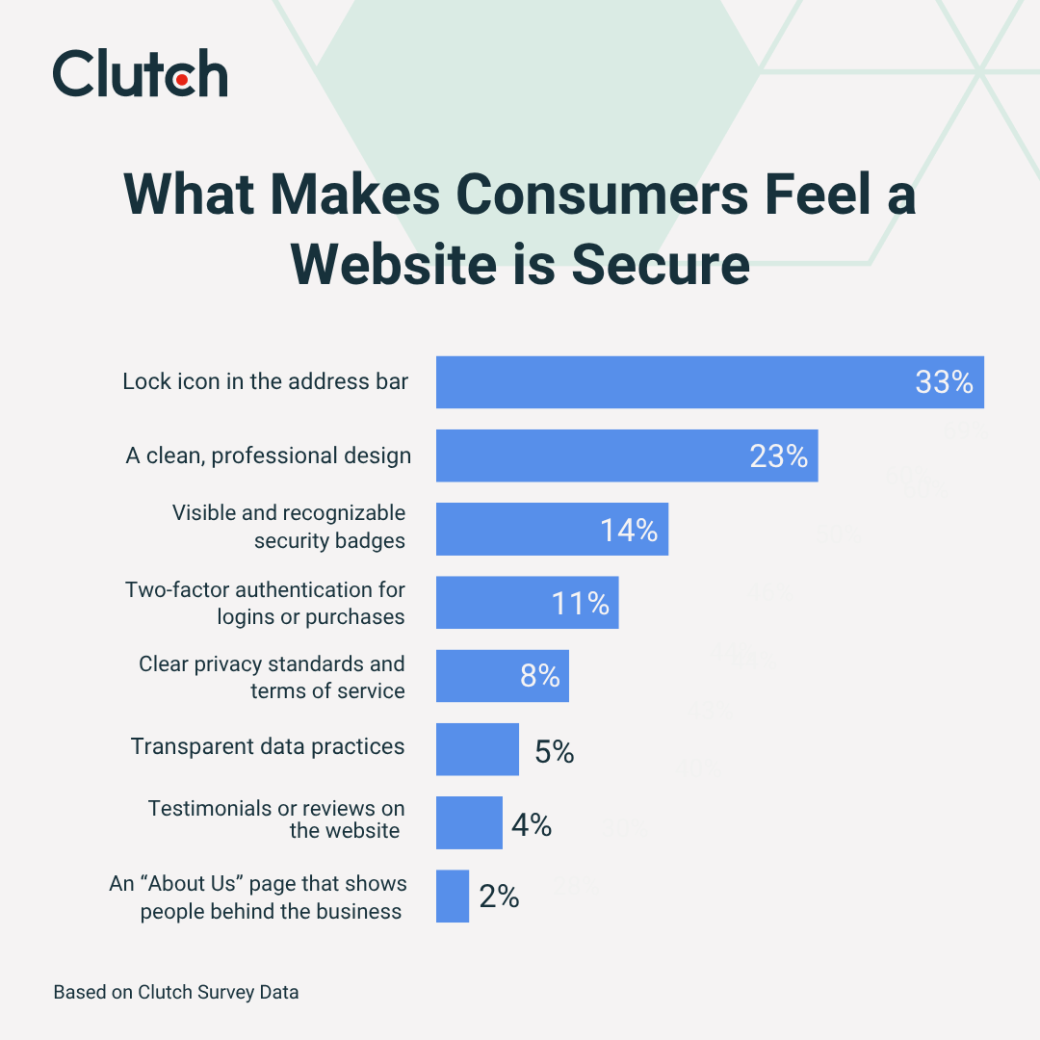
Our survey showed that 33% of shoppers say having a lock icon in the address bar (from an SSL certificate) is the strongest trust signal that makes them feel a website is secure.
Other top trust signals include:
Less notable, but still helpful, trust signals include clear privacy standards and terms of service (8%), transparent data practices (5%), and testimonials or reviews on the website (4%).
The least impactful trust signal? An “About Us” page that shows people behind the business, with only 2% of consumers saying it's their top indicator of trust.
To get your target audience to make an online purchase, they need to feel secure on your website. Here are a few action items you can take to boost that sense of security:
Lastly, don’t underestimate the power of clean, professional design. It not only helps your website appear more credible, but it also makes users feel safer while browsing and buying.
If you’re unsure if your current web design is giving the right impression to your visitors, ask your audience. Conduct a survey to gather honest feedback from your existing customers or target audience. Then, use their insights to guide improvements to your design.
Shoppers consider several other factors in addition to design and security features when determining if a website is trustworthy.
Of those surveyed, 65% say typos, bad grammar, and placeholder text make them distrust a website. Confusing navigation comes up again as it is next on the list, mentioned by 49% of respondents.
Other factors that cause distrust in a website include:
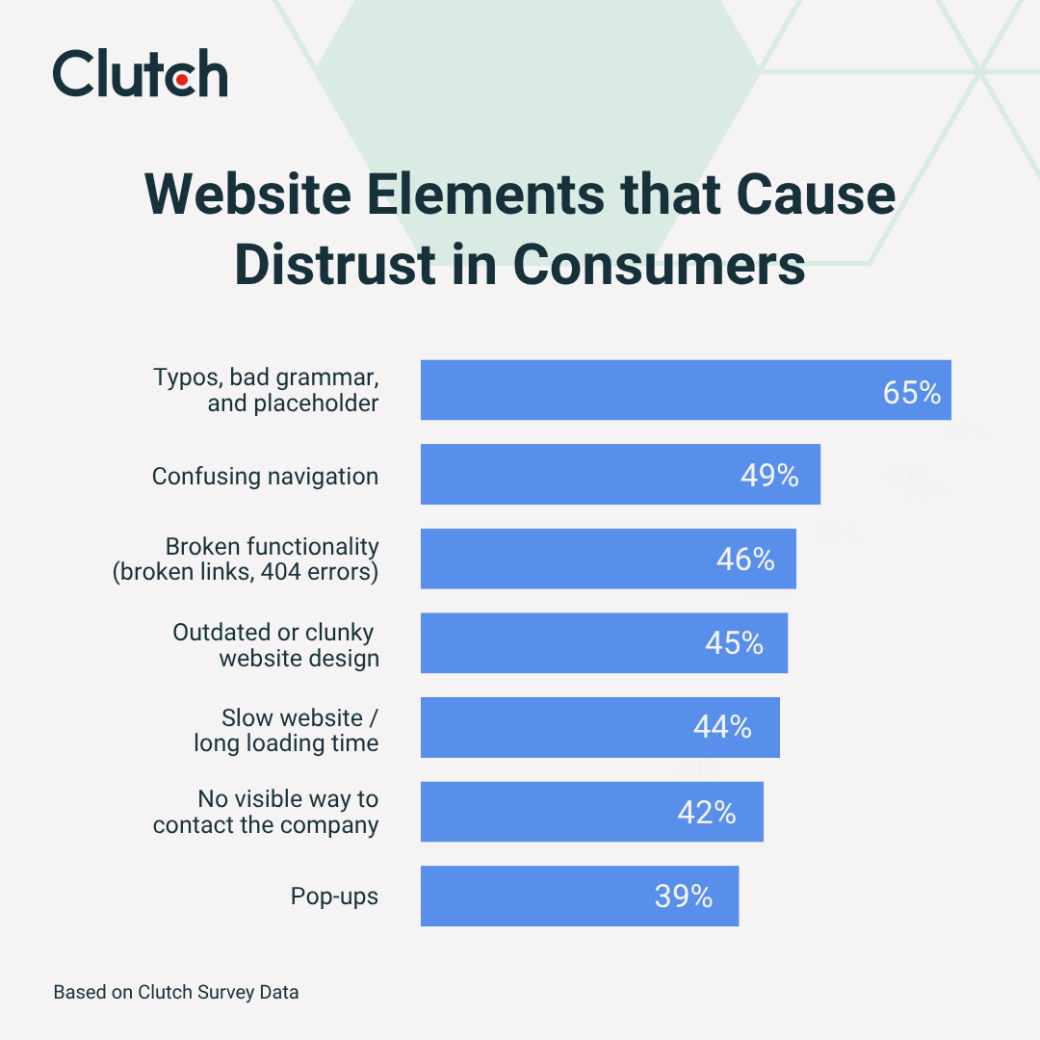
Many elements on your website can erode trust. Luckily, though, most have simple fixes. Here are a few tactics you can use to improve your website’s credibility and reduce bounce rates:
Additionally, prioritize increasing your website’s speed. Not only does a slow website undermine a user’s trust, but 48% users only wait 10 seconds or less before giving up on your website.
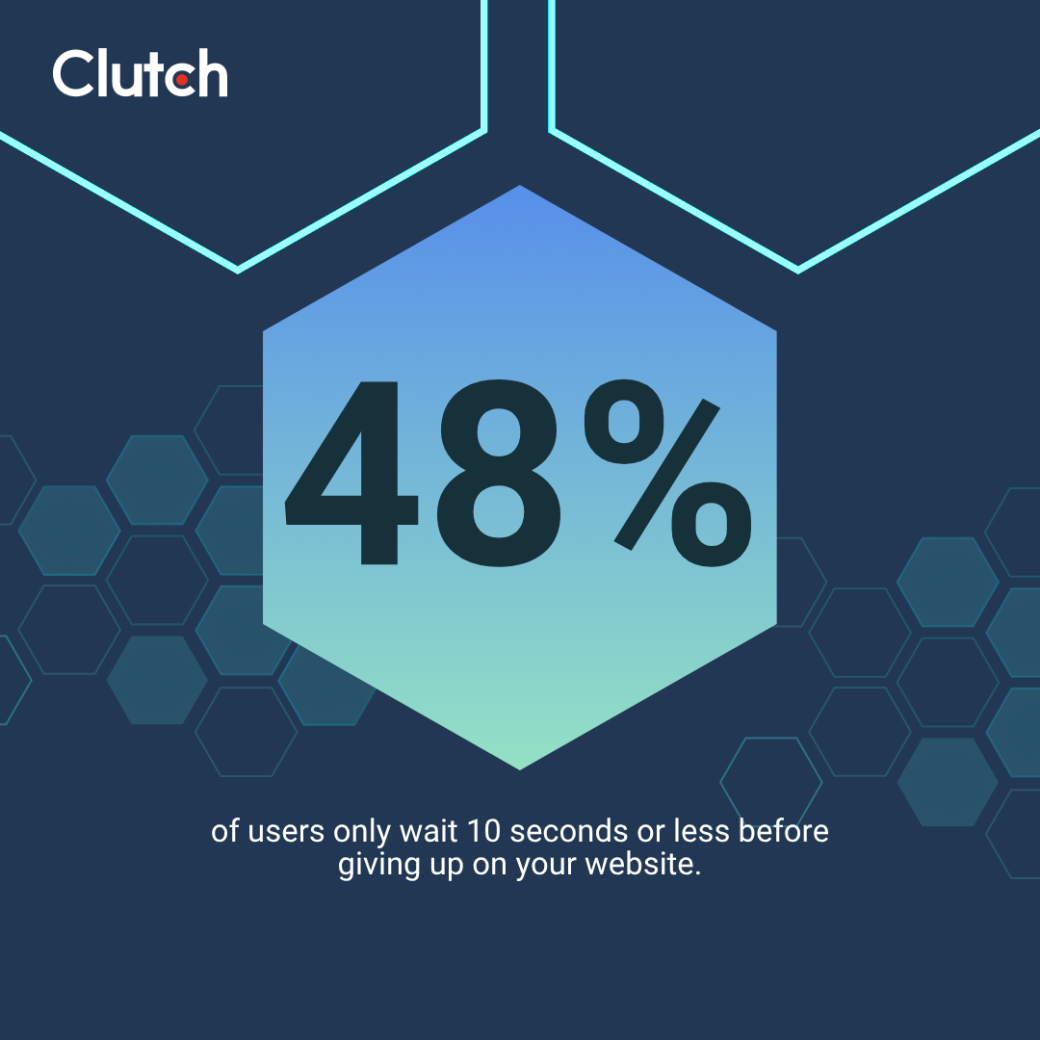
To keep your site fast and responsive, upgrade your hosting, compress or resize images, and reduce third-party tools. These improvements help create a smoother, more trustworthy experience from the moment someone lands on your site.
Trust is the bridge between hesitation and purchase, and it’s easier to break than you might think. Whether it’s poor web design, overlooked errors, or missing security signals, even small missteps can raise red flags that send potential customers running.
Thankfully, trust can be earned. By addressing those doubts through clear design, functional usability, and visible security, you create a website that feels safe, professional, and worth engaging with.
Ready to increase your website’s credibility? Explore our list of top web design companies to find the right partner to help you build a more trustworthy website.
This report is based on a survey conducted on June 24, 2025, using the online polling platform SurveyMonkey. We surveyed 263 consumers in the United States between the ages 18-99 of all income levels who are the primary decision makers in a household. The respondents were 49% male and 51% female.
Participants were asked a series of multiple-choice and single-selection questions about their experience, frustrations, and preferences when establishing trust and credibility on a website. Quotas were applied to ensure a balanced distribution across demographic segments. All respondents were required to complete the survey in full to be included in the final analysis.
The findings provide insights into consumer behavior and sentiment around website trust and credibility in 2025.