7 Tips For Designing Web Forms
Clutch surveyed 502 web users about what they actually want from form design. Here are 7 data-backed UX principles that reduce abandonment and improve...
Updated February 26, 2026

Your website is the powerhouse behind your business success. But if it’s feeling outdated or no longer aligns with your goals, deciding between a simple refresh or a complete redesign can be overwhelming.
Your website is more than just a tool for selling products or sharing information. It’s the face of your business — the place where you have total control over your brand’s image. But sometimes, that face can start to look a little, well, dated. Or maybe your site just doesn’t reflect your business anymore.
Sometimes, a quick website refresh is all it takes to revitalize your site. Other times, a full-scale website redesign is unavoidable. But how do you know which path is right for your business?
Looking for a Web Design agency?
Compare our list of top Web Design companies near you
To help you decide, we spoke with Muzammil K, Marketing Manager at Aalpha Information Systems. With years of experience in digital consulting and marketing, he shared advice about revamping your website. Read on to discover whether a website refresh or redesign is the best strategic move for your business.
A website refresh and a redesign have the same goal: to make your site look and perform better. But they have very different scopes. Here’s a quick breakdown.
A website refresh focuses on improving a few specific aspects of your site. It’s like repainting your kitchen cabinets and adding new hardware — small changes that go a long way toward making your space feel revived.
Website refreshes often involve:
This option works best for websites with solid structures that just need a facelift. It’s also budget-friendly, especially if you only make a few changes.
A website redesign completely overhauls every part of your website, from the content to the user interface. It’s like one of those home renovation shows on HGTV, where they gut and transform every room.
Here are a few areas you might recreate during a website redesign:
Consider this option if your website has poor performance or feels very outdated. It’s also a great choice if you’re rebranding your business and want a fresh start.
There’s a lot to love about a website refresh. It’s affordable, fast, and doesn’t take much effort. But how do you know if it’s the right choice? Here are a few signs that a refresh could be exactly what your site needs.
Tastes change quickly, so your site’s design could feel stale before you realize it. But if everything still works fine, you probably don’t need a full redesign.
K explains, “A website refresh is ideal when the core functionality and structure remain strong but the design, performance, or UX need enhancement.”
This approach helps you modernize your site without making drastic changes. You might update the design to fit current trends or tweak your menu to make it easier for visitors to get around.
In 2024, over 60% of website traffic came from mobile devices. If your site isn’t mobile-friendly, you'll lose traffic and sales.
A website refresh is usually all it takes to make your site accessible on any device. This might involve:
Be sure to test your site on different smartphones and tablets, too.
Many websites have small flaws that can affect their usability. This could be anything from a few broken links to sluggish loading times. These problems may seem minor, but they can deter visitors.
With a refresh, you can tackle these annoying issues head-on. Often, a few adjustments are all it takes to make your site more user-friendly.
If you use web analytics tools, you may notice that your engagement rates gradually decline. Or maybe more visitors are bouncing from your site after only a few seconds.
Put yourself in your audience’s shoes with heat mapping tools and look for the root causes of these problems. Consider if a website refresh might be enough to solve them. If your blog posts have high bounce rates, for example, you might want to add more engaging images and intros. Optimizing page loading times can also reduce bounce rates and improve user experience.
Is your content gradually dropping in search engine rankings? This could be caused by slow loading speeds or poor search engine optimization (SEO).
Improve your site’s visibility with a simple refresh. Here are a few practical strategies:
Keyword research can also help you find new ways to increase your content’s relevance.
Sometimes, a simple refresh isn’t enough to modernize and improve a site. Check out these tell-tale signs that it’s time for a redesign.
Spend time exploring your website, and ask yourself, “Is this an enjoyable user experience?” It can be difficult to be critical of your own site since you're so close to it, so consider gathering feedback from others. Maybe they struggle to find key information, experience slow loading times, or find the design clunky and unresponsive.
Systemic issues like these often require a major overhaul, not a quick fix. This might involve creating a more intuitive layout or revamping the structure for easier navigation.
Old technology can hinder your site’s performance and even lead to security vulnerabilities. If your website is stuck in 2020 (or even earlier!), you can modernize it with a redesign. Consider switching to a new content management system or adding stronger security features.
As your business grows, your goals and mission may change. Make sure your website fits your new direction by updating the structure. For example, you might build an online store or add new service pages.
Spend a few hours browsing your competitors’ websites. Do they have more polished designs or seamless user experiences? Perhaps their sites have more interactive features than yours. Consider investing in a redesign to stay competitive and attract more customers.
Maybe you’ve already tried a refresh, but your visitors still aren’t taking action. As K advises, “Low conversion rates despite incremental improvements are also a sign that a redesign is needed.”
Creating more engaging content — such as product demos or videos — can boost conversions. You could also add clearer call-to-action buttons or simplify your checkout process.
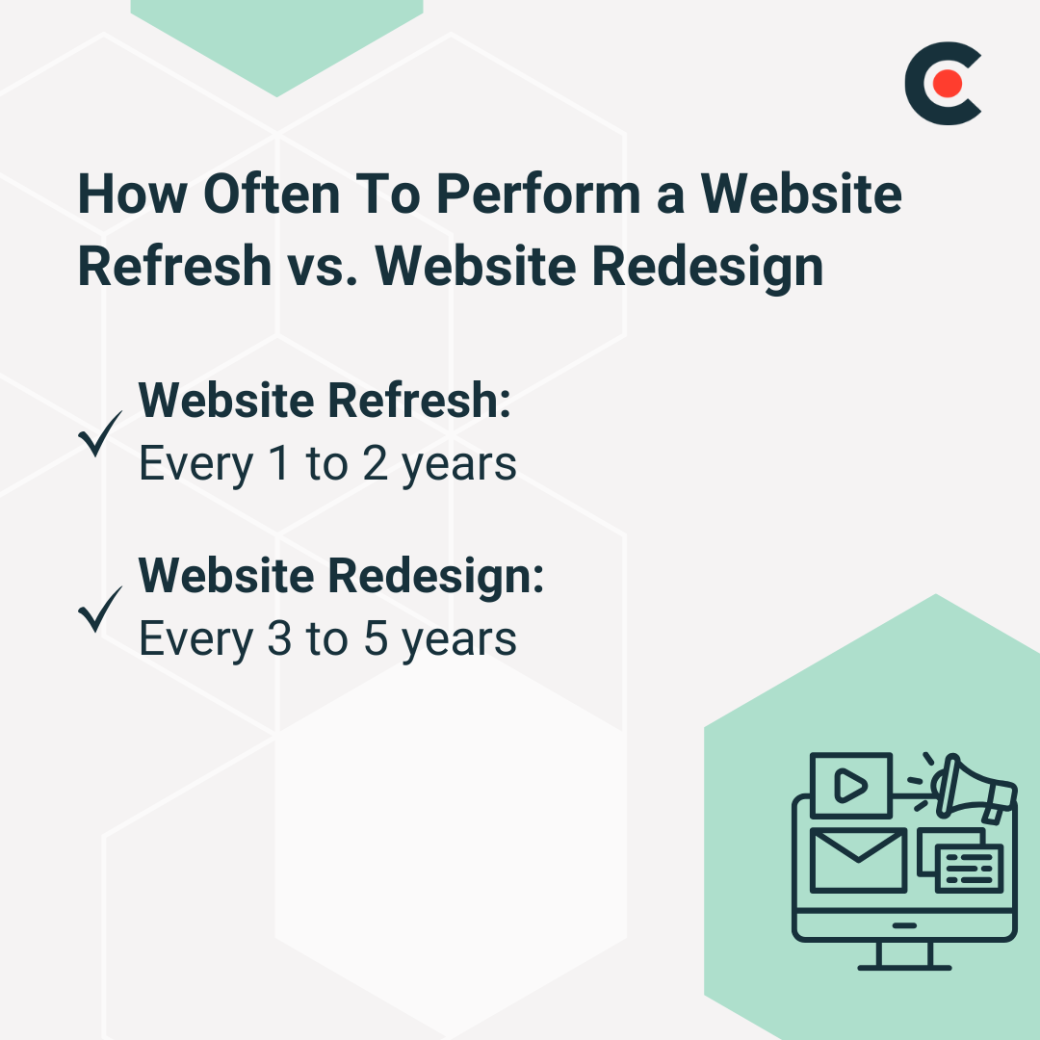
As you weigh your options, consider how much time and money you want to invest. If you’ve recently built or updated your website, you might only need a simple refresh. K says, “Businesses should consider a refresh every one to two years to stay visually modern and technically optimized.”
Refreshes are typically quick and relatively affordable. “Costs range from $3,000–$15,000, depending on complexity,” K explains. “It takes four to eight weeks for minor design updates, UX fixes, and performance improvements.”
Maybe it’s been a while since you’ve made any big changes. In that case, K recommends a major overhaul. He says, “A redesign is needed every three to five years or when branding, technology, or user expectations shift significantly.”
“Costs range from $15,000 to more than $75,000, especially for custom designs and new development,” K continues. “It takes three to six months, considering planning, design, content migration, and development.” But don’t let this deter you. A redesign could significantly improve your website’s performance and even boost sales.
There’s no one-size-fits-all approach to improving your website. K says, “The decision should be based on analytics, user feedback, competitor comparisons, and alignment with business objectives.”
A refresh might be best for:
By contrast, a redesign is perfect for:
Major or systemic changes
Tech stack updates
New goals
Still torn? Reach out to web design professionals for expert advice.
Spend time assessing your website’s current state and business goals before you pick a path. Only need a few minor adjustments? Consider an easy refresh. But if you want to revamp several aspects of your site, you might need to invest in a redesign.
Take the next step by browsing website design services. With a top provider’s assistance, you’ll have a modern and polished site in no time.