
How to Define Brand Values That Guide Every Business Decision
Brand values are the principles that guide company decisions, define what a brand stands for, and shape how it treats customers, employees, and partners.
Updated November 26, 2025

AI images are cheaper and easier to create than ever—but are you choosing the right ways to use them?
AI imagery is cheap, fast, and everywhere. You can spin up a dozen looks for a campaign in minutes, but will that campaign lead to sales, or will it chip away at trust?
Consumer research points to a clear line. People don’t reject AI outright; they react to how your brand uses it and whether you’re upfront about it. In a recent Clutch survey, 82% of consumers said they’re open to AI-generated visuals in some scenarios, if brands use them transparently and in the right context.
Looking for a Public Relations agency?
Compare our list of top Public Relations companies near you
In this article, you’ll find practical guidance on when to lean on AI for branding and other business use cases, and when to keep it out altogether.
In some use cases, AI-generated content does exactly what you want: boost creative range, keep costs in check, and accelerate iteration. The key here is to always be honest with your audience about what they’re seeing, and not ask AI to fake what should be real.
If you’re building a playful world, AI imagery excels. Consumers give brands leeway when the visual is clearly fictional, be it the use of AI for business social media or AI brand design. According to the Clutch data, 47% of consumers accept AI in these situations, especially for creative campaigns, surreal backdrops, and stylized visuals that nobody would mistake for real life.
Here are a few practical areas where AI-generated branding can shine:
A great example of “imagination done right” is Burger King’s “Million Dollar Whopper” campaign. It invited fans to generate off-the-wall burger combinations that turned into AI visuals—a clear, lighthearted use that didn’t pretend to be product reality. The entire campaign coverage framed it as on-brand experimentation rather than deception.
When you need speed in pre-visualizations, AI delivers. The Clutch survey shows 44% acceptance when you use AI for concept sketches, mood boards, pitch decks, and early creative direction. Where this helps:
The key is labeling. If you publish these visuals externally, such as in a thought-leadership post, then clearly mention them as AI-generated.
Sometimes, shooting photos “for real” isn’t practical or safe. The Clutch survey shows 40% acceptance when AI solves a true production problem (danger, cost, logistics).
That’s where you can use AI without denting credibility. As Adam Bird, Director of Strategy at Deksia, puts it: “Showing your thermos keeping coffee hot in Antarctica? AI makes sense; sending a crew there doesn’t. Demonstrating your safety equipment in a catastrophic failure? AI is the ethical choice. Creating ‘customer photos’ because real ones don’t exist? That’s fraud, further eroding audience trust and damaging your brand.”
A few good examples of such hard-to-capture scenarios where AI fits perfectly are:
In short, use AI when it adds imaginative value or solves a genuine production constraint. Don’t use it to fake reality.
Here’s the flip side. When the image implies reality, especially around products, consumer tolerance drops fast when you use AI.
If you’re teasing a product that’s still in the works, AI can set unrealistic expectations. Per the Clutch survey, the acceptance rate hovers at 37% in this case.
A great cautionary tale here is the Willy Wonka Chocolate Experience event in Glasgow, Scotland. It promoted a “magical” experience using AI-generated visuals. When families showed up to find it was nothing more than a sparse warehouse, police were called and organizers had to refund tickets. The AI-heavy promotion grossly oversold the reality of the event and became a global meme for all the wrong reasons.
Generic “office people” and “smiling customer” shots produced by AI feel hollow. Most of the time, consumers see and judge them poorly. In our survey, the acceptance of stock-style AI photography drops to 34%, with many seeing these as lazy substitutes for real models, real locations, and real moments.
We’ve already seen public backlash when organizations publish AI-generated “stock” ads that look off. In 2024, the Queensland Symphony Orchestra ran a Facebook ad with AI figures and warped instruments. The image drew criticism for being unprofessional and disrespectful to working artists. The organization defended experimentation, but the damage was done as audiences read it as a cut-rate shortcut.
This is the red line where AI photos can hurt your brand. Only 27% of consumers accept AI images that depict real products they can buy. People expect truth in advertising, and they expect to see the actual item.
In fact, we’re seeing brands move the other way to protect trust. Dove publicly committed in 2024 not to use AI-generated women in its ads. The brand wanted to position this choice as consistent with their two decades of work on “Real Beauty.” It’s a smart hedge against the perception gap AI can create around bodies, skin, and texture.
Contrast that with fashion brands accused of using AI models in product listings without clear disclosure. The criticism for most of these cases centers on misrepresentations that don’t reflect reality. Australia’s Atoir faced that heat when shoppers flagged AI-generated imagery on a site and called the disclosure buried and insufficient.
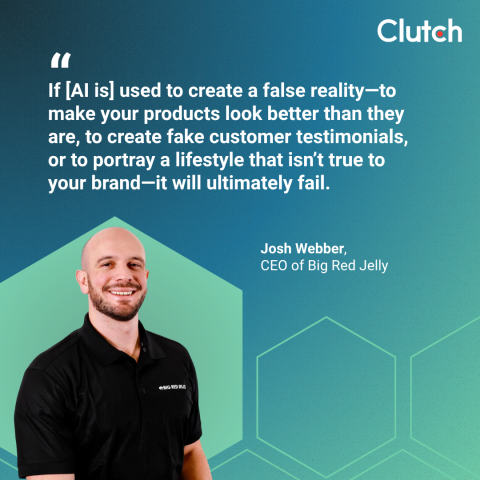
Considering all these, it’s best practice to avoid AI for product pages, performance claims, or anywhere precision matters. As Josh Webber, CEO of Big Red Jelly, warns: “If it’s used to create a false reality—to make your products look better than they are, to create fake customer testimonials, or to portray a lifestyle that isn’t true to your brand—it will ultimately fail.”
Let’s translate all of this into best practices you can put into brand standards and creative briefs to make the most of AI’s benefits without risking your brand’s reputation.
Disclose in the caption, credits, or alt text when you publish AI-generated visuals. As Webber puts it, “If a brand is caught using undisclosed AI imagery, the damage to its reputation can be severe.” Pair disclosure with context, why you used AI here (e.g., concept, safety, or impossible-to-photograph scenario).
A few practical ways to do this are:
Clearly labeled AI images tell your audience what they’re looking at and prevent accusations later.
AI is just another tool. It should serve a creative or production purpose that you can articulate.
David Gaz, Managing Partner at The Bureau of Small Projects, says it plainly, “Use AI with intent, not as a shortcut, and always verify the work.”

Bird adds a rule worth institutionalizing, “Never use AI to fake what you could photograph but won’t.”
Here’s how to operationalize that guidance:
This type of intentional use will ultimately lead to a better AI culture across your organization.
The acceptance data from the Clutch survey lines up cleanly with how viewers process images. Here’s a straightforward practice to follow:
When in doubt, run a pre-launch pulse check with a panel. If your audience reads the image as literal, don’t publish it unless it’s real.
Consumers don’t hate AI photos... they just hate being misled. The Clutch survey shows there’s room to use AI-generated branding thoughtfully, with context and disclosure. The final takeaway is simple: treat AI as a creative tool, not a stand-in for authenticity.
If you want help building an AI-forward creative system without sacrificing authenticity, work with a vetted branding agency. You can compare reviews from 280K+ providers and shortlist promising partners on Clutch, a B2B services marketplace built to help leaders pick the right firm.