
The Missing Layer in AI Agent Governance
Controlling what AI agents can access isn’t enough. Learn why decision authority is the missing layer in AI agent governance and who stays accountable for...
Updated November 18, 2026

Internal documentation gives employees a reliable source of information about company processes, policies, tools, and best practices. It helps teams stay aligned, onboard new employees, and find answers without relying on coworkers for every question. As companies adopt AI tools, that same documentation is becoming essential to ensuring employees get accurate, consistent answers.
A Clutch survey found that 45% of workers often turn to AI before asking a coworker a question. That reliance is likely to grow as companies introduce AI tools trained on internal knowledge. In fact, 61% of workers said they would often or almost always ask AI instead of a coworker if it had a thorough understanding of their company's processes and documentation.
But AI is only as reliable as the information behind it. When internal documentation is outdated, scattered, or contradictory, AI can turn that information into confident but incorrect answers.
Looking for a Artificial Intelligence agency?
Compare our list of top Artificial Intelligence companies near you
So how can you make sure your documentation gives AI the right foundation? We'll cover 10 best practices for organizing and maintaining internal documentation so your AI tools can deliver accurate, consistent, and useful answers.
Internal documentation is a centralized collection of written records about how your company works, including company knowledge, operational procedures, technical specifications, and guidelines, created specifically for employees rather than customers or the public. It differs from external documentation, such as help centers and user guides, that provide public, user-friendly instructions for customers using a product.
Common types of internal documentation include:
Most often, companies house this documentation in an internal knowledge base or wiki. This software platform serves as a library for storing, indexing, and displaying your company’s internal documentation.
Without a system, your documentation is just a collection of loose, scattered, individual files. A knowledge base categorizes and organizes it in a single place, making it easier for employees to access and AI assistants to reference.
Most organizations view internal documentation through the traditional lens of a standard productivity playbook to accelerate employee onboarding or reduce repetitive Slack questions.
As organizations increasingly adopt AI in the workplace, though, the company wiki’s role is transforming. It's no longer just a reading list for human employees; it’s also the training data and foundational source of truth for your internal AI tools.
AI systems such as enterprise copilots, semantic search engines, custom GPTs, and autonomous agents pull answers directly from your existing documents. However, when you feed your internal AI assistant outdated procedures, contradictory policies, or disorganized notes, it's more likely to make mistakes, such as flawed, hallucinated, and plain-wrong AI outputs. Those mistakes then instantly scale across the entire company.
That makes the operational stakes exceptionally high. Our study found that 61% of workers would trust an AI answer over a co-worker’s. If an employee receives bad advice from a teammate, that misinformation stays within a single conversation. If an AI model ingests a flawed SOP or outdated information, it can spread inaccurate information from a single document faster and more convincingly than any misinformed colleague.

“Most AI failures don’t start with the model,” says Vaidotas Juknys, CEO at Decodo. “When it breaks, the model gets blamed. Almost nobody asks how old the documentation was. That difference between what a model believes and what’s true right now is where most AI failures live.”
Beyond protecting your AI outputs, up-to-date, clean internal documentation continues to anchor classic organizational health:
However, as employee-built AI agents and AI assistants grow, maintaining documentation is an increasingly critical pillar of data security and operational accuracy.
Following this list of best practices makes your company’s internal documentation easier for employees to reference and for AI tools to read accurately.
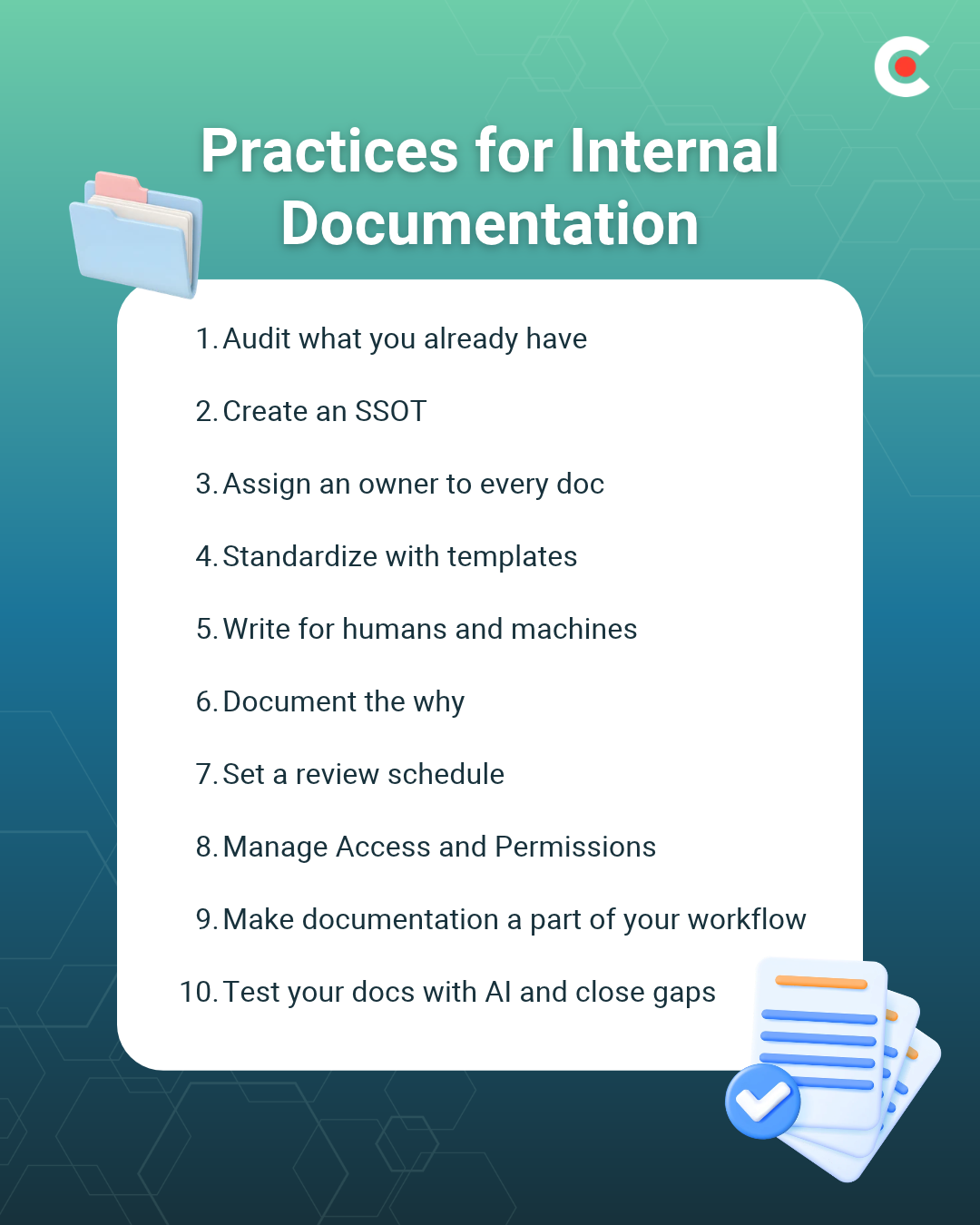
Before you add or fix anything to your documentation, determine what already exists. AI tools read everything you give them. If you don’t know what’s in there, you can’t predict what the AI will say.
Start by sweeping every place you might find knowledge hiding:
Prioritize the questions employees ask most, such as “How do I file an expense report?” or “Who approves software purchases?” The documents that answer these questions come first. As needed, mark information as outdated, duplicated, or missing to ensure the AI has everything it needs for accurate answers.
Choose one location to save each document type, and retire any duplicates. Leaving two versions of a policy in your database means the AI may quote either one, and employees will trust whichever answer they see first.
Use the “handbook-first” method with your team: Centralize everything in an internal knowledge base, link to the original document rather than pasting a copy into another page, and update versions by swapping out the original file. This way, the link remains current even when the source document changes. Otherwise, a copy goes stale the moment someone edits the original.
Consistent AI answers begin with a single version of the truth.
Assign every document to one named person who answers for its accuracy. When “everyone owns it,” in truth, no one does — and no one bears responsibility for updating the information. Consider printing the owner’s name and the last update date at the top of each document or page, so readers know whom to ask if necessary and how much to trust the source.
Select the owner of each document from the team closest to the process. Someone in Finance should own the company’s expense policy, IT the laptop setup guide, and HR the parental leave rules. A central documentation team can set standards and chase stragglers, but it can’t tell when a workflow changes. The people who do the work can.
Documentation ownership also helps with AI accuracy. If a tool gives an incorrect answer, assigning ownership of the source page makes it easier to determine who needs to correct it.
Templates give recurring documents a predictable shape. Create a template for each document type that your teams write repeatedly, such as SOPs, how-tos, policies, and project briefs.
Your SOP template might include:
A consistent structure, with recognizable headings, subheadings, and bullet lists, is faster for people to scan and easier for AI tools to parse, enabling them to retrieve the right section more reliably and quickly.
Keep naming conventions and tags consistent, too. A title like “SOP: Expense Reports (Finance),” plus tags for team, doc type, and topic, makes your internal documentation easy to search for employees and AI tools alike.
Each document should be comprehensible on its own. Use plain language, clear headings, short sections, and a single topic per page. Define acronyms and internal jargon the first time they appear in the text.
AI tools pull excerpts, not entire pages. A page that crams in five topics or relies on unstated context leads to AI providing partial or wrong answers.
For example, compare these two instructions:
The first example assumes the reader knows which form to use, where to find it, and when it’s due. A new hire can’t answer those questions offhand, and neither can a chatbot that pulls the section off the page. The second example contains all of the information the reader needs.
Step-by-step instructions tell employees what to do, but providing the reasoning behind processes and decisions transforms blind obedience into informed execution. Context helps employees handle edge cases and helps AI give answers that make sense even when the question doesn’t match a doc exactly.
A decision log is a lightweight way to collect context. Software teams often use architecture decision records with templates to capture context, decisions, status, and outcomes. Any team can borrow a similar format for hiring, pricing, or vendor selection.
Outdated documentation is the most common source of wrong AI answers. Every document type should have its own review rhythm, such as:
Set an expiration date for each document when you publish it. If no one confirms the content by that date, archive the page, delete what you know is wrong, and check in with the document owner for an update.
Stale docs won’t just sit unused in a filing cabinet. AI pulls them off the shelf and serves them up.
Not every employee needs access to every document. Set permissions by employee role and document sensitivity. This is especially crucial with AI in the picture. Tools connected to company documents with loose permissions can surface sensitive information such as salaries, HR files, and client information.
Audit who can open each folder, remove stale sharing links, and always check permissions before connecting any AI tool to a document repository.
Write documentation updates into your existing routines and procedures, such as closing a project, changing a process, onboarding a hire, or answering the same question twice. If a task has no attached document, it will need to be written to preserve workers' know-how.
“When an employee with substantial tribal knowledge leaves an organization, the unique insights, experiences, and understanding they have left with them. This may lead to significant challenges in maintaining certain processes or understanding why certain decisions were made in the past,” says Emily Winks, data governance expert at Atlan. “Companies can mitigate this risk by encouraging the documentation of important processes and insights.”
Capture tribal knowledge before it walks out the door. Conduct exit interviews, record walkthroughs, and turn meeting notes into documentation. AI can help draft and summarize your internal documentation, but a human owner should review every document before publishing.
Give your AI tools the questions employees ask most, and note when the answers are wrong, vague, or “I don’t know.” Every bad answer is a doc you need to correct, update, or write. Track recurring gaps to identify the topics to prioritize. Build in a feedback loop so employees can easily flag wrong answers or outdated information.
Treat your AI tool as a quick way to stress-test your internal documentation.
The right platform makes good internal documentation practices easier to maintain. Weigh each contender against this brief list of requirements:
A tool that can’t connect to your AI assistant, or connects with no way to restrict what it reads, undercuts the work you put into permissions and ownership. The appropriate capabilities can improve your team's AI readiness.
Depending on your needs, your organization may be best served by wikis, dedicated knowledge bases, or all-in-one workspaces.
With 45% of workers turning to AI first with questions, documentation is no longer a back-office chore. What your company writes down is what your AI says out loud to every employee, every day.
The stakes will rise as more teams build agents and assistants on top of company knowledge. By keeping clean, owned, current internal documentation, your company can get the most out of AI tools.
Start small. List the top 10 questions your employees ask most often, audit the documentation behind the answers, and build your AI-ready information base from there.