
Task Automation: How to Cut Repetitive Work
Task automation saves time, gets work done faster, and reduces errors. Learn how to automate repetitive tasks step-by-step and how to decide what to automate.
Updated May 26, 2026

In this article, we’ll explore the 20 best AI productivity tools for a variety of roles, including software engineers, marketers, designers, customer support teams, and more. Whether you're looking to save time, stay organized, or boost creativity, there's an AI tool that can help you and your team work more effectively.
Artificial intelligence (AI) is changing the way we work. A new Clutch survey of 250 full-time employees found that nearly three in four use AI in their daily workflows. Employees say that AI increases their productivity, saves time, eliminates tedious manual work, and even supports new idea generation.
How do employees use AI in their jobs? Read on to learn about the top tools used by software engineers, marketing teams, and designers. We'll also cover tools that are useful to everyone, even office workers and customer support teams.
Looking for a Artificial Intelligence agency?
Compare our list of top Artificial Intelligence companies near you
When teams first starting leveraging AI, many relied on generative AI tools and LLMs to speed up their work, but things are changing. Companies are increasingly moving beyond this, and instead are leveraging autonomous AI agents that can actively manage workflows, make decisions, and execute tasks across systems.
While chatbots are effective at responding to prompts, answering questions, or generating content, they remain largely reactive. Autonomous AI agents represent the next step: systems designed to operate continuously, retain context, and complete multi-step processes with minimal human involvement. This shift reflects a growing demand for AI that delivers outcomes, not just outputs.
By adopting autonomous agents, organizations can streamline operations in ways simpler AI tools like chatbots cannot. For example, instead of simply assisting with customer inquiries, AI agents can resolve issues end-to-end by accessing internal tools, updating records, triggering follow-up actions, and escalating only when human input is needed.
The secret's out: AI tools excel at routine coding. They can quickly solve common coding problems and provide in-depth explanations. Some tools also assist with new hire onboarding and training tasks, project management, and staff workloads.
However, it’s important to note that while tools boost productivity, they require skill to avoid AI-induced technical debt. Rather than using AI to generate code they don’t understand, software developers can use these tools as 'virtual coding partners' that offer real-time syntax suggestions.
GitHub Copilot provides hands-on chat assistance during the coding process. It can scan code for errors and suggest ways to complete a coding task. But it's not just an answer source — users get in-depth explanations of their queries, which can enhance their skills and knowledge.
GitHub Copilot excels in programming languages with extensive public repositories, such as Python and JavaScript. It integrates with all of the leading coding editors, including Visual Studio Code and GitHub. Free and paid plans are available for individuals and businesses.
Windsurf is a superfast coding assistant that can generate and autocomplete code. You can preview your website projects directly within the integrated development environment (IDE) and make quick changes to elements. Windsurf can also identify problematic code throughout your entire codebase and suggest fixes.
Windsurf supports over 70 programming languages, including C++, JavaScript, and Ruby. It can translate existing code functions into other programming languages with the click of a button. A free plan with limited credits is available, or you can upgrade to a paid subscription with additional support.
Tabnine is a contextually aware AI coding tool. Like other tools, it can handle code completions and auto-generate code based on natural language suggestions. It also provides in-depth explanations of projects, including their behaviors and dependencies, which is highly useful when onboarding new developers.
Tabnine stands out for its focus on privacy. It has a stand-alone option you can deploy on-premises. It also doesn't store or share any code you write without permission and does not train on the code you develop. Free trials are available, but ongoing use requires a paid subscription.
Tech teams can use IBM watsonx Code Assistant to speed up development by reducing the time spent on repetitive coding tasks and manual reviews. The tool helps developers generate code snippets, explain unfamiliar code, and modernize legacy applications, allowing teams to move faster without cutting corners on quality.
Beyond faster coding, watsonx Code Assistant supports productivity by promoting consistency and collaboration across teams. Built with enterprise governance in mind, it helps align generated code with internal standards, security requirements, and best practices. This reduces rework during code reviews and makes it easier for new developers to ramp up quickly.
AskCodi helps developers generate code, write tests, create documentation, and translate between programming languages directly within their workflow. This allows engineers to spend less time searching for answers or writing boilerplate code and more time building, debugging, and refining features that move products forward.
AskCodi also provides AI-powered suggestions that can reinforce best practices, help catch errors earlier, and provide clear explanations that make complex logic easier to understand. This is especially helpful for onboarding new developers or supporting junior team members, as it shortens learning curves and encourages knowledge sharing. Overall, AskCodi enables tech teams to work faster and more confidently while maintaining code quality.
Several AI tools can generate highly realistic (and futuristic) photos, illustrations, videos, and other graphics. These are useful for design teams who use them for rapid prototyping, enhanced concept development, and content variation.
While AI can support the design development process, organizations must balance ethical and legal concerns regarding copyright and originality.
Midjourney generates images and short videos up to five seconds long. It's known for its advanced artistic image generation tools, which let you explore different styles, colors, and visual aspects that would take hours using manual processes. Design teams can create images based on brand colors and styles to ensure visual consistency.
Midjourney offers paid subscriptions for individuals and enterprise users.
DALL·E is an OpenAI product integrated with ChatGPT. It can generate images based on simple natural language prompts. If you aren't satisfied with the output, you can ask DALL·E to make adjustments until you get a picture that meets your expectations.
Currently, DALL·E doesn't support video generation. Free and paid subscriptions are available.
Canva offers a user-friendly suite of AI design features. It can create images and videos from natural language prompts. It also provides lots of helpful AI photo editing tools, including background generation and animations.
Other features available through Canva Magic Studio include AI voice enhancement and generation. You can sign up for a free plan with core features or upgrade to a paid subscription to access everything Canva Magic Studio offers.
Runway generates highly realistic images and video clips from scratch. Users simply need to provide a written prompt or their pre-existing visual assets. It also provides camera control, so you can change the angles and focus of a shot.
Runway is highly useful for game development and motion picture creation. It gives designers full control over the visual aspect of their product. A free plan is available with limited credits.
Adobe Firefly is ideal for designers familiar with the Adobe ecosystem. It comes standard with Adobe Creative Cloud subscriptions, and content generated using Firefly can be edited in Photoshop, Lightroom, Illustrator, and Premiere Pro.
Aside from image and video generation, Firefly also creates vector graphics. That's highly useful for game design and illustrations. It can also generate short audio clips.
Instead of starting from a blank canvas, designers can use Krea to generate and iterate on visual concepts in real time, quickly testing styles, layouts, and creative directions. This makes it easier to explore multiple ideas early, gather feedback faster, and align with stakeholders before investing time in detailed design work.
Krea also integrates AI directly into designers’ existing workflows, allowing teams to refine assets, experiment with variations, and adapt designs for different use cases without switching tools.
For fast-moving teams, this helps maintain creative quality while meeting tight deadlines and scaling design output efficiently.
V7 Go is primarily a knowledge work automation platform built around intelligent AI agents that understand, organize, and act on complex data like documents, images, and structured files — turning them into streamlined workflows rather than just generating answers to prompts.
For design teams specifically, V7 Go can help improve productivity and creativity in several ways:
Automating tedious data and asset management: Design projects often involve reviewing large sets of briefs, specifications, user research documents, or style guides. V7 Go’s agents can extract, classify, and summarize information from diverse file types, turning unstructured design documents into structured, actionable insights without manual sorting.
Streamlining workflow coordination: Design work usually moves across tools, like project platforms, asset repositories, and communication apps. V7 Go integrates with CRMs, project management tools, and communication platforms, helping keep design tasks, approvals, and asset updates synchronized and reducing context-switching overhead.
Enabling custom automation without coding: Teams can use natural language to describe repetitive processes, and V7 Go agents will build the underlying automation logic, removing bottlenecks and saving hours on routine tasks.
This allows designers to spend more time on ideation, prototyping, and creative problem-solving — ultimately accelerating delivery and helping teams focus on higher-value creative work.
Marketers benefit from the fast content production, responsive campaigns, and smart audience targeting offered by AI. As a marketing professional, there are several tools to have in your arsenal.
Additional reading, “How Marketers Are Using AI Agents.”
Jasper helps marketing teams plan and execute entire campaigns. It can handle SEO research, identify target keyword opportunities, and keep your content aligned with brand guidelines. A unique feature of Jasper is its no-code app builder, which can automate repeatable marketing tasks to boost your productivity.
Think of Copy.ai as your go-to source for inspiration. When you're short on ideas or dealing with a bad case of writer's block, Copy.ai can step in with curated suggestions.
Marketers use Copy.ai to quickly generate social media captions and product descriptions. It can also generate ideas for blog posts and content outlines.
Most writers are familiar with Grammarly's spelling and grammar checker tools. However, its newer iterations introduced GrammarlyGO, which offers generative AI tools to improve written copy. The tool can brainstorm ideas for you, suggest AI-powered fixes, and rewrite text to enhance clarity and effectiveness.
Writer offers multiple agents that can handle repetitive tasks, such as developing strategy briefs and project plans. The agents work autonomously based on brand style rules and can generate copy and images.
Podcastle's AI-powered audio and video features, like AI Voices, automated AI Clips, and Subtitles for captions, work especially well for marketing teams. Marketers can generate studio-quality voiceovers, edit videos quickly, and turn long-form content into short, ready-to-post clips for Instagram and other social platforms, making it easier to ship consistent content across channels.
Semrush, one of the most popular SEO tools, embeds machine learning models and intelligent automation across its platform to analyze massive amounts of search, content, and competitive data in real time and turn it into clear, actionable insights.
Instead of relying solely on manual analysis, marketers can use Semrush’s AI to surface keyword opportunities, predict performance trends, evaluate content quality, and generate optimization recommendations at scale.
This allows them to move faster and make more confident decisions, using AI-driven insights to plan campaigns, optimize content, and track visibility across both traditional search engines and emerging AI-powered discovery channels—all within a single, integrated workflow.
Virtually any business can benefit from general-purpose AI tools that boost productivity and simplify routine tasks. Here are some of our favorites.
AI is still relatively new, but businesses are eager to integrate it into their workflows. Keep these tips in mind as you search for the best AI tools for your organization.
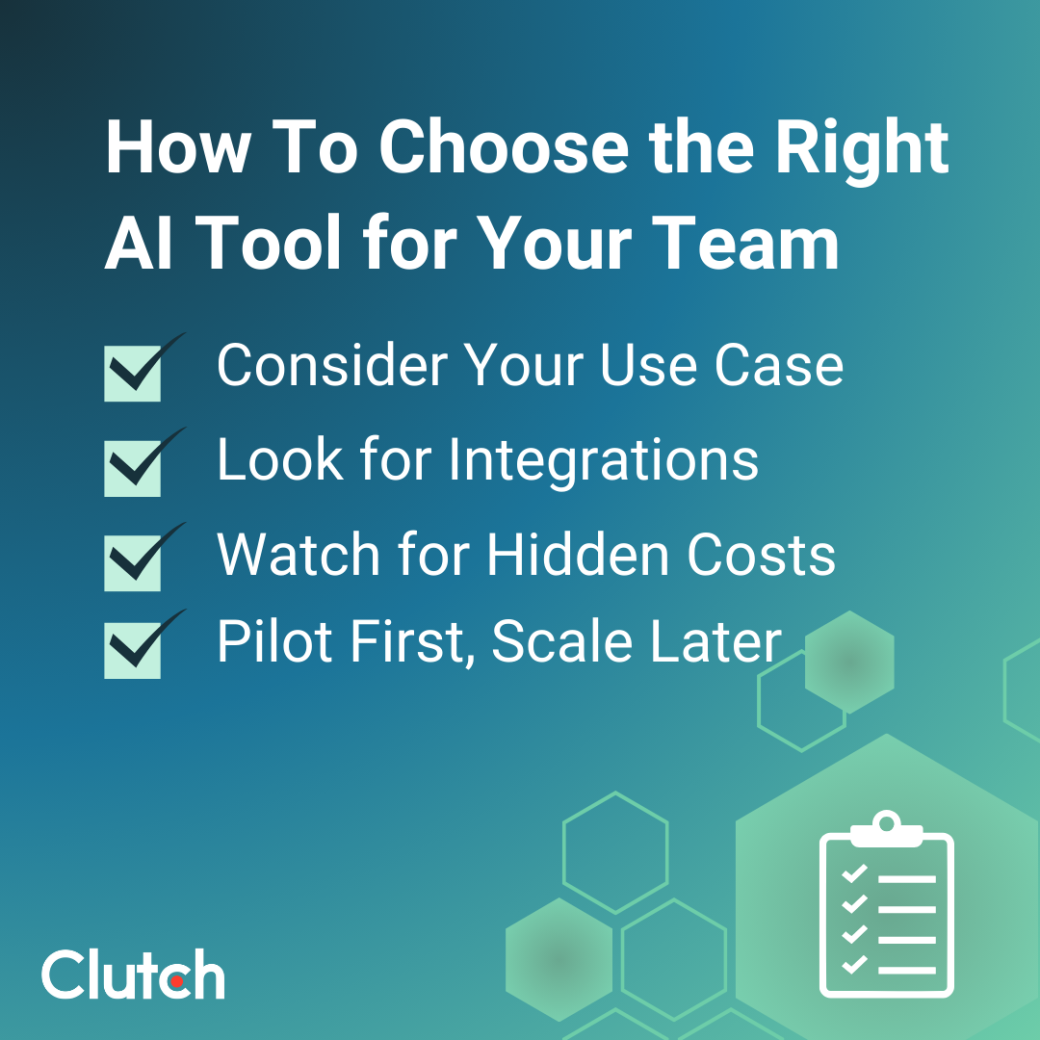
Think about where AI could improve your current processes. While certain tools lend themselves to roles like software engineering or marketing, there may be use cases for areas specific to your organization. Pay particular attention to repetitive, non-value-added tasks, since AI may be able to automate those.
Some AI tools fit neatly within software you might already use, such as Microsoft Office or Adobe Creative Cloud. Even if they're not natively embedded, supported integrations can ease any implementation hurdles.
Most AI tools offer limited free plans, but organizations can expect to incur fees for enterprise-level tools. Look out for hidden costs based on volume or team size.
Test out the AI tools you're considering with a small group of staff. Their insights can help you determine if the tool delivers real value or if you should consider alternatives.
AI is moving at warp speed, and tools are available for a wide range of use cases, including marketing, design, and support. See how it can support your work by trying out a new tool today.