
How App Companies Can Build Trust with Customers
Learn how app companies can build customer trust through better privacy practices, transparent communication, and stronger security to improve retention and...
Updated May 27, 2026

The number of small businesses that invest in building a mobile app is growing steadily. This comprehensive guide covers choosing a development partner, monetizing, and developing a marketing strategy to turn your app idea into a business app that delivers on user experience.
Updated September 19, 2025
As companies increasingly invest in mobile apps, they find multiple options for building an app, making it difficult to understand which option aligns with their goals.
Looking for a Mobile App Development agency?
Compare our list of top Mobile App Development companies near you
Use this article to explore the app-making process and learn how to take actionable steps toward making your app idea a reality.
Are you a business owner in need of a business app? Browse our mobile app development directory to create apps for your target audience.
Of course, the time needed to complete an app will vary based on complexity, available resources, and budgetary constraints. Still, most app development projects will involve at least the following six phases:
All in all, the mobile app development timeline is typically 20 and 40 weeks.
Before you commit to building a mobile app, experts recommend that you articulate how the app will help your company. To kick off the process internally, it’s important to make sure your vision for the app aligns with your audience’s needs and supports your business goals.
However, reasons for designing and executing an app vary depending on your company. In your planning phase, ask the following questions to determine whether you need an app:
Make sure all questions are laid out and clear when creating a business app.
When setting the budget for your app, consider three factors that affect the cost of making a successful app:
The type of app development solution or partner you choose impacts cost. Instead of choosing a partner first, identify a budget and allow it to guide your choice of an app development option such as DIY software or a development agency.
The cost to build an app varies significantly, and app features and functionalities are a key factor in determining the cost of a project. According to Clutch’s mobile app pricing data, the average app development project costs $10,000 - $49,999, and app development companies charge between $25-$49/hour for their work. That range applies across industries (e.g., healthcare, financial services) as well as platforms (e.g., Android, iOS and Hybrid & Cross-Platform Apps).
Here’s an idea of what it can cost to build an app, based on platform, industry and complexity:
| App Complexity | Capabilities | Overall Price |
| Basic | Simple app with limited features | $30,000 to $60,000 |
| Mid-level | Apps with custom UI and backend functionality | $60,000 to $150,000 |
| Enterprise-level | The most complex app with advanced features, integration capabilities, and custom designs | $100,000 to $500,000 |
Sources: SPD Load, Ozvid Technologies
To keep the budget from ballooning and your app from becoming overwrought, experts recommend that you choose one or two essential features your app must have.
From that starting point, you can always add features later. For example, Uber has added features such as a ridesharing option and meal delivery service in recent years, well after the app initially launched.
To build a sustainable mobile application that generates revenue, you may need to dedicate one of your existing marketing team members, or expand your contract with a marketing agency to help market your mobile app.
Apple’s App Store has nearly two million apps, and the Google Play Store has over three million - so it will take consistent marketing effort for your mobile platform to gain traction.
Hire in-house support for your mobile app marketing efforts.
If there’s one area where companies fail to budget for an app, it’s maintenance. After launching an app, be sure to budget for changing security needs, new best practices in user experience and design, and overall maintenance.
“I think a misconception is that the thing you roll out the first time would work immediately,” said Andrew Garkavyi of Intellectsoft, a Palo Alto-based mobile and web app development company with development offices in Ukraine and Belarus. “The reality is most likely it won’t. You have to adjust it and experiment with that to find the best configuration. That’s almost nonstop.”
By accounting for maintenance costs from the start, you can begin the long-term planning you will need to drive your app’s success.
Mobile apps fall into two broad categories: hybrid and native. The right choice depends on your budget, timeline, performance needs, and how deeply the app must integrate with device features.
Hybrid apps are best for limited budgets and short timelines, while native apps are best for complex consumer apps requiring high standard of UI/UX:
Hybrid apps use HTML, CSS and Javascript, packaged in a native wrapper. When someone uses your app, this wrapper allows them to access the device’s native features, which would typically be inaccessible. This is invisible to the end user, who believes they are browsing a unique app.
Native apps are built for a specific platform such as iOS or Android. They are the standard for apps that need speed, advanced features, or deep device integration.
Additional Reading for App Creation: 'Hybrid Apps vs. Native Apps: Which Should You Build?'
For some companies, building an app is part of a long-term strategy for developing an additional revenue stream. However, the days when app users paid to download an app are largely over.
Consider which model for monetizing your app makes the most sense for your business needs:
A “freemium” model is when an app can be downloaded for free, and users are later offered paid upgrades to access additional features or the opportunity to make in-app purchases (IAPs).
The freemium model has become dominant because users appreciate the opportunity to test an app before committing to payment.
For example, some audio recording apps offer a limited amount of storage for free, with the option to upgrade once users reach the maximum. If users run out of storage space, they are more likely to pay for an upgrade.
Another popular strategy for monetizing an app includes a subscription model used by companies such as Netflix.
In the subscription model, users pay a recurring fee to access advanced features within the app. In Netflix’s case, this means users access unlimited movies and TV that they can stream offline.
You may find success by providing premium content through your mobile app. Because most users prefer to try an app before committing to pay, premium apps work best for companies that are well known for providing a particular service.
For example, The New York Times app offers free access to a limited number of articles each month, but users must pay for a subscription to unlock unlimited articles, exclusive newsletters, and premium features like games and cooking guides.
Although it’s possible to earn revenue through ads within your mobile app, it only accounts for 14% of mobile app earnings.
Sponsored apps are a more appealing but expensive option and operate like other sponsored or native advertising content.
However, because successful sponsored app campaigns require a substantial budget and extremely strong brand recognition, they are not recommended for most companies.
There are four main options for developing an app:
In this section, we’ll outline the pros and cons of each option for developing an app to help you determine the best match for your business.
App builder software makes app development tools accessible to anyone, making it feasible for small businesses to build mobile apps from start to finish. This “no-code” app builder software and platforms can cut company development costs by 65%.
Current app builder software platforms, tools, and trends include:
No-Code Platforms let users build apps entirely through visual logic, forms, and workflows, no programming or code writing needed. Many integrate APIs, databases, automation tools, and publishing features.
No-code platforms include:
Drag-and-Drop Builders are interfaces where users design apps by placing and arranging components like buttons, forms, and images on a canvas. Ideal for rapid prototyping and streamlining UI creation, they also provide many of the integrations of no-code platforms.
Examples of drag-and-drop builders include:
Citizen Development empowers non-technical employees to create their own apps and tools to solve problems and streamline workflows within their teams, reducing dependency and workload on IT departments. Citizen developers now outnumber technical developers four to one.
Platforms enabling citizen development include:
Once the app is ready, app builder software also guides you through the process of listing your app where users can download it.
Andrew Gazdecki is CEO of Bizness Apps, an app software platform targeted to small and medium businesses. His clients use the Bizness Apps platform to build apps for their small businesses, ranging from local restaurants to real estate agents.
In a conversation with Clutch, Gazdecki pointed out three benefits of using an app builder.
First, DIY solutions are budget friendly.
“We’re able to offer typical mobile app development at almost one-fiftieth of the price of a custom developed app without losing any quality,” said Gazdecki.
Second, some DIY app builders offer long term maintenance support and updates.
“We update our software regularly with new features and are always updating our apps to use the latest mobile technology available from Apple and Google,” said Gazdecki. “Maintenance while using a DIY app solution is much easier than a custom app, since we manage all of this for you, and it is done at no additional cost.”
Third, app builder software allows you to develop an app quickly and easily.
Despite these three benefits of DIY app builders, the software is not for everyone.
“The most common pitfall we see is when people do not set the proper expectations when using Bizness Apps,” said Gazdecki.
Like any other tools that work off pre-built templates, DIY app builders offer a robust but ultimately limited selection of design themes and features. You'll likely need a programmer if you need to customize your app’s design or features.
2025 Mobile App Development Pricing by Location
For American companies, choosing an offshore partner can reduce the cost of building an app. This option is best suited for companies aiming to build an app with familiar features that are already popular in the marketplace.
Manoj Balraj is Vice President of Experion Technologies, an app development firm based in India that has worked with companies in the United States, Europe, Asia, and Australia. No matter where clients are based, Balraj finds that expectations for user interfaces and experiences are universally high.
Working remotely presents certain challenges that are unique to offshore firms. Fortunately, most offshore firms are adept at guiding companies through the process using communication and project management tools.
Time zone differences represent the first challenge most people think of when considering an offshore firm, a fact that offshore firms openly recognize.
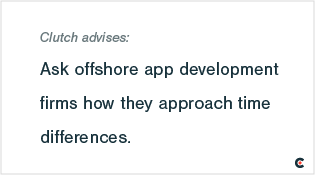
Fortunately, offshore firms typically are adept at managing time zone calculations and often use scheduling tools that automatically calculate time zone differences.
Managing payments across borders may seem daunting. But just like managing time zones, offshore companies have strategies in place that take the burden off their US clients.
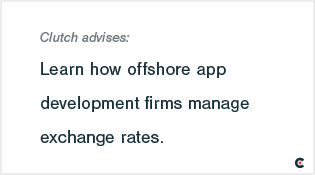
Experion Technologies maintains offices and bank accounts in multiple countries, directing all transactions through a bank that is local to their clients and handling exchange rates internally.
“All the invoicing happens in the local currency, so there is no hassle or confusion on the customer’s end,” said Balraj.
For areas where Experion Technologies does not maintain a local bank account, including parts of Africa, they have partner companies based locally that handle exchange rates on behalf of the client.
Just like boutique or local development partners, the ideal collaboration with an offshore firm involves ongoing dialogue. By the time you approach an offshore app development partner, you should have a clear sense of your business goals for the app.
It’s important to remember that just like looking for a local partner, not all offshore firms are created equally.
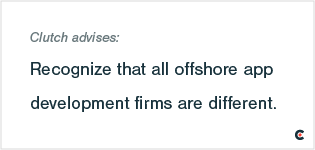
Offshore development partners can be a strong solution for companies seeking a cost-saving solution for building an app. Offshore firms’ experience handling time zone and currency differences remove obstacles, leaving companies free to collaborate and focus on the app development process.
A local or boutique firm is an app development company that focuses on custom app development and has a limited number of employees.
The main benefit of opting for a local or boutique firm is the ability to collaborate in-person.
“You don’t have to be in the same city as the whole team, but it’s nice to have a main point of contact that you can sit down with and iron out details,” said Randall Cross, Founder of Ethervision, a Chicago-based app development firm.

Ethervision arranges in-person meetings during the ideation phase of app development. Conversations range from formal meetings to spontaneous late-night brainstorms over cocktails.
“Getting everyone together and having that camaraderie and seeing facial expressions is the best way to go in the ideation phase,” said Cross.
When it comes to the development phase, it’s less important to meet in person. Communication tools such as Slack and screen sharing can keep a company and an app development partner in constant communication, especially once the foundation of a relationship has been set.
A strong foundation is crucial because mobile app development is a long-term commitment. Apps like Facebook are typically updated weekly. Although less frequent updates are sufficient for most small businesses, updates to mobile operating systems, best practices in user experience, and security practices make periodic updates a vital aspect of maintaining a mobile app.
“Our goal is to make version 1.0 as streamlined as possible based on the knowledge we have,” said Cross, “but there’s always evolution after that.”
By building a collaborative, long-term relationship with a boutique or local partner, you’ll be able to enjoy the best part of the app development process: thinking creatively.
“Making an app is as fun and cool as it sounds,” said Cross.
By remaining open to conversation and collaboration, you can ensure that your app gets combines your vision with a boutique firm’s expertise.
If you are part of an enterprise company seeking a mobile app with complex functionality and the ability to scale for an extremely high volume of users, you need to find a partner with a development team equipped to handle these challenges.
Tobias Dengel, CEO of WillowTree Apps, and Gregory Raiz, CEO of Raizlabs, both built their businesses around building large scale apps for enterprise clients. Over time, they’ve identified the keys to collaborative and effective relationships.
At the beginning of a partnership, it’s important to identify a single goal for the mobile app. For example, Uber was originally designed for easy transportation, while Snapchat was originally designed for ephemeral photos.
Over time, both apps added features.
Enterprise companies are prepared to invest heavily in a new app, but it may surprise many enterprise companies to know that investing in an app requires significant changes to your business’s existing internal IT systems.
So, why would an app affect internal IT systems?
Any backend technology or datasets you need to integrate into the app may need to be adjusted. For example, you may need to restructure databases with user information or product information to ensure compatibility with your app. You also might discover security liabilities that need to be rectified before the app development process can proceed. This process can cause development timelines to vary greatly.
“We see the need for great backend engineering to be paired with great mobile engineering,” said Raiz. “More and more, in order to produce a world-class product, you need both.”
Although reworking your backend IT engineering may add time to your development process, the resulting app will be much stronger.
Many mobile apps require near-constant updates to keep up with continuously evolving operating systems, trends, and security requirements.
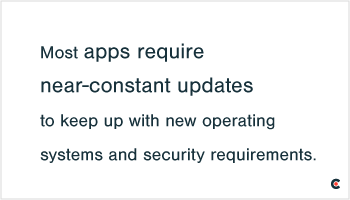
Raiz and Dengel both have encountered clients who are surprised to find that there are significant differences between app and product development.
Dengel’s clients often think of building an app in the scheme of building a house: After a number of years of enjoying a house, it’s normal to make some routine repairs.
“Apps are not like that,” said Dengel. “An app is obsolete the day you launch it.”
Because apps require long-term investments of money and time, you should choose a development firm that understands your company’s goals and vision, brings strong technical skills to the table, and offers strong communication and collaboration.
You’re ready to launch, but what version of your app will you launch with? Do you want to launch with a minimally viable product (MVP) and beta test it, or do you want your go-to-market product to be your fully realized app?
An MVP rolls out with core features and functionality but gives you the chance to gather user feedback before a full release. Beta testing the MVP with a select group of users (beta testers) gives you feedback on usability, functionality, and bugs. Developers then refine the app, address issues, and prioritize future updates. Launching an MVP and beta testing, validating, and iterating reduces your risk and gets your app to market faster.
At a full launch, your app features are set, even if they haven’t been tested or validated. You run the risk of launching an “amazing” app that in reality doesn't meet user needs or fulfill expectations. This can negatively impact brand reputation and user trust, as well as cost you more in the long run if you have to redo or scratch core elements of the app.
When you launch your app, know that you’ll be entering a crowded market that is challenging for companies adding a new app to the mix.
When it comes to marketing your app, tried and true digital marketing strategies still apply. App development firms from around the world recommended social media (37%), paid advertising (28%), and app store presence (21%).
Although the bulk of your marketing efforts will be concentrated around your app’s launch, a marketing plan and budget should be part of your thinking from the start.
When making your app marketing plan, keep the following points in mind:
When you launch your app, you want to be sure customers can find it in the app store. This is where App Store Optimization, or ASO, comes in. ASO leverages Apple’s and Google’s search algorithms to position your app in the most relevant spots, boosting visibility and downloads.
Here's an ASO checklist to ensure your app goes to the top of the app store listings:
Whether you’re a startup in a beginner stage building an Android App or iOS App for mobile devices or an enterprise company looking to revamp their development platform to make money, use this article as a guide for the best app development process.
As companies turn to mobile apps as a method for engaging customers, the process can prove both confusing and exhilarating. The most successful mobile apps are the result of thoughtful internal planning, focus on one signature feature, and a proactive marketing plan that builds on existing strategy.
Experts recommend that app design should be guided by a company’s monetization strategy, but warn that apps that are not actively marketed will struggle to attract users in the already crowded marketplace.
Finally, many companies are surprised to discover that mobiles apps require a long-term budget for regular maintenance, which ensures apps remain secure and user friendly as standards evolve.
Overall, the app development process can be rewarding for companies that are prepared for a long-term commitment, collaboration, and creativity a mobile app requires.
Clutch surveyed 102 app development companies across the world. The firms were asked to answer questions related to the app development process and cost based on one project completed in the past year.
The survey included firms from North America (26%), Eastern Europe (26%), India (26%), Latin America (10%), Western Europe (5%), Russia (5%), and Pakistan (1%).
We also conducted interviews with numerous app development experts. Find their Clutch profiles here: