Mobile Apps vs. Web Apps vs. Websites: What Does Your Business Need?
Should you build a mobile app, web app, or website? Learn the key differences, costs, and use cases to choose the right platform for your product and users.
Updated June 9, 2026

Every app you download has the potential to collect personal information about you. Some apps gather far more data than they need and may share or sell that information to third parties, increasing your privacy and security risks. Here’s what to look for before you download an app to ensure your data is safe.
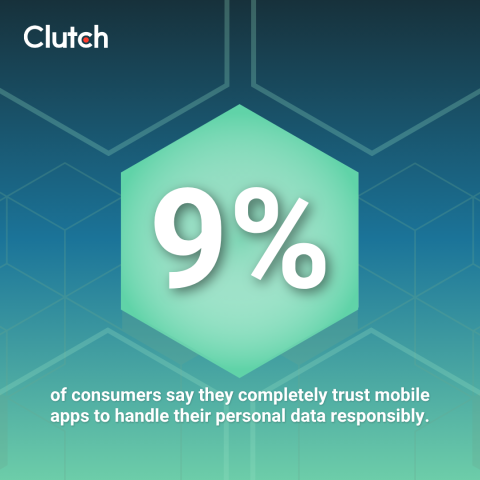
According to a new Clutch survey on app safety, a mere 9% of consumers say they completely trust mobile apps to handle their personal data responsibly. It’s a striking figure, given how central apps are to daily life. The majority of Americans (64%) have between 10 and 50 apps installed on their phones, downloading most of those with little more scrutiny than a perfunctory glance at the star rating.
Looking for a Mobile App Development agency?
Compare our list of top Mobile App Development companies near you
Data breaches have become so routine that most of us scroll past the headlines without a second thought. A company exposed, millions of records leaked, and life goes on. But those records came from somewhere: apps we downloaded, permissions we approved, and data we handed over without much consideration.
Meanwhile, app stores keep growing, and permission requests keep expanding well beyond anything an app actually needs. A recipe app wants your location. A game wants access to your contacts.
The gap between what apps demand and what they genuinely require to function has never been wider, and every unnecessary piece of data you share is one more thing that can end up in a breach you'll barely notice until it's too late.
Most people aren’t going to stop using apps. However, you can be much more deliberate about which apps you allow access to your data. We’ll detail how to check if an app is safe with a practical, repeatable app-vetting process you can perform before you download, as well as how to minimize exposure after installing it.
The first sign of app safety and trustworthiness isn’t the app itself but who built it.
In the app store listing, tap the developer’s name and examine their profile. Is this an established company or a single-app account with no track record? Legitimate software developers usually have a presence, including a real website, verifiable contact information, and often, other apps that have accumulated ratings and reviews over time. A “developer” with only one published app who lists a Gmail address as their primary contact method deserves a healthy dose of skepticism.
Outside the app store, a basic search of the developer's name can turn up any existing data breaches, lawsuits, or negative media coverage. A developer may have a clean app store profile but a troubling history in the press or the courts.
Pay particular attention to developers based in jurisdictions with weak privacy enforcement, and do extra due diligence for apps whose names mimic established brands. “WhatsApp Plus,” “Insta Pro,” and similar knockoffs likely exist only to harvest your data and inject ads. If the name looks like a premium or unofficial version of something you already recognize, especially if the developer’s name doesn’t trace back to the legitimate company, treat it as a red flag by default.
Star ratings are a great place to start, but it’s important to look deeper into the app’s written reviews and scan for patterns. Sort by most recent reviews first, as issues that emerged after a version update won’t come up in older reviews. Scroll past the generic five-star reviews and look for anything specific, such as:
It’s smart to be suspicious of apps with thousands of reviews when many of them use generic, repetitive language. Review fraud is rampant, and some unscrupulous developers may use bots to flood their app store listing page with five-star (often AI-generated) reviews.
Another review-related app safety check is cross-referencing with reviews outside the app store. Tech press coverage, Reddit threads in communities like r/privacy or r/Android, and YouTube walkthroughs from tech reviewers can raise concerns that never appear in the app store listing. A quick search for the app name plus a word like “data,” “privacy,” or “concerns” takes only a few seconds, but it can save you a lot of headaches.
Both Apple’s App Privacy labels and Google Play’s Data Safety section disclose the type of data any given app collects and shares. Most users scroll past these without a second glance, but they can contain genuinely useful information to help protect your data and device.
Look for information about:
You might be surprised by how much information an app collects without prominently disclosing it. Comparing similar apps side by side can highlight these stark differences. For example, one weather app might collect just five types of data, while a competitor offering the same forecast functionality collects fifty. The core products are identical, but their data footprint certainly isn’t.
If the data safety section claims minimal data collection, while the user reviews mention invasive behavior, trust the reviews. Developers self-report the data safety information, and the app stores don’t always verify it.
Every permission an app requests should match a function the app actually performs. This sounds obvious, but it’s easy to tap “Allow” on autopilot, especially when you’re hastily dismissing pop-up notifications while trying to get past the annoying setup screens.
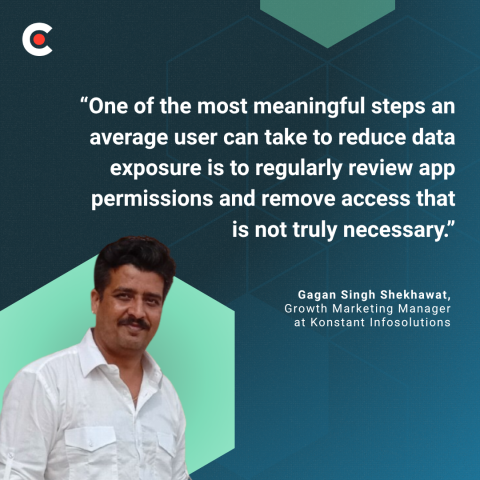
Gagan Singh Shekhawat, Growth Marketing Manager at Konstant Infosolutions, makes an important point about how permissions decisions can compound over time. “One of the most meaningful steps an average user can take to reduce data exposure is to regularly review app permissions and remove access that is not truly necessary,” Shekhawat says. “Many people grant permissions quickly while installing an app and rarely check them again afterward.”
He continues, “Over time, apps may continue accessing sensitive information such as location, camera, microphone, contacts, photos, files, Bluetooth, or background activity, even when those permissions are no longer required for the app’s core functionality.”
Some common red flags you may see in app permissions requests include:
If an app requests something you know it shouldn’t need, don’t grant it. It’s likely best to look for another app that doesn’t make egregious permission requests.
When an app requests permissions, it’s important to know the difference between “one time,” “while using the app,” and “always.” Very few apps genuinely need to access your camera, microphone, or location continuously in the background, whether you’re actively using the app or not.
Some permissions make sense. For instance, a family location-sharing app needs constant location access, and a photo editing app needs access to your photo library. But granting that level of access to apps that don't actually need it puts your personal data at unnecessary risk.
Whatever permissions you grant an app on day one never expire. A good rule of thumb is if you can’t explain why an app needs a particular permission to perform the function you downloaded it for, deny it. On iOS and Android operating systems, you can review an app’s full permissions list in the app’s listing before you install it.
No one reads the full privacy policy, and it’s not realistic to expect everyday users to do so. A 60-second keyword search through the document, though, can tell you quite a bit.
Search for keywords such as:
The language around data sharing often tells you a lot about how your data is being used. Vague phrasing like “we may share data with partners for business purposes” is technically a disclosure, but it encompasses a large range of data-sharing practices without specifying which one they use.
When you’re worried about data sharing and app safety, look for clearly stated data retention timelines and a straightforward process for deleting your account and removing your data. Reputable developers and services make these processes unambiguous, so if an app’s listing buries the data deletion process or doesn’t mention it at all, avoid it, or at least approach it with caution.
A missing privacy policy, a broken link to where it should be, or boilerplate text that appears to have been copied and pasted from another company’s policy are all serious warning signs.
The app store listing shows exactly what the developer wants you to see. Researching the app through third-party sources can help you fill in the blanks.
Our recommendations include looking into:
Regarding data breaches, a developer’s transparency about past incidents is a far better sign than apparent minimization or concealment of a breach.
Vetting an app before you download it is only half the work. The other half involves limiting what it can do once it’s installed on your device.
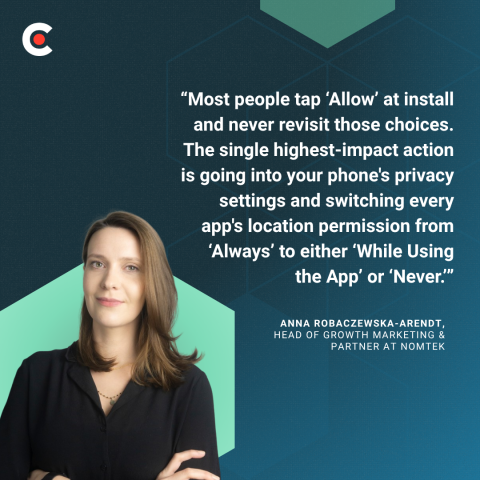
“Most people tap ‘Allow’ at install and never revisit those choices. The single highest-impact action is going into your phone's privacy settings and switching every app's location permission from ‘Always’ to either ‘While Using the App’ or ‘Never,’” says Anna Robaczewska-Arendt, Head of Growth Marketing and Partner at Nomtek.
By limiting what data you give apps access to, you can minimize your exposure.
“Beyond location, we'd recommend disabling cross-app tracking (iOS has App Tracking Transparency; Android lets you limit ad personalization) and doing a quarterly ‘permission purge’: deleting apps you haven't opened in 30 days and revoking microphone, camera, and contacts access from anything that doesn't clearly need it,” Robaczewska-Arendt adds.
Experts suggest:
Adding a quarterly app audit to your calendar is well worth the time and effort. Dormant apps still collect and retain your data even when you haven’t used them for months.
Even apps that passed every pre-install app safety check can develop problems, sometimes via ownership changes, policy updates, or software updates. Keep an eye out for:
If something doesn’t feel right, trust your gut. Revoke permissions first, uninstall second, and report the app to the relevant app store. Both Apple and Google accept user reports of suspicious behavior, which contribute to their enforcement decisions.
App safety doesn’t mean avoiding apps altogether, which is essentially impossible in this day and age. Rather, it means understanding that as apps evolve and update, their permissions and policies may change.
The most important protective measure you can take is being deliberate about which apps earn access to your data — and if they remain worthwhile when you revisit those decisions.