
What 25 Years of Design Projects Taught Us About What Clients Actually Need
That moment changed the way we ask questions at the start of a project. Twenty-five years in, the work has touched organizations of every kind: enterprise...
Updated May 27, 2026

A good e-commerce UX can do wonders for your online business. In this guide, we look at five standout e-commerce website designs that combine visual appeal and functionality to make the best shopping experience for your customers.
A poor user experience (UX) and website design can spell disaster for online businesses, whereas a well-designed website makes shopping easier and fosters a positive brand impression. By investing in UX design, many e-commerce companies can enhance their credibility, build customer trust, and improve overall customer satisfaction.
Additionally, a well-designed user interface helps in establishing a professional brand image that resonates with customers, making them more likely to engage with the company's products or services. It can also streamline the purchase process, making it more enjoyable and efficient, resulting in higher conversion rates and repeat business.
With that in mind, let's look at some e-commerce UX design examples we've found inspiring and why their design stands out.
Looking to hire a web development company? Search for industry-leading service providers on Clutch. Filter by client ratings, budget, location, and focus area to find the perfect partner for your project.
Successful websites share some of the same strategies and design elements in their UX. Here are some tactics to keep in mind while designing your own site.
4 Best Practices for E-Commerce UX
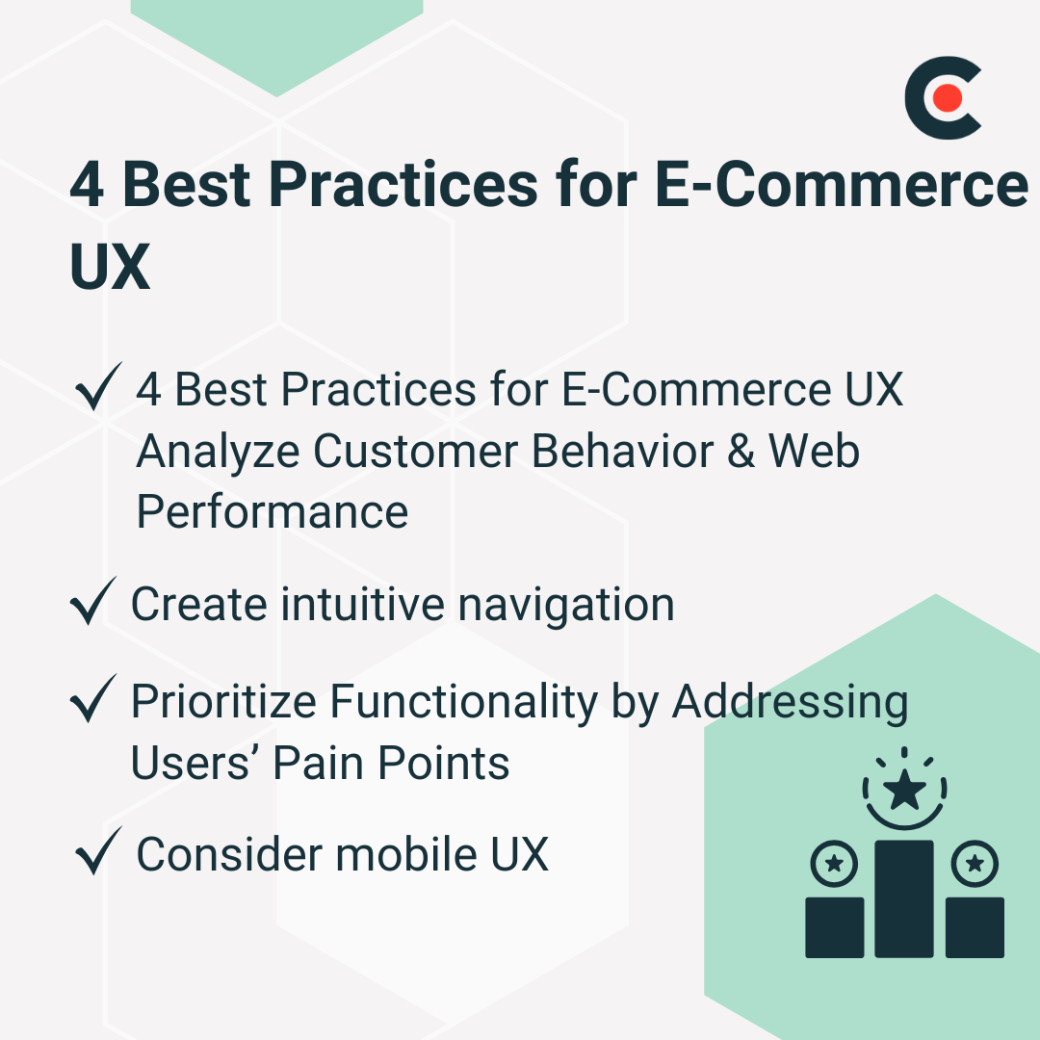
Ultimately, your website is for your customers, so it’s important to design it according to their needs and preferences — no matter how exciting a concept seems, if it doesn’t work for them, it won’t work for you.
E-commerce UX designers often rely on data to understand what works best for your customers and make changes to optimize the user experience.
"To study user engagement, we harness heatmaps, scrollmaps, and click maps,” explained Preslav Nikov, founder and CEO of digital consultant Craftberry. “We use their visual insights to identify where customers focus, how far they scroll, and which elements they click most, and implement a data-driven strategy for layout and content placement."
Seeing your scroll depth, page views, bounce rate, and related metrics — which you can measure using Google Analytics 4 (GA4) or third-party tools — will let you know which aspects of your website need work. You should also conduct regular site audits to fix slow-loading pages, add markup where needed, improve Core Web Vitals, and test for mobile compatibility.
If customers struggle to find the products they're looking for, conversions are bound to be low, regardless of how amazing your offering may be. Your website should be designed for easy navigation.
You can do this by:
Include breadcrumbs to help customers easily backtrack, especially if they've landed on a specific product page from an external source.
Even more importantly, the checkout process should be seamless, with clear actions and simple steps. Once a customer has decided to make a purchase, you don't want them to be unable to figure out how to pay. You can use the Checkout Journey Report in GA4 to identify and improve bottlenecks in the process.
Users will always give preference to systems that make their lives easier. Nikov recommends identifying your customers' issues and resolving them promptly to improve functionality and keep users on-page.
"We identify and address customers' pain points and sources of friction to pinpoint key moments in the user experience where confusion or drop-offs might occur,” he said. “Resolving these blockers guides our next research steps and informs the design process."
Besides using analytics tools, you can also conduct customer surveys, observe user behavior on your website, and collect feedback to discover additional pain points.
Since mobile traffic accounts for almost 60% of web page views globally, your e-commerce UX must suit these users. Your website should adjust to fit the screen size and orientation of different mobile devices.
Simplifying navigation for mobile users using collapsible menus and optimizing images can also help improve user experience. Since 76% of people shop on their mobile devices because it saves them time, you want to make sure your website loads quickly and smoothly.
Customers want more and more personalization and enrichment from their shopping experience. AI and other developing technologies offer businesses the tools they need to reach out to their audience on an individual level.
Top E-Commerce UX Trends in 2025:

Today's customers have many more choices than their counterparts from two decades ago. One way to make them choose your brand is by creating a shopping experience that aligns your website with your brand's identity.
"Customers today aren't just looking to buy a product — they're looking for brands that make them feel good and give them a sense of belonging,” explained Nikov. “Companies recognize this and invest significantly in creating a distinct feeling and experience on their website. We often achieve this by selecting the right typography, adding animations, and incorporating interactive elements."
Even something as simple as choosing the right design elements can enhance your brand, optimize the UX, and engage customers.
Unsurprisingly, many believe that AI will continue to play a role in helping meet customers' needs in 2025.
Chatbots can assist customers with their queries and guide them through purchasing. AI-based personalized product recommendations, which many customers appreciate, can also supplement this strategy. In the decision and post-purchase stages, businesses can also use AI to analyze customer feedback and sentiment to improve product offerings, and to personalize the post-purchase experience with customized emails and offers.
What this means is that a customer can get individualized help and suggestions from the minute they start interacting with your website, even in the middle of the night or during peak hours when your human staff are all busy.
The future is all about making shopping experiences easy and hassle-free for customers. For that, you can add helpful features to your website like:
"The trend is clear: e-commerce companies are getting to know their customers well and providing exactly what shoppers are looking for," Nikov says. "For example, a footwear merchant knows that a common concern for shoppers is sizing. Will the size fit? A savvy company would address this issue by specifying sizing details, offering free returns, and similar solutions."

Understanding your users’ wants and needs, and including user-friendly features that help address their biggest concerns can help you convert potential buyers into customers.
VR and AR technology are making it increasingly more possible to combine the convenience of e-commerce with the experience of in-store shopping. Businesses are finding new ways to showcase their products and even allow customers to interact with them.
Canoo Showroom is one example of a site that's using the latest technology to make sure that customers shopping online don't miss out. The electric vehicle manufacturer's website has a virtual reality showroom where interested buyers can view the car's exterior and interior in a 360-degree view.
Customers can use their mouse or keyboard to "walk around" and see every angle of the vehicle, giving them a better sense of what they are purchasing.
Are you searching for e-commerce UX inspiration to design your website? Here are some websites we think are doing it right.
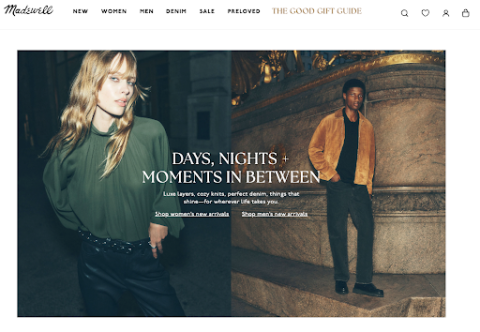
Madewell, the apparel brand, is an excellent example of a website with user-friendly navigation. The site has clear, consistent product images, well-organized categories, beautiful visuals, and straightforward copy. The color scheme is harmonious and consistent, exuding a chic aesthetic that's true to the brand.
Plus, the clean and simple text enables shoppers to focus on the products. The navigation menu has quick links for Account Details, Favorites, and Order History, which makes it easy for customers to manage their accounts and purchases.
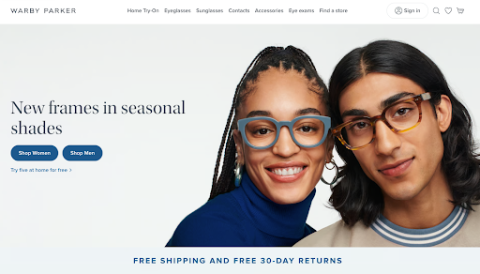
Our favorite thing about the Warby Parker website is the virtual try-on feature, which lets customers see how the eyewear company's frames would look on them.
The site has a minimalist design, with a simple black font against a white background. It also uses motion and animation to highlight some products, such as foldable glasses, which makes the shopping experience highly immersive.
What makes Shutterfly's website so remarkable is that it doesn't go overboard with anything. The site is well organized, and white space allows for a clean and organized look while still highlighting beautiful images.
Most importantly, the website is very mobile-friendly and suitable for its target audience, who may need to use their phones to upload and order photos on the go.
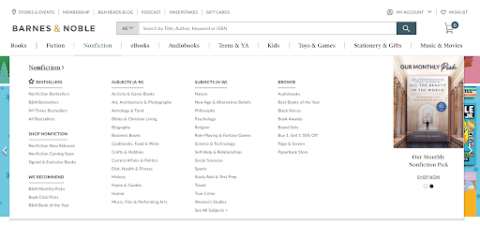
As a website with thousands of products, Barnes & Noble had to ace navigation and filtering options, and they did just that. Here are some elements that make the website stand out:
The website strives to create a browsing experience similar to walking through a bookstore, and that's exactly what's so great about it.
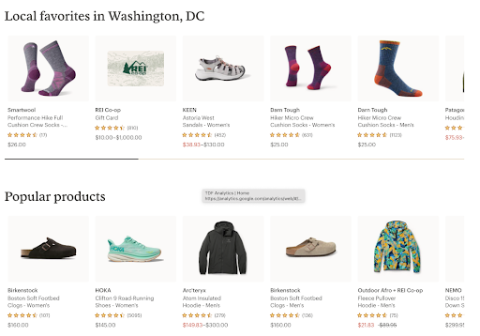
REI, a popular outdoor gear and apparel retailer, stands out for its simple yet powerful website design. The home page displays top categories and ''crowd favorites'' (bestsellers) for quick product selection.
There's a store locator and a search bar above the hero image, so shoppers can find products or local stores for in-person purchases. Online buyers also get personalized recommendations based on their past browsing history and purchases.
E-commerce UX needs to be intuitive and user-friendly, especially for mobile phone users, for a business that makes sales online to succeed. Going forward, brands should expect to include AI features, immersive experiences, VR, and AR in their websites to adapt to new trends. The websites we've covered above can help provide inspiration for you to design your own website and make your customers' e-commerce experience the best you can.