Mobile Apps vs. Web Apps vs. Websites: What Does Your Business Need?
Should you build a mobile app, web app, or website? Learn the key differences, costs, and use cases to choose the right platform for your product and users.
Updated December 15, 2025

The boundaries between work and everywhere else feel more porous than ever. Half of U.S. workplaces have hybrid positions, while another 26% are fully remote, according to recent Gallup data. Even if you're not working from your spare bedroom (or closet), you're probably firing off emails at odd hours. And who hasn't taken the occasional work call in the grocery store?
As more companies shift to mobile-first workplaces, they need new ways to stay in touch with employees. Sure, there's always good old-fashioned email, but when teams need to swap files or brainstorm how to fix an urgent client problem, they often turn to communication apps like Microsoft Teams and Dropbox.
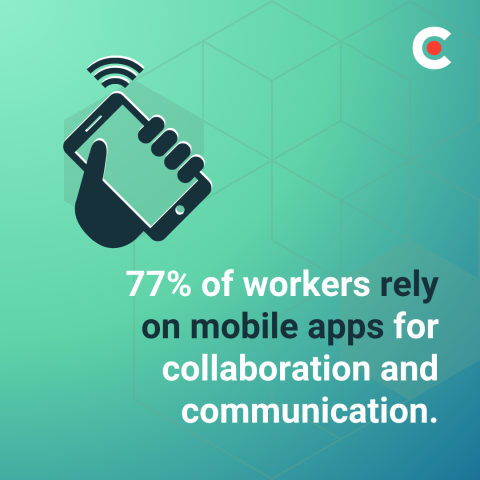
In November 2025, Clutch surveyed 500 full-time employees about how they use mobile apps at work and how these tools impact productivity. We found that 77% of workers rely on mobile apps for collaboration and communication.
Looking for a Mobile App Development agency?
Compare our list of top Mobile App Development companies near you
Drawing on Clutch data, this article explores why these apps have become must-have tools for modern teams and how to choose the best one for your workplace.
Employees have always used phones to connect with clients and each other. However, communication apps take collaboration to the next level. Users can share files, send messages, and even have virtual meetings all in one place. Instead of waiting for your coworker to drop off a report on your desk, you can log into Dropbox to see what they’re working on.
Mobile apps also make work more accessible. They let employees get tasks done anywhere, anytime. That's ideal for people who need more flexibility, such as busy parents and travelers. Didn't complete a major client presentation in the office? Use a mobile app to put the finishing touches on it from your couch.
Real-time responsiveness is another perk. When a major deadline looms, employees often can't afford to wait to meet with co-workers in the office on Monday. With communication apps, the entire team can get instant updates and alerts about missing tasks. Sending notifications directly to the team's phones also keeps projects moving smoothly.
Communication apps are great for teams working across time zones, too. Say your product developer works in London, while the marketing department is on the U.S. West Coast. Instead of trying to find a time when their schedules overlap, they can send asynchronous messages. It's a practical way to keep everyone on the same page when live meetings don't work.
All this adds up to more productivity with less stress. Workers have necessary information and tools at the literal tips of their fingers, streamlining workflows. They're also less likely to miss messages, which prevents costly miscommunication.
According to the Clutch survey, these are the communication apps most commonly used by employees:
Each platform has different features and purposes, so many workers rely on more than one. For example, a graphic designer may use Microsoft Teams to meet with clients and Dropbox to share in-progress artwork.
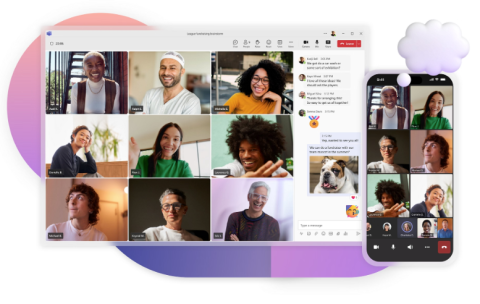
Microsoft Teams is an all-in-one collaboration app and virtual workspace. Users can send private messages to team members or chat in threads. The platform also offers videoconferencing and file-sharing.
Businesses often use Microsoft Teams to host virtual meetings. For example, software developers might hold their daily stand-up meetings on the app instead of trekking into the office. Throughout the day, they can share project updates and ask questions in the team channel — no more long email chains or games of phone tag.
Microsoft Teams also lets employees share files and edit them collaboratively. If someone is struggling to write clear documentation, they could jump on a call with a co-worker and draft it together.
Despite these drawbacks, Microsoft Teams is the most versatile app on this list. It supports communication and collaboration equally, while other software tends to focus on only one area.

Zoom is a web conferencing app for virtual meetings and live chat. It allows users to share their screens and send files during meetings. People can also separate into smaller breakout rooms to brainstorm or have more personal collaborations. During an all-staff meeting, for instance, departments may split into separate rooms to talk about their quarterly goals.
Unlike Microsoft Teams, Zoom is designed for real-time communication. You can only access shared files and chat messages while you're actively participating in a meeting (unless someone saves them manually). That means you can't upload files for later or send a quick message to an offline colleague.
Zoom works best for teams that mostly meet synchronously or also use other collaboration tools.
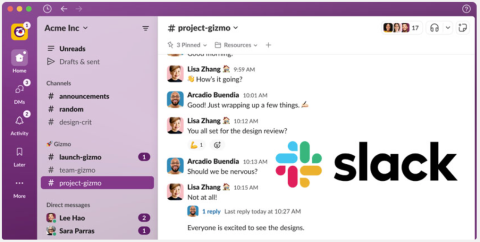
Slack is designed for workplace messaging and collaboration. Users can create channels for chatting and sharing files. A business could have one channel for Client A and another for Client B, one just for silly pet photos, and a #random thread where anything goes. It's a convenient way to organize conversations and avoid sifting through irrelevant information, with less emailing.
This app also lets employees exchange and collaborate on files, though it doesn't allow co-editing in the platform. If users want to talk about something out loud, the "huddle" feature makes it easy to start a video call.
Slack is a solid option for teams that want to communicate quickly without the commitment of a video or phone call.

As a cloud storage platform, Dropbox is ideal for sharing and accessing files remotely. It allows users to share many types of files, from basic documents to hour-long videos and design mock-ups. Businesses often use it to back up critical files.
The app's collaborative editing features also let users work on files together at the same time. A sales team, for instance, may work on a presentation together before pitching a potential client, while a videographer could share the latest draft of a commercial with the marketing team.
However, Dropbox has limited communication features. You can't video call or chat with other users, though you can leave comments in files. If you want to talk in detail about what you're editing, you'll need to use a different platform.
If you collaborate frequently with other employees, plan to pair Dropbox with another communication app. Otherwise, you'll likely get frustrated trying to talk through comments.
All the communication apps on this list have enthusiastic fans, but they're not right for everyone. Consider these factors before you download anything:
Of course, you don't need to limit yourself to a single option. If nothing checks all your boxes, mix and match apps to get all the features you need.
Flexibility is everything in the modern workplace. Many employees have hybrid or remote roles, and they may work on very different schedules. For these fragmented teams, mobile collaboration apps are essential for keeping everyone working in harmony.
Microsoft Teams and Zoom excel at videoconferencing, while Slack is perfect for avid chatters. Dropbox works great for file sharing but has the most limited communication options. Choosing the right combination is key to covering all your needs.
Take the time to assess your team's needs and test a few platforms. With savvy app shopping, you can bump up your productivity and communicate more seamlessly and transparently than ever.