7 Tips For Designing Web Forms
Clutch surveyed 502 web users about what they actually want from form design. Here are 7 data-backed UX principles that reduce abandonment and improve...
Updated June 19, 2026

AI tools are transforming website user experience (UX), making sites more engaging, intuitive, and personalized. From AI chatbots to predictive search, these technologies help businesses boost engagement and conversions. But with so many options, which AI user experience tools make sense for your business?
If you grew up watching sci-fi movies, you might be eagerly awaiting the arrival of sentient robots. We’re not there yet — give it a few decades — but artificial intelligence (AI) is already reshaping the online user experience (UX). In fact, a Clutch survey reveals that 67% of consumers use at least one AI user experience tool once a week.
As a customer, you’ve probably had conversations with AI chatbots without even realizing it. And those shockingly accurate product recommendations in your inbox? Almost certainly generated by AI.
Looking for a Web Design agency?
Compare our list of top Web Design companies near you
As these examples show, many businesses are adopting AI website tools. This technology can help you create more engaging and personalized experiences. The result? Higher conversions and delighted customers who stay loyal to your company.
Developers have already created dozens of AI applications, but which ones are right for you? We’ve done the research to find the best AI tools to help you create better user experiences. We’ll also share advice from experienced marketers to help you choose the perfect technology.
Artificial intelligence is already making waves in the UX world. While it can’t read your customers’ minds (yet), it can create much more intuitive experiences.
Personalization is one of AI’s most popular applications. It can predict what each visitor wants to see and adjust your site accordingly. If you sell pet products, for instance, AI might show dog owners cute photos of border collies and schnauzers. By contrast, customers with cats would see playful kittens.
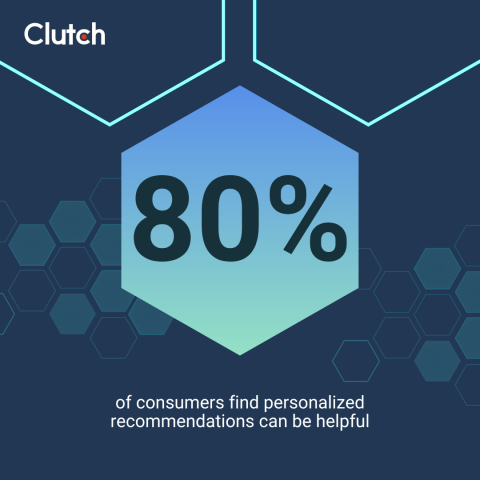
On its face, this might seem a little intrusive. However, it’s simply using browsing and transaction data to provide more customized experiences. Clutch data shows that 80% of consumers find personalized recommendations can be helpful, and AI is a great way to meet this demand.
AI can automate many UX processes, too. You could use this technology to automatically adapt layouts based on the user’s behavior, or an AI assistant can answer basic customer questions, so your customers don’t have to sit on hold.
And don’t overlook AI’s predictive capabilities. These tools can analyze each user’s interactions and forecast their future needs. That’s how businesses like Amazon create such spot-on product recommendations.
By using AI tools to improve UX, you can boost conversions. This technology helps users navigate your site, removing as many barriers as possible that might stop them from making a purchase. And by personalizing interactions, you make it easy for customers to find exactly what they need. The result? Higher sales.
Additional Reading: “How To Increase Your Website's Conversion Rate (Free Checklist)”
Like many business leaders, you’re probably wondering, “How can I choose the right AI technology for my business?” It depends on your goals. Here are six types of AI tools and their uses.
When your site reflects your customers’ interests, they’re more likely to spend time exploring your content. This gives you more opportunities to win them over, boosting conversions.
Maulik Sailor, Founder and CEO of Innovify, thinks the biggest UX challenge that AI can help solve today is “dynamic user-level personalization of website landing pages.” This means AI can adjust the landing pages based on each user’s behavior and interests, creating a completely customized experience that you couldn't feasibly do manually.
However, be sure your personalized sections and recommendation engines provide highly relevant suggestions to your users. According to Clutch data, consumers say recommendations can feel generic (47%), pushy (37%), or intrusive (29%) when not properly tuned.
Popular AI personalization tools:
How it improves UX:
How it impacts your website:
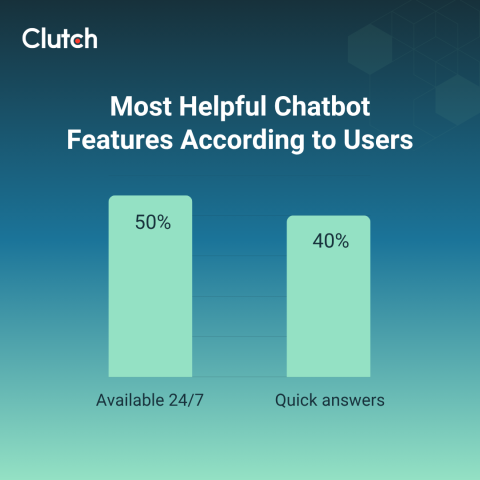
Conversational AI uses natural language processing to understand and speak to humans. These tools can be incredibly useful for answering customer questions and gathering their information. Clutch research shows that 45% of consumers enjoy the fact that chatbots are available 24/7, and 40% appreciate that they provide quick answers. This tool can help you capture customers who might otherwise bounce when they run into problems.
AI chatbots can serve as the first line of support for your users. They can even handle easy tasks like processing returns. However, despite their convenience, 87% of consumers say chatbots alone don’t fully resolve their issues without human help.
Alex Osmichenko, Founder and CEO of IT Monks, suggests, “Whenever a customer feels like a human agent could provide better assistance, there should be a ‘contact support’ option.” You can add that option to the chat header menu and keep it accessible with one tap.

Popular AI chatbots:
How it improves UX:
How it impacts your website:
Additional Reading: “Why Your Chatbot UX Is Annoying Users (and How To Fix It)”
Customers often know what they want, but it’s not always easy to describe it in a search bar. Or maybe they’re just browsing without anything in mind. With predictive search, AI can anticipate their needs and take them to the right products. Don’t make your customers waste time plugging different keywords into your site’s search bar. AI tools are much more efficient and accurate.
Adding AI search tools is an easy way to boost sales. After all, customers are more likely to buy your products when they can actually find what they’re looking for.
Popular AI-enhanced search functionality tools:
How it improves UX:
How it impacts your website:
A/B testing has always been a must-have tool for marketers, but manually tweaking elements on your site can be time-consuming. With AI-powered tools, you can automatically test different versions of your site and improve it based on the results.
Automated A/B testing lets you regularly test and improve every aspect of your site. This could be everything from the color scheme to call-to-action buttons. Over time, your UX will only get better and better as the software learns your audience’s preferences.
AI-powered testing tools help you understand what attracts and motivates customers. That way, you can create more impactful messaging that boosts sales.
Popular AI-powered testing tools:
How it improves UX:
How it impacts your website:
Roughly 29% of Americans have a disability. Conditions like colorblindness and arthritis can affect how they engage online. Make sure you don’t leave anyone behind by using AI tools to improve accessibility.
AI software can predict user needs and make your website more accessible for everyone. That could involve anything from using colorblind-friendly colors to generating alt-text.
By making your website accessible, you can connect with more customers. It’s also just the right thing to do, especially if inclusivity is one of your business’s values.
Popular AI-enhanced accessibility tools:
How it improves UX:
How it impacts your website:
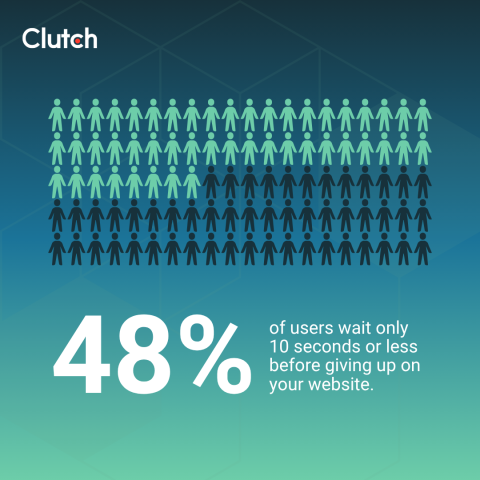
Your website’s performance is one of the biggest factors that search engines look at when ranking content. Plus, slow websites undermine user trust, and 48% of users wait only 10 seconds or less before giving up on your website.
As your site’s performance improves, it’s more likely to appear in search results. Customers will also feel more satisfied when everything works flawlessly.
Popular AI-powered web performance tools:
How it improves UX:
How it impacts your website:
AI may sound intimidating, but these tools are often very user-friendly. With a little patience, you can add them to your site.
Shoaib Bazaz, marketing manager at iQuasar LLC, recommends starting with predictive analytics. He says, “To really take your website's user experience to the next level using AI, the first step is to think of ways you can make a user feel as if they're interacting with an ‘intelligent’ website. This means diving deep into your data to predict and respond to user behaviors as they happen.”

Pay attention to how your customers respond, too. Bazaz explains, “Keep your process user-focused by regularly gathering and implementing feedback, ensuring your website engages your users genuinely rather than merely functioning.”
Here are three more practical tips for getting started.
Set yourself up for success by choosing AI software that’s designed to fit into your existing website, such as:
These simple tools are useful for quick UX improvements and for teams with limited development resources.
As you gain experience, you can level up with API-based AI solutions. These tools let you add advanced AI functions into existing systems, such as a CMS or e-commerce platform.
Some companies decide to build AI tools from scratch, but that’s often not necessary. “In my experience, most clients are actually not ready to start custom AI development,” Sailor says. “Hence, we launched a simple checker for them to self-evaluate their AI readiness.”
If you’re set on custom AI, figure out exactly what you need it to do. “Business leaders first need to identify the viable business case for them to implement AI,” Sailor advises. “Ideally, they should define the product/solution to work without AI. [Then], AI should be developed in a decoupled way to improve, accelerate or reduce cost of the core business case.”
Further Reading: “How to Set Up Your Business with AI: From Basics to AI Agents”
This might seem ironic, but AI is particularly great at improving human interactions. These tools will help you understand your audience’s needs and design more user-friendly websites.
Don’t just start downloading random software, though. Begin by choosing AI technology that fits your business goals. That way, you can invest in tools that truly improve the user experience.