How App Companies Can Build Trust with Customers
Learn how app companies can build customer trust through better privacy practices, transparent communication, and stronger security to improve retention and...
Updated April 22, 2026

Learn how to promote and build an effective marketing strategy for your mobile application.
After releasing an app, you hope for an increasing number of downloads. This won’t happen, however, if you don’t promote the app.
After trying plenty of promotional methods, we at UPTech figured out the seven most effective ways to attract app users. But first, let’s find out how users learn about new apps.
Looking for a Mobile App Development agency?
Compare our list of top Mobile App Development companies near you
Users discover apps in a multitude of ways, which minds that app marketers need an omnichannel approach for successful mobile marketing campaigns.
A 2023 survey by Airship found that 44% of American users discover new apps by browsing or searching within app stores, making it the most common method.
Other popular paths include recommendations from friends or family (35%), search engines (27%), and ads in other apps or on social media (19%).
While most people rely on app stores or trusted referrals, digital advertising channels still play a key role in building awareness and capturing new users at the top of the funnel. According to Apple, “95% of downloads after an ad tap occur within a minute.”
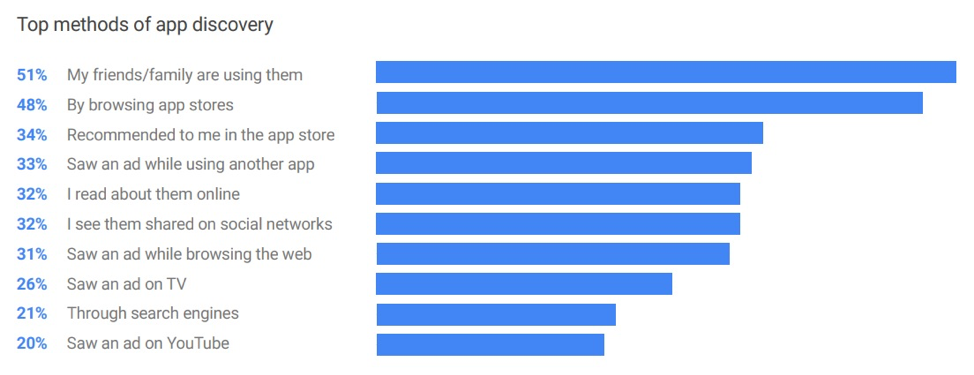
Source: Google research
Social media or word-of-mouth are powerful for app popularity. Both channels help build desire and momentum which result in mobile app popularity directly in the app stores.
The timeline for growing a user base depends on how early and how often you promote the app. A strong rollout usually happens in three phases:
Start building interest before your app is live.
You only get one launch — make it count.
Once your app is live, focus on keeping up momentum.
One thing to know: Most download numbers shown in app stores include people who later delete the app. To get a real sense of growth, look at how many people keep using it over time. Most major app store dashboards and analytics tools, such as Google Play Console, Apple App Store Connect, or Firebase, include retention metrics. These let you track how many users return after downloading the app.
How do apps get discovered? You should create a promotional strategy for mobile user acquisition with a combination of the 9 methods mentioned below:
Leveraging some or all of these approaches will help you get people to download your app with enthusiasm.
Looking for some help with promoting your app? Connect with a top mobile app marketing agency on Clutch to further promote your app and get discovered faster!
The goal of app store optimization is to let the user find, click, and download your app through the app store. It focuses on keyword and conversion rate optimization.
The three key factors that influence app position in the search results are:
To achieve these three things and optimize your application for the App Store, follow these rules:
These techniques will target users through a seamless user experience.
You want users to remember your app’s name, and at the same time, you want them to quickly figure out what your app is about. This can be done with your app’s title.
For example, if your app has an obscure name, such as “Busuu,” you can add a brief app description, like “Language Learning,” to the title.
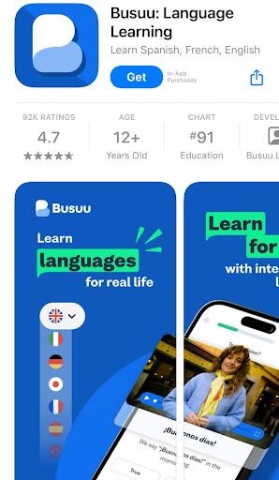
If you had just “Busuu” in the title, it would be too general, and users would not know what the app is about.
Put the most important app features at the beginning of the description to drive users to click the “read more” button.
For instance, take a look at the description of the HotSchedules app in the Apple App Store.
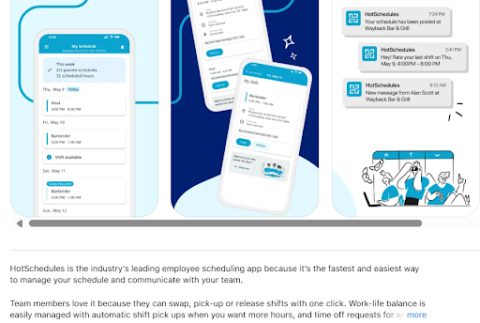
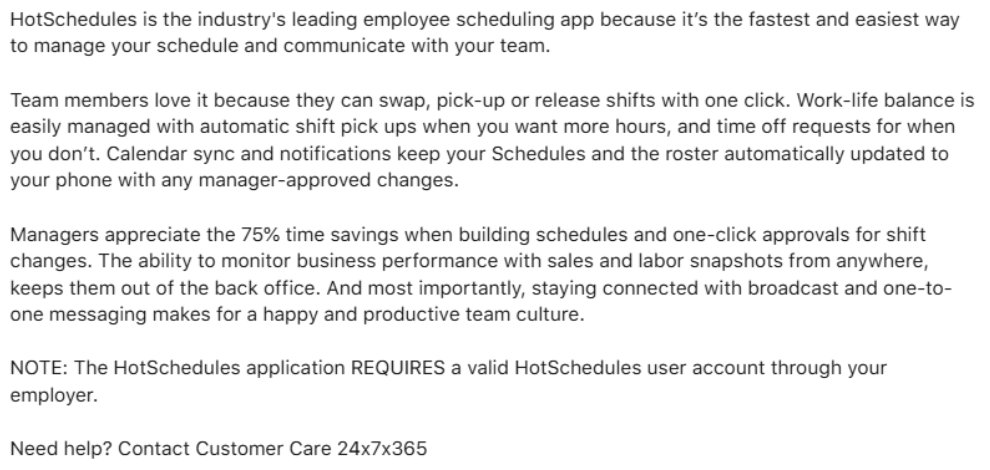
The first screen shows the shortened text, and the second one shows the full text after clicking the “more” button.
There are also special keyword sections you should fill out in the app store. Think what words customers will type in the search tab to find your app.
It’s essential to check the specific rules and guidelines for your app store.
For example, Apple’s recommendations on what to do when selecting keywords mention avoiding special characters — such as # or @ — unless they are part of your brand identity.
The number and value of your reviews influence the app’s position in search results.
The app store shows the user the apps they will most likely download. As reviews significantly influence buyer decisions, the more good ones you have, the better.
Check out a few tips on how to improve app ratings. For instance, you may run a contest, create a review plugin, or leverage Helpshift to provide direct and immediate support.
An app icon is a small image that visualizes the app. A good-looking, interesting icon can help influence the number of user clicks on the app.
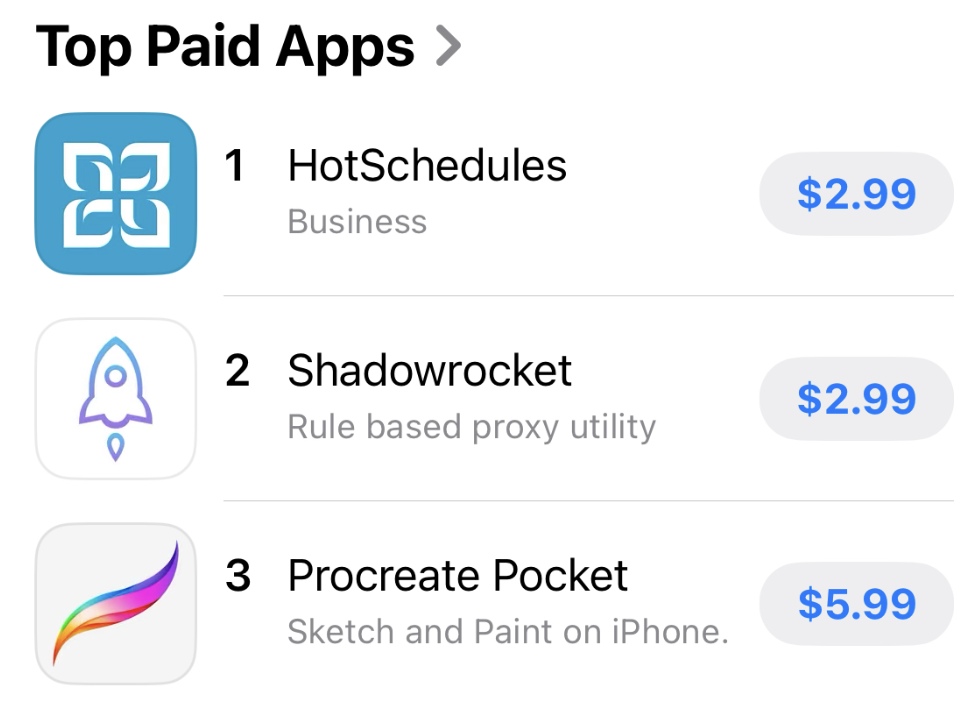
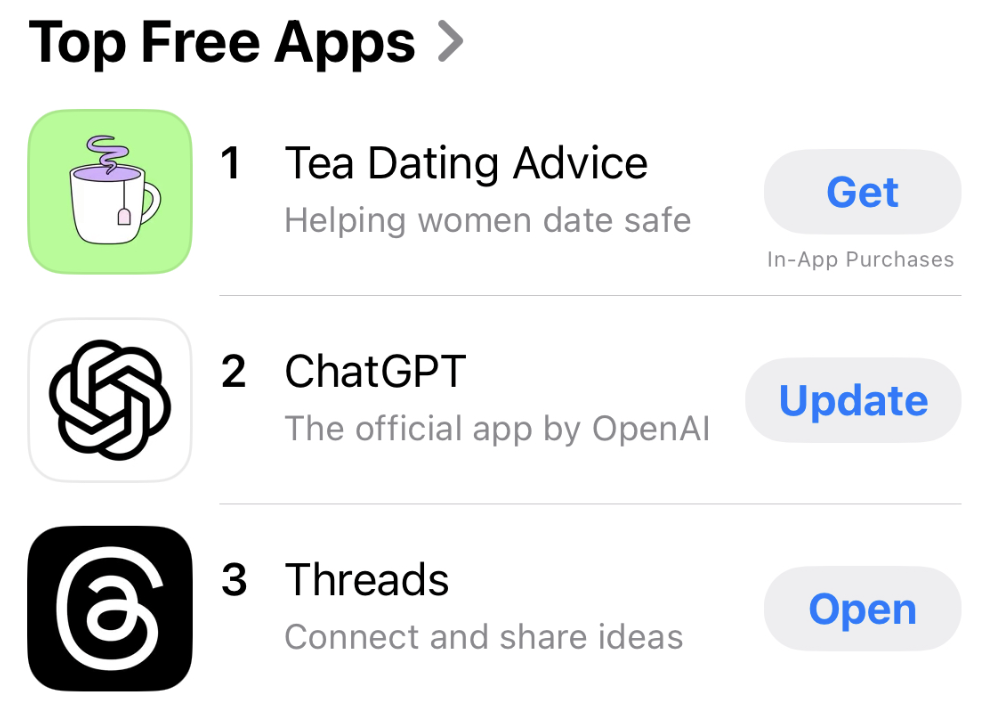
Quite often, an icon is the only visualized element users see when browsing an app store.
After installing the app, the icon appears on your phone menu and reminds users to open the app.
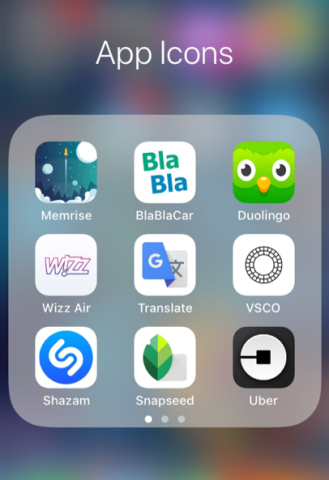
Your icon should reveal the purpose of the app and, at the same time, intrigue users.
Pay attention to the app store’s requirements when designing the icon. Apple's recommendations for creating an appealing icon include embracing simplicity, providing a single focal point, and keeping icon corners square.
Like with an icon, including interesting screenshots and videos of your app will help influence its number of downloads. They help the user feel what his experience will be like on the app.
For example, TikTok created an appealing app video that showed potential customers the look and feel of its app.
In nine seconds, the video shows the app’s functions and its value for users.
If users are browsing categories to find an app, one mistake could decrease the number of downloads.
In the iOS App Store, you can add the primary and secondary categories, choosing from:
On the Google Play Store, you can choose a category and subcategory (for “Games” and “Family” categories). If you’re hesitating between two categories that both seem equally relevant to your product, it’s better to choose the one with fewer competitors.
This also depends on the app, but don’t ignore common languages beyond just English, as there are millions of potential customers who may not download your app for one reason: They don’t speak English.
The amount of text to translate is usually small, but don’t forget to change all texts in images and videos.
If you’re trying to reach users in other countries, don’t just translate the text — take time to localize it. That means thinking about how your app appears in different regions, not just what the words say.
Try adjusting your app store listing so it fits the language and culture of each audience. That might include swapping in new screenshots, rewriting your description, or changing which keywords you use in search. Something that works in the U.S. might not land the same way in Germany or Japan.
Both Apple and Google make it easy to manage localized listings, so if you're targeting international users, it's worth the extra effort.
Your goal of a user acquisition strategy is to make users interested enough in your app to download it. This can be done on your website.
If you have a corporate website, make a separate page for your app and an unobtrusive banner that leads to the page in the footer or side areas.
For example, GreenFi, a climate-focused financial platform, created a dedicated page for its mobile app on its main website. The landing page shows the advantages of the app and briefly explains how to use it.
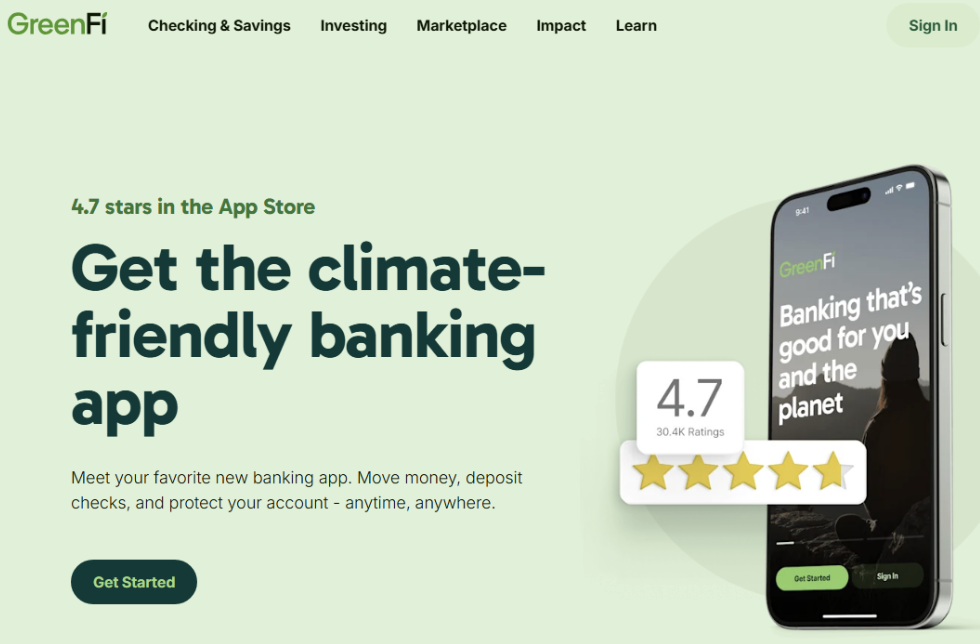
GreenFi’s app page is easy to read and includes clear call-to-action buttons that lead the customer to the app stores.
It’s important to avoid making the site or page too long or complicated; your goal is to lead the user to the app store. Don’t forget to add a download link on your mobile website, as its visitors are the target audience for your app.
A good example of a website solely devoted to an app is the Candy Crush Saga app website. The company built an entire website for the app with a clear call to action to download the app.
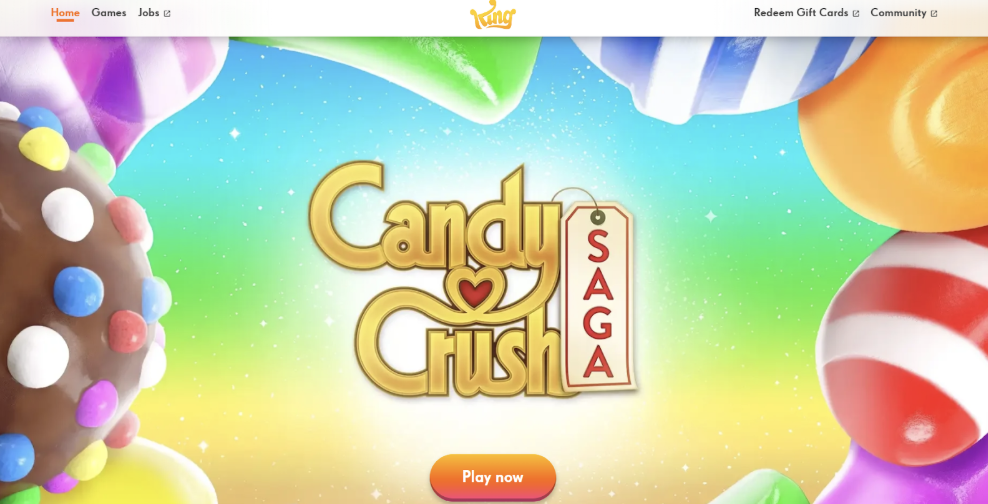
The Candy Crush website also includes a community discussion page, and a job board. These extra features allow users to learn more about the app and answer questions they may have.
If you already have a base of subscribers who know and trust your company, email marketing could help influence existing subscribers to download your app.
For example, wellness app Calm regularly sends emails that promote its mobile app by highlighting new meditations, sleep stories, or seasonal content. These emails often include links to open the app directly or download it from the app store.
By sharing updates with people already interested in mindfulness and mental wellness, Calm keeps users engaged and encourages them to explore more of what the app offers.
If the app is your start-up and you don’t have a subscriber base, it’s better to first create a buzz about your app on social networks or offline. Once you do, you can collect emails and then continue engaging users with email campaigns.
In 2025, the average adult spent nearly two and a half hours a day on social media. Most of them access social media using a mobile device, which means it will be easier for them to download an app that catches their attention in their newsfeed.
The social media platforms you choose should depend on your target audience.
The most popular platforms are:
Each platform has a range of different audiences that make use of the social network for unique activities.
If your app is built for millennials, start with the platforms where they’re most active. According to 2025 research from Sprout Social, YouTube tops the list for this group, followed by Instagram, Facebook, and Snapchat. TikTok is also worth a look, especially for older millennials in the 25–34 range.
For B2B apps, LinkedIn is still the go-to. Most of its users are in that same 25–34 age bracket, and it’s built around business connections. X (formerly Twitter) can also be useful, particularly if your audience cares about tech, news, or real-time updates.
The main concept for app promotion, however, is the same for all platforms: Create viral content, increase likes and subscribers, and spread the word about your app.
When talking about social media, consider both free and paid methods. Free methods include posting on your own socials regularly or sharing customer content. Paid options include hiring influencers, paying for targeted advertising, or hosting contests and giveaways. Keep your focus on engagement (likes, comments, shares, and subscriptions) as these things extend your reach naturally and create real interest.
It's free to post on your own social media accounts.
Post engaging content, create publications in relevant groups, and invite friends to like and share your content.
Most content should be visual — videos and images – because that is what appeals to consumers the most.
Candy Crush Saga’s Facebook page is a good example.
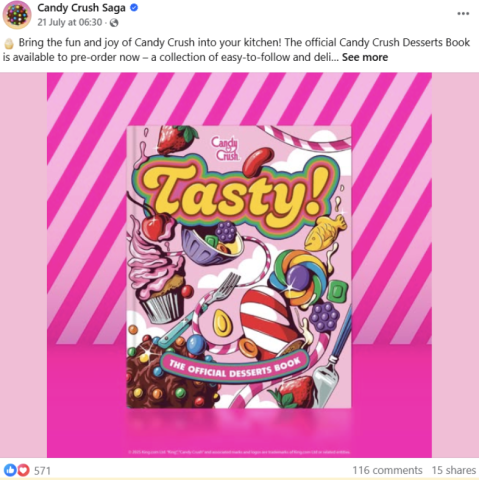
Promoting its app with very visual content, such as videos, appeals to Candy Crush followers.
Another good example is Spotify's X account. The company creates short videos and regular updates of the music world.
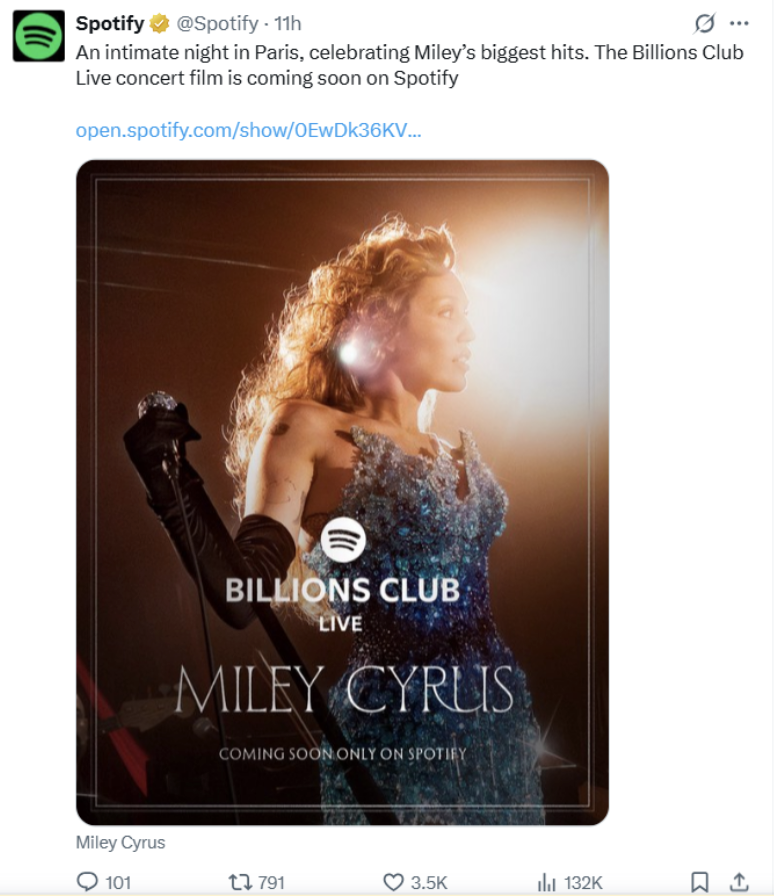
Almost every tweet encourages users to open the Spotify app and use it more often.
You can also increase your app downloads by advertising on social media channels.
Targeted ads on Instagram, Twitter, and Facebook work well, as they let you precisely define your audience.
For example, women’s online clothing store Zaful likely targets women of a certain age in its Facebook advertisements.
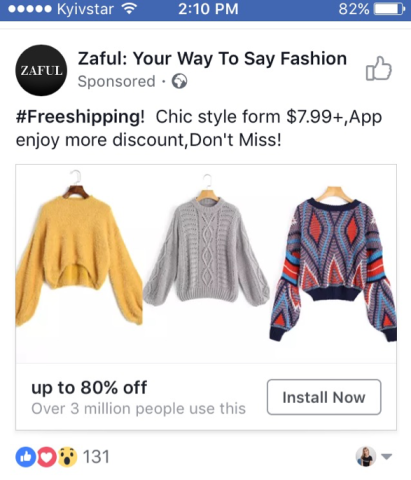
Zaful’s advertisement appears in the newsfeed and looks almost like a regular post. There’s an “Install now” button, too, which lets the user instantly download the app.
To reach users who don’t actively use social media, consider launching online and in-app ads.
Many users discover new apps while using other apps, especially through in‑app ads like interstitials, banner ads, and rewarded videos. Interstitial ads are full-screen ads that appear between user actions, such as between game levels or while a page loads. Rewarded videos offer users something in return — like in-game currency or a bonus feature — if they choose to watch a short video.
In-app ads can be particularly effective: industry data shows viewability rates of around 78% for video ads and over 85% for display ads (significantly higher than typical mobile web ads), making this channel ideal for reaching users already engaged with mobile content. Some interstitial ad formats also deliver conversion rates above 15–20%, demonstrating strong potential for driving app installs.
About one-third of users (33%) discover apps while using other applications. This means in-app advertising is even more effective than search engine ads (31%).
To save money, you can negotiate with other app owners and conduct cross-advertising to promote each other’s apps for free.
For instance, chat app Butter, an app we at UPTech developed, advertises other apps, such as AdPlexity, an advertising-monitoring app.
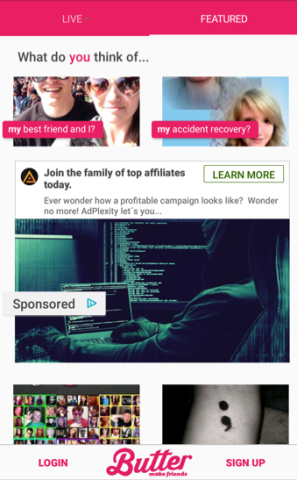
This reciprocity of advertisements can help you advertise for free.
If you want to create search engine advertisements, you can launch them using Google Ads. The main point is to select keywords well. Select the appropriate keywords to pop up in the appropriate target audience’s search, and use filters to select visitors who use mobile devices.
You can also create contextual ads using Google Ads. Design banners with short text, and Ads shows them to users who enter certain websites. These sites depend on the type of an app you have. For instance, if you have a traveling app, you might want to show ads on various travel blogs.
Media coverage is another effective channel to attract app users.
Reach out to people or companies and ask them to place information about your app. The most common way to do this is to write an email to the editor, mentioning why this information will be valuable to readers.
Think of your target audience and what media they are most likely to read. Consider the following categories:
Consider publishing your app on startup or tech directories where early adopters tend to browse. Sites like BetaList, Indie Hackers, or even relevant subreddits (like r/SideProject or r/Entrepreneur) can help you reach users who enjoy trying out new tools.
Offline promotion can still play a role in app marketing, especially when it’s tied to a specific audience or region. Thanks to QR codes, it’s easy to redirect a user from printed material to a website or directly to the app store.
You may use various materials to promote your app, as long as they fit in with your overall marketing strategy:
Before printing these materials, consider where you are planning to place them and how to spread them among your target audience.
For example, if your product is a fitness app, you could become a sponsor of marathons and put banners up at the venue, publish an overview in Shape magazine, and spread leaflets in fitness clubs.
OOH stands for Out-of-Home advertising, which includes all types of ads that consumers experience outside of their houses. This includes the following examples:
People come into contact with OOH ads outside of crowded, digital spaces. Some companies may find that spending their advertising dollars on creative OOH ads helps them stand out in ways they otherwise wouldn’t online.
Hire an OOH advertising agency for your marketing strategy.
Getting users to download your app is a key first step, but retaining them depends on how smooth and intuitive their experience is from the start. A short onboarding flow, clear navigation, and fast load times can go a long way in keeping people engaged.
Put yourself in a first-time user’s shoes. If something feels clunky or hard to follow, it’s worth reworking. Even small usability issues — like unclear buttons or too many steps — can lead to frustration.
Ongoing improvements also matter. Regular updates, bug fixes, and thoughtful feature releases show that your team is invested in the product, and that builds user trust over time.
Things to watch for when checking the user experience:
Even little things can make a difference. If something feels clunky or slow, users won’t stick around for long.
After your app goes live, it’s smart to keep an eye on how people are using it. Are they downloading it and coming back? Or trying it once and never opening it again?
You don’t need to dig into every detail, but watching a few numbers – like daily users or where people drop off – can tell you a lot. Tools like Firebase make that easier, even if you’re not super technical.
Here are a few things worth tracking:
Over time, this helps you figure out what needs fixing, what is working well, where to spend your ad budget, and which parts of the app people actually care about for future development.
To attract mobile app users, you should analyze your audience, plan a promotional campaign, and stick to it.
No matter what methods you choose, test content on small target audience groups, calculate your budget, and measure the success of your campaign.
No marketing campaign can save a bad app, so, of course, focus on creating a good product in the first place.
Searching for a partner to promote your app? Connect with a top app marketing firm on Clutch today.

Anastasia Shpiliak is a marketer at UPTech, an outsourcing mobile & web development company in Kyiv, Ukraine, a specialist in mobile app promotion, developing marketing strategies and user acquisition.
Anastasia Shpiliak is a marketer at UPTech, an outsourcing Mobile & Web development company in Kyiv, Ukraine. A specialist in mobile app promotion, developing marketing strategies and user acquisition.
See full profile