
How App Companies Can Build Trust with Customers
Learn how app companies can build customer trust through better privacy practices, transparent communication, and stronger security to improve retention and...
Updated May 29, 2026

Creating a successful mobile app involves more than just writing code; it requires careful planning, strategic thinking, and attention to detail at every stage. Whether you're developing an app for the first time or refining an existing idea, ensuring that all key factors are addressed from the start can make all the difference. This article will cover seven essential considerations that should be part of your app development checklist, with commentary from experts in the field.
Mobile apps can be critical to a business's success. By 2025, over two-thirds of smartphone users will use mobile apps to make purchases. Offering your customers an app can help generate sales and boost brand awareness.
People spend an average of over four and a half hours daily on their smartphones. Creating a mobile app for your business allows you to reach your customers where they spend their time. A branded app increases awareness about your products or services and allows potential customers to interact with your company when convenient.
Looking for a Mobile App Development agency?
Compare our list of top Mobile App Development companies near you
Mobile apps are a cost-effective marketing tool that builds relevance for your business and customer trust. If you’re ready to create an app for your brand, working with an experienced development team can simplify the process.
After analyzing the reviews of 40,821 app development companies, we found specific trends on working with an app development team. The idea of “high-quality work” was mentioned nearly 25,000 times.
We only recommend companies that deliver high-quality work and exceptional project management skills. Our reviews provide specific project details to help buyers like you vet potential providers and consider which company would be the best match.
The top trends with our vetted providers are:
Other noted trends include being passionate about their work, detail-oriented, willing to take on challenges, and knowing how to translate ideas into products.
This app development checklist details what you need to know to launch a successful mobile app before finding the partner of your choice.
One of the first decisions you’ll need to make when you’re ready to build an app is whether you want a native or hybrid app. Each has its advantages, and the best option will depend on the purpose of your app.
A native app is tied to a specific operating system, such as iOS or Android. It only works on its associated device and directly taps into the device’s hardware features, such as GPS and camera. Developers write native apps in the language that correlates with their operating system, such as Swift for Apple and Kotlin for Android.
Businesses choose native apps because they’re faster and more responsive. They also generally provide a better user experience and are more secure than hybrid apps. Most native apps are also operational offline, which can be advantageous in some situations.
Hybrid apps are designed to work on multiple operating systems and types of devices. If you build a native app, you should make one version for Apple devices and another for Android devices. Otherwise, it won’t be available for a significant portion of the market. Hybrid apps bypass that issue.
Companies often choose hybrid apps because they are faster and cheaper to develop. If your app doesn’t require exceptional performance to accomplish its purpose, hybrid apps can be a great option.
A structured approach will help you save money and create an efficient plan for your app development project. Consider all of the following elements before you get started.:
With over four million apps available for download, it may seem like every business has an app. However, before investing in building an app, you should be clear on what you want to achieve.
Serhii Kholin, CEO of Onix-Systems, agrees.
“We always recommend our clients start with goals. We mean the app’s purpose and who it’s for,” said Kholin. “The right approach to this lays the foundation for everything else.”
Understanding exactly what you want your app to do and how it will further your business objectives will help you set yourself up for success.
As noted by Clutch reviews, working with a detail-oriented app development company speaks volumes for app success.
As with other business goals, if you don’t know what you want to achieve, you won’t know if you’ve accomplished it. Are you hoping to generate more sales, increase brand awareness, or make it simple for people to pay their invoices? Your “why” should underpin your development strategy, features, and marketing message.
Once you know the reason you’re building an app, take the time to plan it out carefully. Although you can’t account for every eventuality, beginning with a detailed plan will help keep your project on track and aligned with your objectives.
A plan will also make the entire process less expensive and more efficient. You’ll reduce redundant work and costly mistakes. Your plan should include:
When it comes to planning, Clutch reviews highlight project management-related trends, such as “executes projects on time,” “treats projects like their own,” and “executes projects efficiently.”
Brice Gramm, CEO & Founder of Camber Creative, believes in creating an approach that makes sense for your team right now.
“Tailor your approach based on your app’s strategic needs, budget, and risk tolerance,” said Gramm.
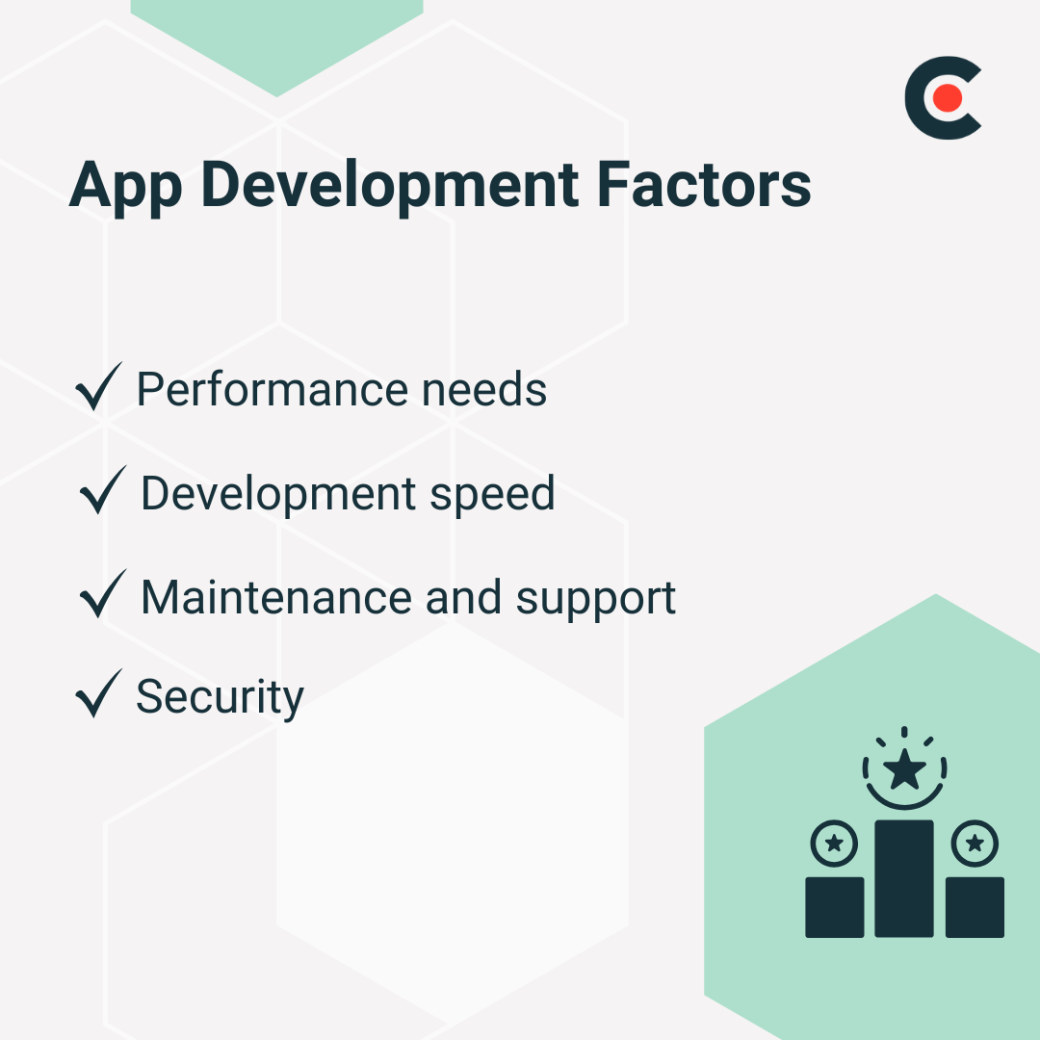
Some factors to consider include:
If your app will feature intense graphics — such as augmented reality (AR) or virtual reality (VR) — or you want to provide an optimal user experience, you may want to develop a native app. Conversely, relatively simple apps that don’t need extensive access to advanced hardware features can be developed on hybrid platforms.
When time is your top priority, hybrid app development can get your app to market faster. The code that underlies hybrid apps is simpler and easier to develop. Native apps require dedicated codebases for each platform, making the process more time-consuming.
Hybrid apps are also easier to update and maintain. The process is faster because all changes are pushed to a centralized codebase.
Native apps can fully leverage each operating system’s security features. Because native apps' security features are often more robust, they’re a good choice for apps that handle sensitive personal data.
Hybrid apps can be a good option for e-commerce or content delivery platforms that don’t interact with highly confidential data. They are also simpler to apply security patches to since they can be deployed across platforms with one update.
It’s tempting to get carried away with features when designing an app, but you should carefully consider whether a feature will add value for your users.
“Your app’s core features that attract users are table stakes,” said Gramm.
Loading an app with meaningless functionalities will make it clunky and difficult to navigate.
Start with the core features that support your app's primary purpose.
Kholin says an app’s features “depend highly on its type and purpose.” She recommends that every app have seamless login options, the ability to work offline, and reliable solutions to optimize app performance.
Prioritize these and develop them into a minimum viable product (MVP) you can test for user feedback. When adding additional features, consider user pain points, user experience, security, and scalability. If a feature doesn’t address one of these areas, you might want to leave it out.
The cost of your app will depend on several factors, including its complexity, features, design requirements, and third-party services. You can break down your budget into categories to get a realistic idea of the costs.
Include categories such as:
Allow for hidden or unexpected expenses, such as licensing and subscription fees and legal and compliance costs.
Additional Reading: 'How to Create a Budget for App Development [With Template]'
You want your app to remain powerful, so consider long-term implications from the start. Set it up for scalability by designing the backend to handle higher data and user loads than you think you’ll need.
Using APIs can allow for third-party integrations to make your app more flexible and full-featured. Modular development practices will enable you to reuse code and increase efficiency. Building data analytics into your app will give you insight into user behavior, engagement, and retention. You can use this information to plan future upgrades.
Unless you have an in-house team, you must outsource app development. An experienced development company can collaborate with you from the earliest stages and guide you through the process.
According to Gramm, the right app development partner should help “define your vision, reverse engineer smaller steps to reach your vision, create a design-based approach that makes sense for you right now, and create your app in small batches.”
They can help you with the technical aspects and advise on the best ways to achieve your objectives. Ideally, you want to work with a company that has experience in your industry and understands your needs.
Additional Reading: 'App Development Services Guide'
Clutch can help you find the right app development company and hire confidently. Our in-depth research methodology ranks service providers and maps them on a leader’s matrix based on market research. This gives you a broad overview of the top-performing companies.
When looking for an app development partner, Kholin recommends finding one that is able to combine expertise, comprehension, and collaboration.
“Choose those who strive to make your app not just functional, but impactful,” said Kholin.
Gramm backs up that observation, noting that the perfect partner only works at the perfect time.
“Pick a team who thinks beyond the pixels and code to help you build the right thing, in the right way, at the right time,” said Gramm.
A mobile app can increase your market share and brand presence. Decide what your goals are for your app and follow a structured plan to accomplish them. Work with experienced professionals to optimize your return on investment (ROI) and simplify the process. At Clutch, you can find the most qualified app development companies to make your launch successful.
However, your job is not finished when your product is successfully delivered to the app platform. You need to plan for post-launch activities such as monitoring performance, collecting user feedback, tracking analytics, and providing regular updates.
Your app development plan should factor in iterative improvement. Make arrangements to roll out updates and new features based on user feedback and perform regular A/B testing to improve the user experience.
Find the perfect mobile app development company by browsing Clutch’s directory of the top app development firms around the world.
If you're looking to start your app development project off right, download our app development checklist
If you’re looking to start your app development project off right, download our app development checklist template.