Today, prioritizing user needs, addressing jobs-to-be-done, catering to diverse audiences, providing intuitive interfaces, and consistently delighting users throughout their journey are considered essential practices. This article will show you five of the best UX design examples that will help your business meet user needs.
The success of your business and customer relationships heavily relies on an effective UX design. When it comes to creating a business website, user experience (UX) reigns supreme. If visitors encounter subpar designs on your company's website, they are unlikely to stay and make a purchase. The good news is that there are actionable measures you can take to enhance your site's user experience significantly.
This article will guide you through the basics of UX design and some popular examples of websites that focus on key tenets of the design strategy.
Looking for a User Experience agency?
Compare our list of top User Experience companies near you
What is UX Design?
User experience design is a series of steps involved in developing digital or physical products. These steps include user research, information architecture planning, wireframing, prototyping, and user testing.
By prioritizing intuitive UX design, you can effectively deliver on your brand promise and acknowledge the significant impact of customers' emotions on commercial success.
Valuing your ideas through real customer feedback is essential to ensure that the final product resonates with its intended users.
Demonstrating how your products or services function in real-world scenarios with real people enables you to create more customized solutions that cater to the specific needs of your users.
Top 5 UX Website Design Examples
A good UX design can come in various forms, showcasing creativity and effectiveness. It might be demonstrated through innovative navigation systems, thoughtfully crafted forms, or optimized utilization of screen space.
While numerous applications boast impressive design, we will focus on five noteworthy examples:
- Apple
- James Madison University
- J.Crew
- Ikea
- Etsy
1. Apple
An essential aspect to prioritize on any website is navigation, as it assists users in easily navigating through the site. If users struggle to find their way from one page to another or locate the desired information, their engagement and retention will suffer.
Apple stands out for its effective navigation design on its website.
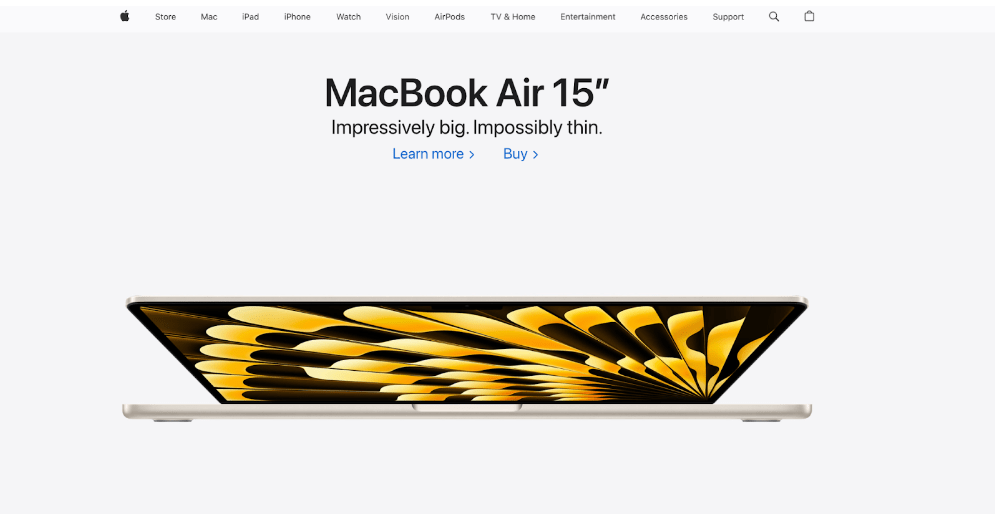
In addition to the conventional navigation bar located at the top of the page, exploring the "Mac" section of the Apple website presents a visually appealing lineup of their Mac products.
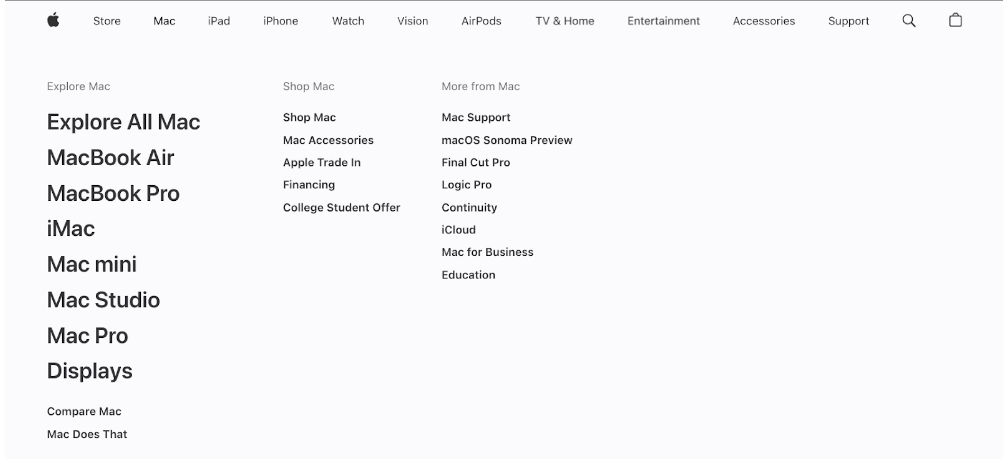
Each product is represented by its name and a simple icon, facilitating swift and effortless discovery for users.
Emulating this UX web design example involves maintaining a clear organizational structure on your own site, ensuring that users can easily navigate to product and service pages.
By prioritizing user-friendly navigation and making it simple for visitors to find what they're seeking, you can increase the likelihood of conversions.
The smoother their journey, the greater the potential for generating successful outcomes.
2. James Madison University
Look at James Madison University's homepage for a great example of an effective UX web design in action.

This UX design example showcases various techniques employed to create an appealing visual design. JMU maintains consistency with their school colors throughout the site, demonstrates good alignment of elements, and effectively breaks up text with headings and images to avoid clutter.
You can draw inspiration from this approach by ensuring that your website design aligns with your brand identity. Utilize colors and font choices that evoke the desired aesthetic and visual impression you wish to convey.
Strive for neat alignment of elements to achieve a polished and seamless appearance.
By implementing these design principles, you can enhance the overall visual appeal of your website.
3. J.Crew
J.Crew's website serves as an excellent example of mobile-friendly design.
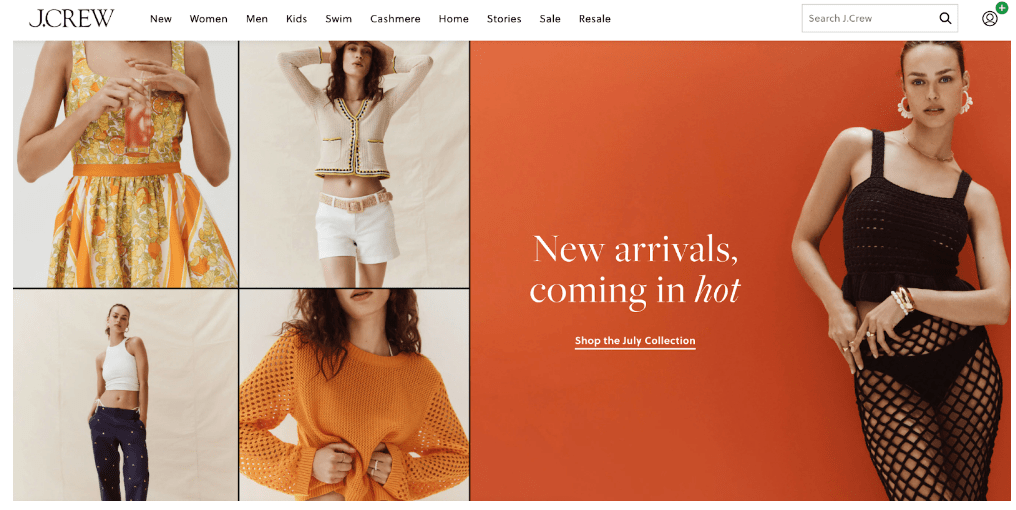
When viewing their product pages on a computer, J.Crew gives consumers the opportunity to see their latest summer collection on the left side.
However, on a phone screen, the page layout adapts to the vertical structure. The images take the top position, and the related information is placed below them.
You can emulate the success of this UX design website example by incorporating responsive design principles into your site right from the beginning.
Doing so ensures that your website seamlessly adjusts to accommodate users across various devices.
4. Ikea
Exceptional UX designs fulfill the basic requirements for a good website and surpass them by incorporating exceptional design elements.
One effective approach is to integrate interactive elements that directly respond to user behavior on the website. Ikea stands out as a prime example of exceptional UX design in this aspect.
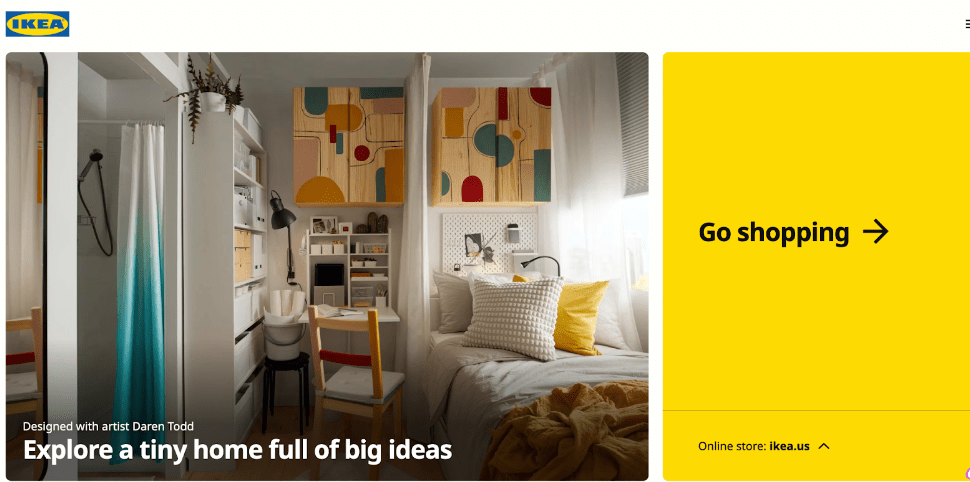
Ikea's homepage showcases images highlighting their products and design concepts. This combination of functionality and creativity is both practical and inventive.
Take inspiration from Ikea's approach by incorporating interactive elements that engage users on your own website.
You can start with simple interactive features like the example in this UX website design or aim for more ambitious endeavors, such as developing an interactive pricing chart that dynamically adjusts based on user input.
5. Etsy
Did you know that 83% of users anticipate websites to load within three seconds or less? Failing to meet this expectation can result in many users promptly clicking the "back" button.
Etsy excels in this regard, as their website promptly delivers search results to users when they are seeking products.
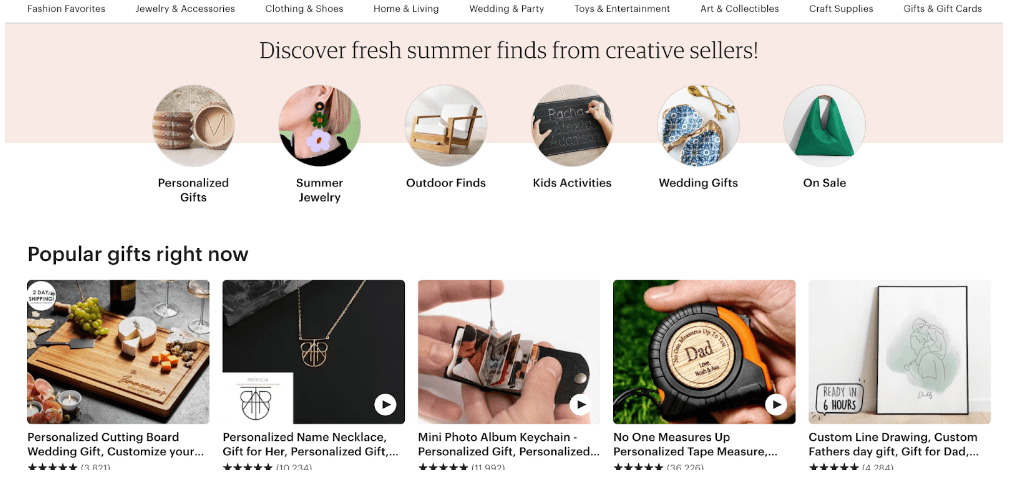
Google's PageSpeed Insights is an excellent resource for assessing a website's page load speed. When analyzing Etsy's page speeds using this tool, it yields an impressive score of 92, indicating exceptional performance. You can strive for a similarly seamless user experience by optimizing your own page speeds.
Here are a few strategies to achieve faster page speeds:
- Compress images
- Limit redirects
- Cache web pages
With a faster-loading website, you'll likely retain more users!
4 Key Principles of a Good UX Website Design
Understanding "good UX website design" can sometimes be unclear and challenging. This is because UX revolves around the user and assisting them in achieving their objectives, which can differ between products and user bases.
Good UX essentially refers to a user experience that effectively addresses users' needs in a seamless and enjoyable manner.
There are four key aspects that commonly characterize good user experiences:
- The user comes first
- Simple and consistent
- Functionality first, then design
- Draw on the familiar
1. Users Come First
Placing the user as the top priority is the fundamental principle of UX website design. While this may seem obvious, it's worth emphasizing, considering the numerous internal priorities and pressures faced by product teams.
An effective UX website design revolves around meeting the needs of users in every decision-making process. The product should assist users in achieving their goals or resolving their problems in the quickest and easiest way possible.
Every aspect of the design, every modification, and every new feature should stem from this principle. The reason why user-centered design offers a significant competitive advantage to companies that master it is that putting users first is not always straightforward.
While your business goals remain important, they should not hinder or interfere with the users' needs and goals. In fact, your business goals should align with and support the users' needs.
2. Simple & Consistent
Enabling users to quickly and effortlessly find what they need is achievable through a simple and consistent UX website design. Your product should employ a straightforward design, concise copy, and intuitive actions to guide users to their desired destinations.
However, prioritizing simplicity does not mean compromising functionality. Instead, it involves streamlining your UX website design, minimizing visual clutter, and eliminating any unnecessary elements or steps that could complicate the user experience.
Additionally, consistency plays a vital role in UX. It encompasses not only the experience within your product but also extends to branding, marketing, and support. Establishing a coherent style and overall ambiance across all user touchpoints helps harmonize the user experience as a whole.
3. Functionality First
While UI concentrates on the visual appearance of your product, UX revolves around its functionality. A hallmark of good UX is ensuring that users can effortlessly accomplish their intended tasks on your website or app. This goal emphasizes the primacy of clarity and function.
The design should not hinder or slow down users; instead, it should facilitate their journey and make their experience seamless.
4. Draw On The Familiar
A good UX website design embraces the design frameworks and interactions that align with users' expectations, providing them with what they anticipate. Introducing unfamiliar interaction patterns to users can create obstacles and impede their progress toward achieving their goals, as it necessitates a learning curve when adopting your product.
Utilizing elements and interactions that users are already familiar with tends to result in a superior UX. By leveraging existing user knowledge and expectations, you can enhance the overall user experience and facilitate smoother interactions.
A Good UX Website Design Will Help Boost Your Business
Gaining a clear understanding of why customers visit a website and what they require benefits both the audience and the business, as it provides brands with insights and avenues for enhancing user experience.
Companies can effectively influence their business outcomes by implementing targeted strategies across their market and digital ecosystem.
Optimized user experience has evolved into an essential prerequisite across all platforms and devices, driven by users' expectations. Recognizing the transformative potential of UX design prompts some businesses to swiftly embrace its implementation, knowing the profound impact it can have on their business.
UX design is a broad and inclusive field and every organization in the world is affected. Modern design principles influence various industries and sectors.
An effective UX design has the potential to elevate profits, enhance client and user retention, foster satisfaction, and cultivate loyalty.
Find the right UX/UI design agency for your business.
About the Author
Anna Peck
Content Marketing Manager at Clutch
Anna Peck is a content marketing manager at Clutch, where she crafts content on digital marketing, SEO, and public relations. Alongside editing and producing engaging B2B content, she plays a key role in Clutch's awards program and content initiatives. Originally joining Clutch on the reviews team, she now focuses on developing SEO-driven content strategies that deliver valuable insights to B2B buyers searching for the best service providers.
See full profile