
Website ROI: How to Measure, Calculate, and Improve Your Return
Website ROI measures the value your site generates relative to what you spend. Learn how to calculate it, track the right KPIs, and improve your return.
Updated March 27, 2026

A business website is a necessity these days, but you don’t need to binge-watch programming tutorials to build your own. Discover how Weebly or WordPress can help you create a jaw-dropping site — no coding required.
Some online websites seem to have it all: gorgeous photos, intuitive layouts, and convenient online stores. You may assume that they’ve hired a professional web developer or spent years mastering JavaScript and PHP. But that’s often not the case.
Thanks to website builders, it’s easier than ever to design sites, even if you’re not particularly tech-savvy. These platforms let you quickly assemble fully functional websites without typing a single line of code. And no, these aren’t boring, static sites. You can add pop-up forms, animations, and countless other features.
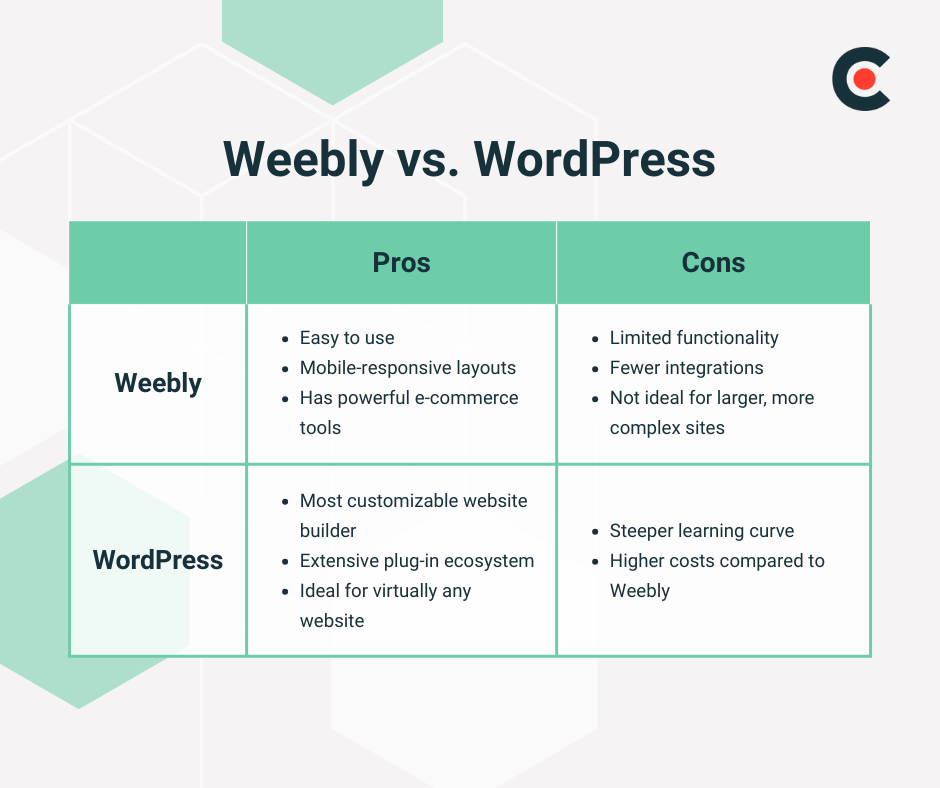
Two of the most popular options are WordPress and Weebly. WordPress gives you the most freedom and flexibility, but it comes with a steeper learning curve. Meanwhile, Weebly’s plug-and-play tools are incredibly user-friendly.
Both website builders have fierce advocates who have been duking it out for years on tech blogs and Reddit forums. This guide breaks down the Weebly vs. WordPress debate so you can pick the right tool for your business.
Maybe you want an attractive website, but you don’t need anything too fancy — no chatbots or dynamic pricing, thanks. That’s where Weebly excels. This builder has many templates that you can tailor to reflect your brand identity. Depending on how much you want to add, you could have an entire site up and running in an afternoon.
“Weebly is very beginner-friendly and simple to use, but that simplicity comes at a cost,” explains Nirmal Gyanwali, founder of WP Creative. “Design options are limited, and it’s not as robust when it comes to SEO, performance, or advanced features. It works well for small, basic websites but doesn’t grow well with more complex needs.”
Of course, not every brand needs a fancy website. If you only need to share key information — like your hours and contact details — Weebly could be perfect.
Here are a few features offered by this builder:
For businesses with more complex needs, WordPress is the clear winner. It’s a content management system (CMS) with two distinct parts: a backend for content (such as blog posts and videos) and frontend design tools.
This setup allows you to easily tweak the entire site’s appearance without having to recode all your content. For example, you can add a sidebar, and it will instantly appear on all your blog posts — whether you have 20 or 2,000. Or you could swap your color schemes and fonts with a few clicks.
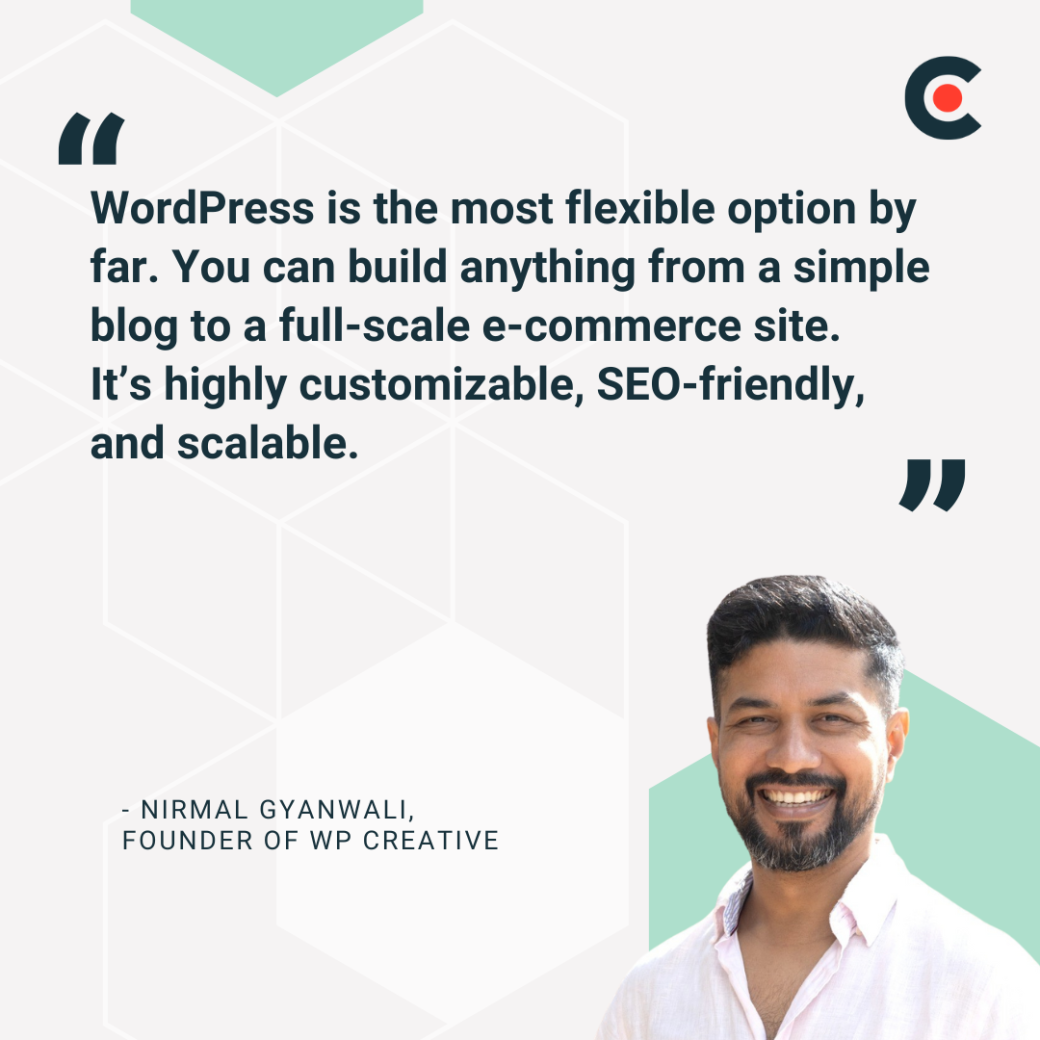
“WordPress is the most flexible option by far,” observes Gyanwali. “You can build anything from a simple blog to a full-scale e-commerce site. It’s highly customizable, SEO-friendly, and scalable.”
Of course, every website builder has its drawbacks. “WordPress’s freedom comes with complexity," said Gyanwali. It requires more hands-on management for hosting, updates, backups, and security, which can overwhelm non-technical users.”
That might sound scary, but WordPress is actually quite accessible — especially after you watch a few tutorials. That’s why 68% of websites used this builder in 2024.
Here are a few reasons why WordPress has so many die-hard supporters:
Once you’ve started building your site with one platform, you’re not exactly locked in. However, switching from one tool to another can be challenging. For example, you may need to sacrifice most of your advanced features if you decide to move your site from WordPress to Weebly.
Avoid this headache by choosing the right site builder the first time. Consider these factors as you weigh your options.
Weebly is incredibly easy to use. Sure, you might need to skim a how-to guide to orient yourself. But that’s about it — no extensive training needed here.
This platform also offers mobile-responsive layouts that automatically adapt to different devices. Using one of these templates will make your site more accessible and SEO-friendly.
Weebly has powerful e-commerce tools, too. The filtered product search helps customers find items quickly, while its inventory management system flags when you’re out of stock. These convenient features make Weebly a popular choice for small business owners who don’t have the bandwidth to track everything manually.
There’s no competition: WordPress is the most customizable website builder. The only way you could get something even more tailored is by hiring a professional developer for a bespoke website — and that’s much more expensive than using WordPress.
Plus, this platform has an extensive plug-in ecosystem. You can use these bundles of code for everything from hosting giveaways to adding falling snow animations to your website. These tools make WordPress ideal for virtually any website.
Compared to the ultra-flexible WordPress, Weebly has limited functionality and fewer integrations. It only has a handful of “apps,” which are the equivalent of plugins. But you won’t find any flashy animations or high-tech tools here — these apps are for basic tasks like adding a table. You’re just setting yourself up for frustration if you expect more advanced features.
It’s also not ideal for larger, more complex sites. As your site grows in size, features, or traffic, Weebly’s infrastructure may not scale well. It lacks the flexibility and backend control that high-traffic or feature-rich sites often require.
You don’t need a background in computer science to use WordPress, but it definitely comes with a steeper learning curve. At the very least, you’ll need some basic technical skills to set up your website and maintain it. But don’t let that scare you away. WordPress offers plenty of free resources on everything from building a simple site to developing custom themes.
The cost is another drawback of WordPress. A business account starts at $25 a month, but you may need to spring for the $45/month annual commerce plan if you sell products ($70/month if you pay as you go). For bigger companies, the enterprise package starts at $25,000 a year — much more expensive than Weebly but also more scalable.
As you research these website builders, you might feel drawn to Weebly’s sleek templates or a mysterious WordPress theme. But it’s not all about the looks. Consider which tool will help you meet your goals and give your visitors the best experience.
“Small businesses should start by thinking about what they actually need — not just today but over the next few years,” advises Gyanwali. “Businesses need to consider things like how important SEO is and whether they need shopping cart functionality. They should also think ahead to integrations they may need in the future.”
Maybe you’re curious about artificial intelligence but not ready to add it to your website yet. In that case, WordPress is the safer bet. It already offers AI-powered plugins, while Weebly hasn’t even dipped its toes into this technology yet.
Here are a few more factors to consider:
As you weigh each option, spend an hour or two exploring real sites made with WordPress and Weebly. These case studies will help you understand each platform’s benefits and drawbacks more clearly.
This platform is incredibly accessible, which makes it a great choice for:
For instance, the illustrator Ashleigh Green uses Weebly to showcase her artwork. The home page uses a simple grid layout to showcase Green’s adorable artwork. Visitors can click each square to learn more about her projects and find out where to buy her products. The site is simple yet cute — just like Green’s illustrations.
Ideal Use Cases for WordPress
Since 2018, the White House has used WordPress. Its robust CMS allows the government to share many types of media, including a live news stream and press briefings. The site also includes many advanced features, such as a scrolling header and a custom footer with an illustration of the White House.
These days, a website is just as essential as a business bank account and payment processing system — but a little more time-consuming to set up. Fortunately, web builders can help you get the job done with minimal stress.
There’s no clear winner in the Weebly vs. WordPress debate. Both tools have pros and cons, so it all comes down to what your business needs. Still can’t decide? Don’t feel shy about reaching out to a web developer for a one-on-one consultation.