
Web Hosting Options: A Decision Guide for Businesses
Understand the pros and cons of different web hosting options to choose the best solution for your business.
Updated November 17, 2025

Stay ahead of the competition with a scalable website that grows with your business. Keep reading to access eight key future-proofing strategies that will allow your website to adapt to new challenges, technologies, and business needs.
Businesses often treat web development projects as a one-and-done process. You get the site up and running, make a few tweaks here and there, and voila — you never have to worry about it again, right? Not quite.
Technology is constantly changing. If your website doesn’t keep up, it may look clunky or underperform sooner than you think. Your business needs can shift, too. Maybe you need to add an e-commerce store or create multilingual pages for new audiences. Customer expectations change, and so do search engine algorithms. A website that’s trendy and visible today might look hopelessly dated next year.
Making your website scalable ensures it can handle growing traffic, new features, and evolving technologies, helping future-proof your business by keeping it adaptable and resilient to change. As a result, you can easily experiment with new strategies and re-optimize your content Ultimately, this can help your business adapt, especially as conditions change in the future.
Boyd Roberts, the Group Director of Big Picture Group, understands exactly what goes into future proofing websites. “A future-proof website is not just about the technology but about the strategy behind it,” he explains. “Thoughtful planning, scalable infrastructure, and ongoing maintenance are key to ensuring long-term success.”

A future-proof website will adapt and grow with your business, not hold it back. With our tips and Boyd’s expert insights, you'll be ready for whatever comes next and develop adaptable sites that get results for many years.
Website scalability refers to a website’s ability to handle increasing amounts of traffic, data, or user interactions without compromising performance, speed, or reliability.
A scalable website can grow alongside a business, accommodating more visitors, additional features, or more complex functionality without requiring a complete rebuild.
But making your website scalable involves both technical infrastructure—such as servers, databases, and content delivery networks (CDNs)—and software design, including modular coding, efficient database queries, and caching strategies.
By planning for website scalability from the outset, businesses can ensure their websites remain responsive, stable, and capable of supporting long-term growth and changing user demands.
People often assume that building a scalable website means preparing for the next five or ten years. But in reality, technology and user behavior evolve much faster — sometimes in just a few months. A truly scalable website is built to adapt at any moment.
Of course, that is often easier said than done. Many websites fail to scale because they're designed for looks or simplicity, not flexibility.
However, with any website serving as the online headquarters of a business, the stakes are too high to not put work into scalability and adaptability.
Imagine this scenario: Your brand goes viral on social media, which is great for the business! But the sudden spike in traffic crashes its website, which means no conversions and possibly a lasting negative impression on potential customers. Or consider this less dramatic but all-too-common situation where a business never optimizes its mobile responsiveness. While some customers tend to shop on desktop, a majority prefer to purchase on mobile, and the business's revenue takes a hit as a result.
Failing to build scalable websites can lead to many issues, including:
Avoid these problems by creating a scalable website. That way, you can easily grow your marketing campaigns and deliver positive user experiences. The result? Better performance all around.
Measuring website scalability involves evaluating how well your site performs as traffic, data, or user demands increase. Key metrics include:
Together, these metrics reveal whether your website can grow smoothly or if upgrades are needed to handle increased demand.
While it's impossible to predict what your website will need, implementing scalable and adaptable strategies will allow your website to grow with your business. Here are eight practical strategies to help you get started.
Every future-proof website needs the right tech stack. It’s like expanding a house — adding an extra bedroom is much easier with an adaptable design. It all starts with choosing the right content management system (CMS).
According to Boyd, there’s no one-size-fits-all CMS. “We take a platform-agnostic approach,” he says. “That means we prioritize understanding our clients' unique needs through a discovery phase before recommending a solution. Rather than pushing a one-size-fits-all CMS, we tailor our recommendations based on business goals, scalability requirements, and technical needs.”
Launching an e-commerce business? You'll definitely need a CMS with a built-in digital storefront. Meanwhile, a simple WordPress site might be perfect for a service-oriented company.
“That said, we frequently recommend a few CMS platforms based on specific use cases,” Boyd continues. These include:
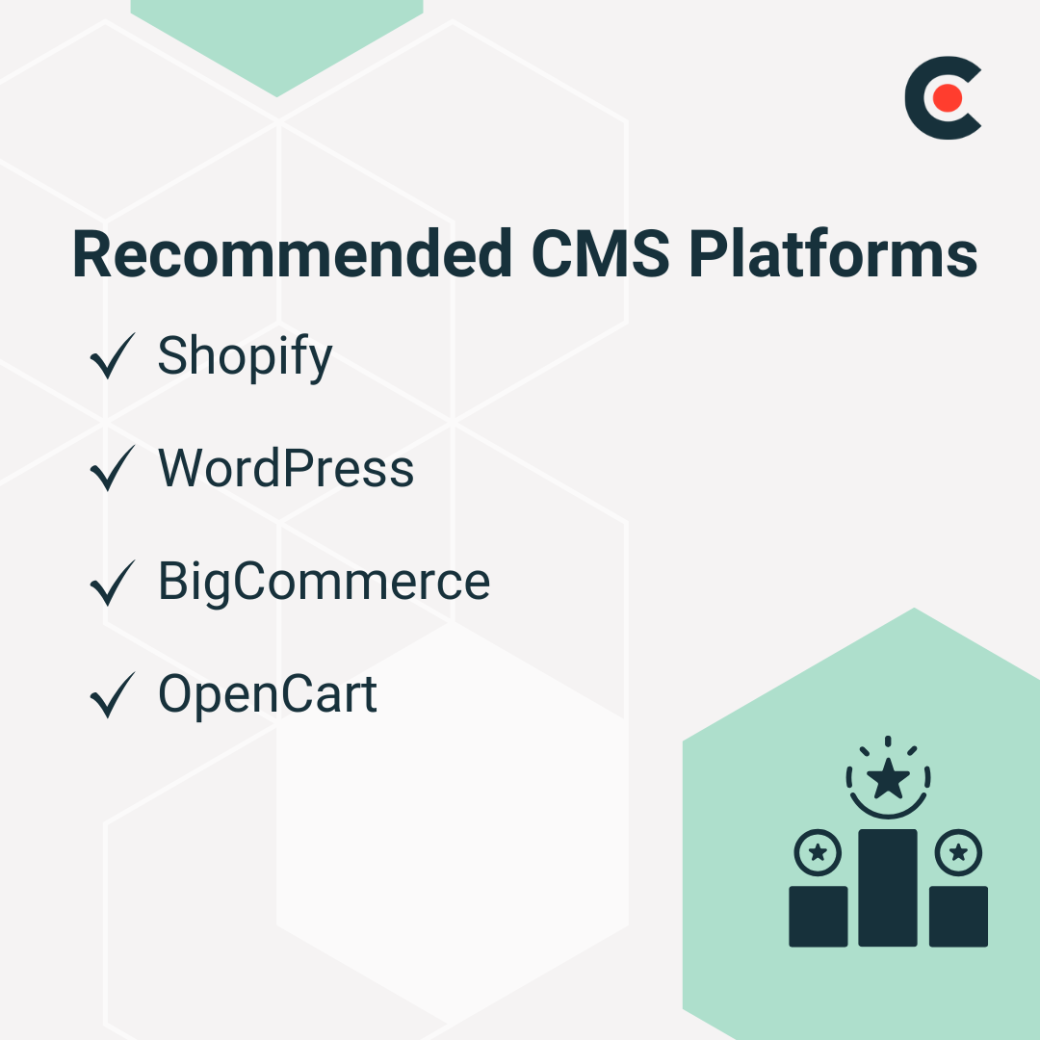
Compare each platform's features and make sure their pricing fits your budget. Consider the higher pricing tiers, too, even if you don't need a more advanced plan yet.
Of course, it’s possible that none of these platforms will fit your needs. In that case, Boyd recommends starting from scratch. He explains, “For businesses with unique or highly complex needs, a custom-built solution may be the best option.” His team uses robust frameworks to develop custom sites, including:
No matter which approach you choose, flexibility is key. Boyd notes, “By focusing on the long-term vision, scalability, and functionality required, we ensure that each client receives a future-proof solution tailored to their business growth.”
Consider other tech solutions, too. Many businesses use application programming interfaces (APIs) to connect their websites to external services. By choosing scalable third-party integrations, you can quickly add new features without having to build them yourself. You could also use microservices to break apps into smaller pieces for easier scalability.
When it comes to future proofing websites, performance is everything. Even the most patient users can drift away with glitchy or sluggish websites. Search engine algorithms also tend to penalize poor-performing websites by lowering their rankings.
Use these simple techniques to speed up loading times:
Content delivery networks (CDNs) also boost performance. They use a network of servers to deliver content when traffic surges. So, if a viral post or news story brings a ton of visitors, your site will still run smoothly.
Like most people, you probably spend a lot of time browsing web pages — maybe even this one — on your smartphone. In January 2025, nearly 63% of global web traffic came from mobile devices — up from only 51% at the end of 2016. And this trend shows no signs of reversing.
Future proof your website with a mobile-first, responsive design. Use flexible layouts that adjust to all screen sizes and devices. And don’t forget about touch-friendly navigation. Users should be able to easily tap buttons and links to move around your site.
Test and optimize for emerging technologies, too. For instance, customers might interact with your content using voice assistants or smartwatches.
Traditionally, businesses hosted their websites on physical servers, but many have switched to cloud hosting. This method uses networks of virtual servers, making it more scalable and reliable. Plus, you never have to worry about cloud hosting being stolen or destroyed in a fire.
While price is always a consideration, don't just choose the cheapest option automatically. “When selecting a hosting provider, businesses should prioritize more than just cost,” Boyd advises. “They should focus on performance, security, and scalability to ensure their website remains reliable as they grow.”
Uptime and reliability are two of the biggest factors Boyd considers. He explains, “A hosting provider should guarantee at least 99.9% uptime to ensure continuous availability.”
When shopping for a hosting provider, Boyd also compares these criteria:
Based on these factors, Boyd recommends two providers. He says, “To provide our clients with the best hosting solutions, we have partnered with:
Boyd continues, “By prioritising functionality, reliability, and security, businesses can future-proof their website, ensuring a seamless experience for their users while maintaining a competitive edge.” In other words, choosing a quality provider is key to long-term success.
Cybersecurity is another key aspect of future proofing websites. New threats constantly emerge, so you need adaptable measures to stay safe.
“As small businesses establish their online presence, many start with basic hosting plans and generic website solutions to minimize initial costs,” Boyd observes. “However, as a website grows, so do its security vulnerabilities — often without business owners fully understanding how security requirements evolve over time.”
According to Boyd, here are several common security threats:
Protect your data with advanced security protocols like SSL and HTTPS, which encrypt sensitive data like login credentials and credit card numbers. Your website must also comply with relevant privacy laws, such as the General Data Protection Regulation and the California Consumer Privacy Act.
Search engine algorithms change frequently. To stay ahead of these changes, structure your website for long-term search engine optimization (SEO) success.
Website scaling is an essential — but often overlooked — part of SEO. Boyd explains, “For content-heavy websites, scalability is crucial to ensure consistent performance, seamless user experience, and efficient content management as the website grows.”
Develop scalable content models with dynamic content and artificial intelligence (AI)-driven personalization. Boyd also recommends using a headless CMS like Contentful or Sanity. These systems, he explains, “store content separately and deliver it via APIs to various front-end applications.”
Want to update the same content on your website and mobile app? A headless CMS lets you change everything in one central location, saving time.
Content delivery networks (CDNs) are another essential SEO tool. They allow you to cache and serve content separately, which speeds up the loading time of large media files.
Future-proof websites also use redirects to help users get to the right pages. That way, you can avoid having to update your entire URL structure every time you refresh your content.
Savvy marketers are always searching for new ways to scale their campaigns. Consider integrating AI with customer relationship management and email marketing tools. This combination lets you automate tasks for easy scalability. For instance, you could use automation tools to automatically send welcome emails to hundreds of new customers in minutes.
AI is also a powerful tool for future proofing websites. Boyd remarks, “Artificial Intelligence (AI) and machine learning algorithms can automate performance tuning, optimizing website speed, caching, and load balancing based on real-time user traffic patterns. This ensures seamless scaling without manual intervention.”
For instance, tools like Free LoadMaster and HAProxy use AI to predict traffic patterns and adjust accordingly. Not sure which options to go with? Always look for scalable solutions that can grow with your business.
You've worked hard on your website, so don't abandon it after the big launch. “No website is ever done,” Boyd warns. “Technology is constantly evolving, and websites that are not regularly maintained risk becoming outdated, vulnerable, or inefficient.”
Keep your website relevant by regularly monitoring health, analytics, and heatmaps. This step will help you catch and fix issues early. You should also use A/B testing frameworks to fine-tune your content.
Beyond your website, follow industry news and thought leaders to learn about emerging trends and technologies.
Let’s face it: Future proofing a website can be time-consuming, especially if you’re not tech-savvy. That’s why many businesses outsource these tasks to web developers and designers with future-proofing expertise. These specialists can help you implement new technologies faster, and outsourcing is cheaper than hiring a permanent in-house team.
Web design and marketing may seem unrelated at first, but they actually go hand-in-hand. The more scalable your website is, the easier you can adapt to new strategies and trends. Plus, a future-proof website can handle the soaring traffic when your marketing pays off.
Of course, building scalable website infrastructure doesn’t happen by chance. It requires careful planning, specialized knowledge, and—most importantly—an ambitious vision.
Need help getting started? Explore Clutch’s directory of the top web design companies. These highly-rated experts can help you future proof your website for long-term success.