7 Tips For Designing Web Forms
Clutch surveyed 502 web users about what they actually want from form design. Here are 7 data-backed UX principles that reduce abandonment and improve...
Updated May 26, 2026

A sloppy website launch can break more than just a few links. It can expose security flaws and frustrate users with buggy features, which risks pushing potential customers away before they even check out your products or services.
That’s why launching a website takes more than a strong design and solid development. It requires a strategic rollout to protect user experience (UX) and conversions.
This guide breaks down the steps for a smooth website launch, including testing and deployment best practices. Whether you are a developer or designer, these strategies will help you deliver a high-performing, reliable website.
Looking for a Web Design agency?
Compare our list of top Web Design companies near you
Launching a website requires careful planning and thorough testing to guarantee a smooth UX. Verifying that every component functions correctly before going live also helps you avoid technical issues and damage to your reputation. Here’s how to prepare for a successful launch.
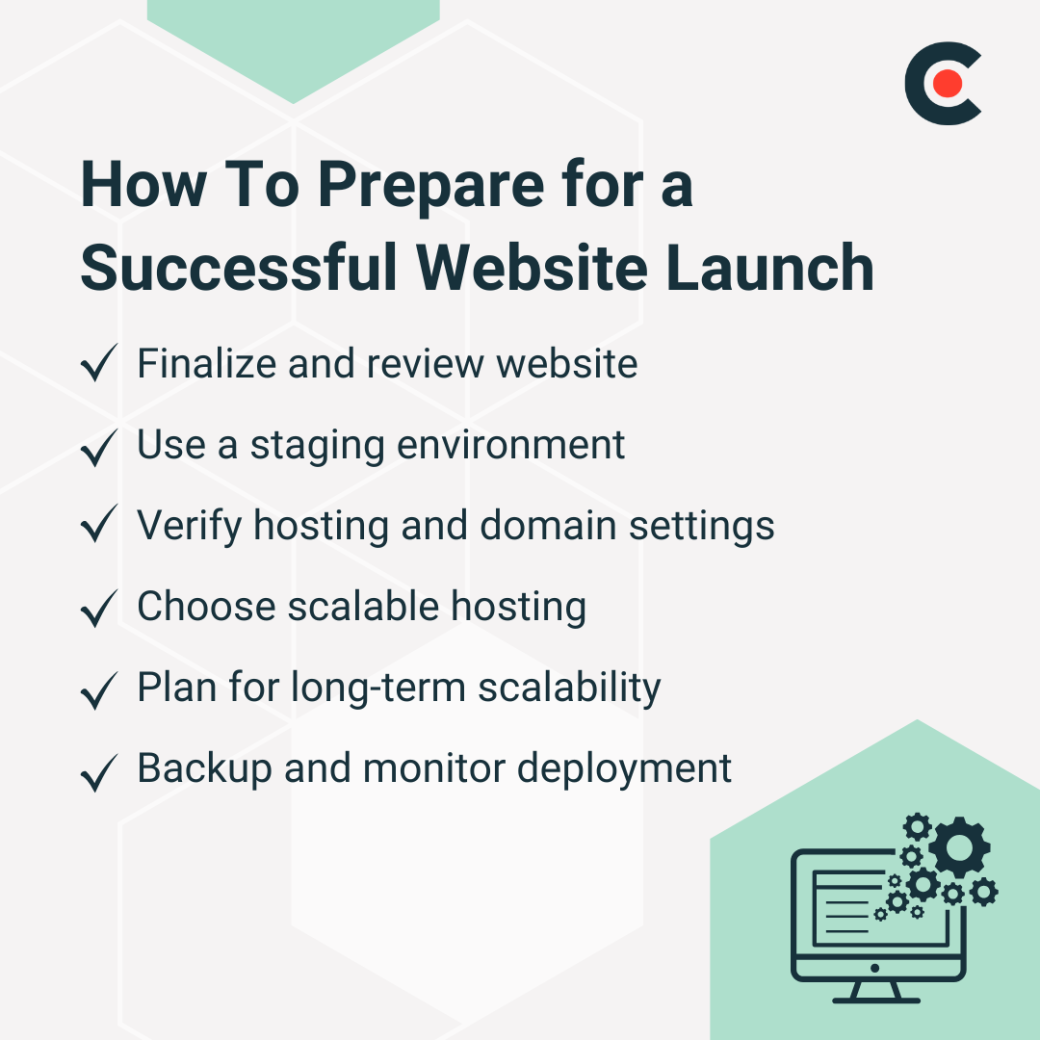
First, finalize your website before launch to avoid errors. Conduct a thorough code review to catch bugs. Test all features, such as payment gateways, to confirm they work. Address any last-minute fixes promptly.
To simulate the live site, use a staging environment. According to Boyd Roberts, Group Director of Emote Digital, this setup lets you test data integrity and functionality safely. For instance, you can clone your site to check back-end processes such as database queries.
Next, configure hosting and domain settings by verifying:
Check that your certificate is valid (not expired) and configured to enforce HTTPS to prevent insecure connections. Tools such as SSL Labs and DNS lookup services can help validate these settings before going live. A secure and properly routed domain promotes trust and improves reliability while also offering protection against cyber threats.
Roberts advises website owners to look for hosting providers that support performance and scalability. This prevents downtime during traffic spikes, keeping your website reliable as you grow.
Other strategies for future-proofing website scalability include:
Streamlining your deployment process does not happen by chance, but you can make it happen with careful planning and the right tools.
Create a rollback plan to address unexpected issues. Store a pre-launch backup to restore the site if needed. Plus, schedule automated daily backups for your database and website files. Store them in multiple locations, such as cloud storage and local servers.
Document your restoration process, including who has access to backups. Consider implementing version control for content changes through systems such as Git. This allows you to track modifications and revert specific updates without full restores.
After deployment, monitor performance using server logs. Tools such as New Relic help detect errors quickly, which helps with faster incident response.
As Roberts explains, “By proactively maintaining your website, you ensure that it remains fast, secure, and aligned with the latest industry standards, ultimately saving time and money in the long run.” Start by scheduling quarterly updates to keep your site robust.
To start, you'll need to decide who handles updates. Your internal team can manage minor tasks such as content refreshes, but for complex updates, consider hiring an external vendor. No matter who's doing the work, clearly define roles to avoid confusion. Additionally, establish a clear process for reporting issues and requesting updates.
Document who is responsible for monitoring performance and backup procedures as well. Allocate a specific budget to cover ongoing maintenance costs, and don't forget to include all potential vendor fees or software subscriptions.
Set a cadence for updating plugins, CMS, and frameworks. For instance, WordPress sites need monthly plugin updates. You'll also want to automate security patches to protect your site and users.
Establish a maintenance calendar that includes theme reviews and annual architecture assessments. Consider implementing staged rollouts for major updates. Just make sure to test updates in a development environment before pushing to production.
To boost SEO and engagement, you'll need to update your content regularly. For instance, you might want to refresh blog posts or product descriptions quarterly. A content plan helps your site remain relevant, and proactive maintenance ultimately saves time and costs.
Beyond updating existing text, consider adding new formats to keep users engaged. This could include videos and infographics. Analyze user feedback and website analytics to understand what content resonates most. Feedback will also help you identify gaps or areas needing improvement. This approach addresses your audience's needs and interests as they evolve over time.
Developing a content calendar may be necessary to manage these updates. This schedule should detail which pieces of content need review and who will review them.
Aligning your content updates with seasonal trends and industry events can also amplify their impact. This positions your website to consistently provide timely and valuable information.
You're eager to get your website up and running, but before you pull the trigger, it's time to test. According to Nirmal Gyanwali, Managing Director of WPCreative, “Skipping proper testing is one of the fastest ways to ruin a website launch. Without thorough testing, you risk broken forms, checkout failures, slow loading times, and mobile responsiveness issues, each of which can impact user experience and conversions.” Here’s how to avoid that.

Your website must work across devices and browsers to reach the biggest audience. Gyanwali explains how to test responsive design and guarantee usability for all users. Check functionality on desktops and smartphones, and validate compatibility in browsers, including Chrome and Safari. Remember that just because it works on your device doesn't mean it will work for everyone.
Design your website with accessibility features in mind, optimizing it for different devices. Web Content Accessibility Guidelines can help you achieve this. Designing for accessibility allows for inclusivity for users with disabilities and improves clarity and structure.
According to Mykola Bilous, CEO of Stubbs, about 15-20% of the world’s population has some form of disability, meaning inaccessible sites lose significant audiences. Implementing universal design principles for your website can:
Consider conducting regular accessibility audits to identify and address potential barriers. Use tools such as screen readers and keyboard navigation tests to experience your site from different perspectives. Incorporate adequate color contrast ratios for text readability for users with visual impairments and provide alternative text for images and video captions to make multimedia content accessible to everyone.
Remember that accessibility is an ongoing process rather than a one-time fix. It's important to stay updated with the latest standards and best practices as technology evolves.
As Gyanwali points out, slow load times can hurt SEO rankings, making it harder to get your content in front of your target audience, and increase bounce rates, reducing conversions. Use Google PageSpeed Insights to evaluate website speed.
Don't forget to optimize images to reduce load times. For instance, compress images to under 100KB for faster loading. Minify CSS and JavaScript files by removing unnecessary characters and whitespace. Also, enabling browser caching stores static resources locally. Repeat visitors will experience quicker page loads if you do this.
To analyze stability, simulate heavy traffic. Tools such as LoadRunner mimic high user loads. This confirms that your site can handle e-commerce sales events, for example.
Check for broken links and improper redirects as well. These frustrate users and hurt search engine rankings.
If outdated or incorrect URLs exist, search engines may struggle to index content properly, reducing visibility and organic traffic. Use automated scanners to find dead links.
Automated scanners can crawl your website and pinpoint improper redirects. Additionally, regular audits can help maintain a smooth navigation experience, directing users to the correct pages without interruptions. Keeping your redirects properly configured helps sustain traffic flow and prevents lost conversions.
It's critical to verify third-party tools, such as payment gateways and CRMs, that integrate with your site before you launch. Integration testing should include multiple test scenarios that mimic real user interactions. For payment processors, conduct test transactions across various payment methods and error conditions. This confirms that the entire payment flow works, including order confirmation emails and database updates.
Finally, confirm SEO and analytics tools are tracking data correctly. After launching, verify that search engines have indexed all pages correctly.
Using analytics tools, check whether you have installed tracking codes on all pages. Google Search Console can monitor indexation status and submit your sitemap to speed up indexing. Consider implementing structured data markup to improve search visibility and monitor how your pages appear in search results through regular monitoring.
A successful website launch prioritizes reliability, security, and performance. You can achieve this for your organization through structured testing and maintenance. Follow these best practices to avoid downtime and deliver a smooth experience. Use automated tools for ongoing audits, and stick to your regular maintenance schedule to keep your site fast and secure.
Download our free web design checklist for an in-depth guide. This guide will give you insights on how to launch a website that performs flawlessly.