![How to Create a Budget for BI & Analytics Services [With Template]](https://img.shgstatic.com/clutch-static-prod/image/resize/715x400/s3fs-public/article/f07e9d6bd89e7f70df9c94301acdd847.png)
How to Create a Budget for BI & Analytics Services [With Template]
Use our custom template for your business intelligence and analytics needs.
Updated May 28, 2026

Process documentation helps companies achieve operational consistency, optimize productivity, and improve the products and services they offer. But reaping those benefits begins with understanding what it is, how it's done, and why it works. We spoke with Sergii Grushai, CEO and Founder of Peeklogic, to determine how your IT team can improve process documentation across the board.
Process documentation ensures that important business functions are performed efficiently and consistently across your company. By closely observing the process, making comprehensive notes of every step, and collating those notes into a step-by-step guide, businesses reduce errors while boosting efficiency and productivity.
When processes are comprehensively documented and available to employees, you can eliminate guesswork and significantly reduce human error.
Looking for a IT Services agency?
Compare our list of top IT Services companies near you
Preserving information: No matter what size your company is, it's unlikely that one person knows every process by heart. If you have such a person on staff, you'll be in big trouble if they ever take a day off or leave the company. By documenting business processes documented and making them easy to access, you can rest assured that that information will be available whenever it’s needed.
Improving processes: Regularly reviewing procedures can reveal insights that might not be apparent. Going through the process step-by-step cues you into problem areas and pain points that inhibit efficiency, like redundant or unnecessary steps. You can use these insights to refine a process and make sure it supports your productivity goals.
Alleviating confusion: Process documentation solidifies the procedures for completing a task. It provides a clear and complete play-by-play for completing a process that employees can (and should!) refer to anytime. This both standardizes new employee training and offers existing employees helpful reminders about company policies and procedures.
Simplifying process analysis: Business processes are always changing in response to new technologies and best practices. When a process changes, it's useful to have a record of the old process so that you can compare the two and ensure that the new way is more efficient than the old. If it isn't, having access to the old way of doing things makes reverting much easier.
Looking to hire an IT company? Search for service providers on Clutch. Filter by client ratings, pricing, and location to find the perfect partner for your project.
Process documentation is the practice of capturing all the steps involved in a task or process and preserving them for future reference. To be effective, it is usually a very detailed document and includes a step-by-step description of the process, the goals of each task, who is involved, and more.
Once you've solidified a process, documenting it is essential to ensure that the process can be replicated. Even more importantly, solid process documentation ensures that no information is lost if an employee leaves or takes on a new role. To begin effective documentation, ask yourself:
This will inform what needs to be included in your process document. The more assets, such as images, flowcharts, and videos, that you can provide, the more effective your documentation can be.
What Should Be Included in Your Process Document?
Whether you're gearing up to document processes for the first time or just updating the existing documentation, it can be useful to follow a few best practices.
After choosing a process, defining the scope, identifying the individuals involved, and choosing a documentation tool, you're ready to begin. These seven tips can help you generate process documents that keep your business consistent, efficient, and productive.
Process Documentation Tips
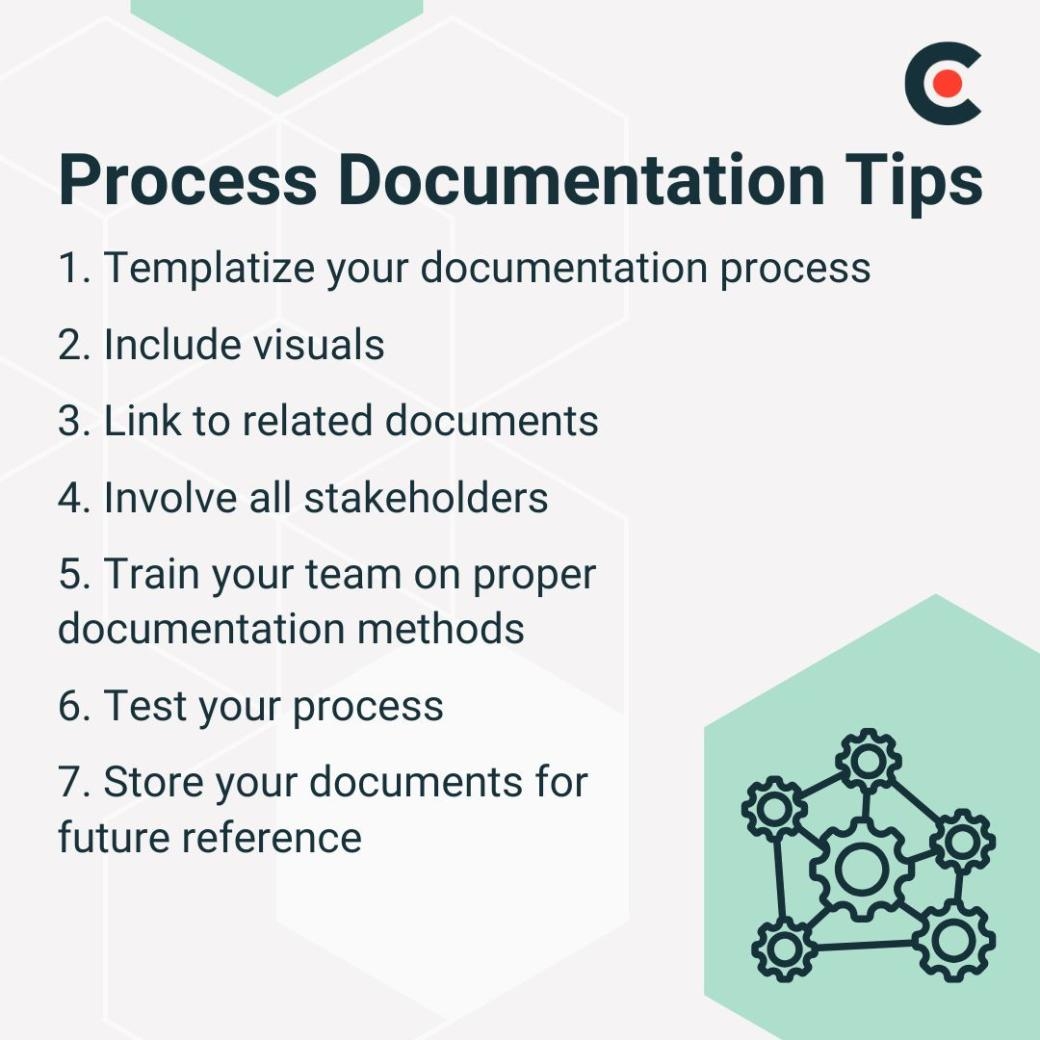
Templates provide a standardized framework for capturing a process and ensure that each stage is documented consistently, using these same terms, keywords, and relevant shorthand. When a process includes steps that are completed by multiple individuals, templates are even more necessary.
"Clients often come to us by referral, so meeting consistent quality standards is crucial," said Sergii Grushai, CEO of Peeklogic. Solid process documentation ensures that their team consistently delivers a high-quality product.
"For example, our estimations are structured according to a standardized template, yet customized to fit each client’s needs,” Grushai said. “Every estimate undergoes four levels of review (mid-level developers, project managers, senior leads, and architects) to ensure accuracy and quality at each stage." Through clear documentation and easily reproducible systems, Peeklogic is able to consistently meet client expectations.
If you're using documentation software, there's a good chance it offers readymade templates. It may also offer guidance on how best to create process documents. If not, you can search online for templates or create your own. Just be sure that the template you use offers:
These features ensure that you create a process document that can be regularly updated and viewed by multiple stakeholders.
Most process documents incorporate some kind of visual element, and many contain multiple visual elements. Why? Because visual aids can be extremely useful for conveying information, ideas, and step-by-step procedures. Plus, we tend to do a better job of retaining information when it's presented visually. Be sure to include:
Depending on the documentation software you use, you may be able to add digital visuals, like videos, GIFs, and screenshots.
Another benefit of using process documentation software is that it allows you to seamlessly integrate links to related documents. IT processes are rarely siloed endeavors. When one process triggers another, having the ability to pull up the documentation for the second process in a matter of seconds makes the entire process much more efficient.
After determining the stakeholders of a given process — that is, anyone whose work role requires them to perform or oversee the task in question — be sure to involve them in your documentation efforts.
"In our company, processes are well-defined and distributed among team members with clear roles,” said Grushai. “Our project managers collaborate on each project to develop comprehensive technical requirements, while the project team under PM supervision documents every stage of the project."
In other words, collaboration is key to effect process documentation and may require input from multiple people, from project managers to those under their supervision. Their insights can help you draft process documents that are comprehensive and that all steps are practical and realistic. It has the bonus of improving stakeholder adoption of the process, too.
Often, the person best suited to documenting a process is the one responsible for performing the task in real work situations. However, that means various processes aren't likely to be documented by the same individual.
According to Grushai, implementing a thorough documentation protocol and briefing your team on its guidelines will help keep things consistent.
“[W]e adhere to clear outcome expectations and host a variety of internal training sessions to ensure consistent standards,” Grushai noted. “This approach allows each team member to contribute toward a reliable result, creating a cohesive documentation style across teams." Consistency is key, not just to ensure that each document meets specific standards, but also so processes can be replicated.

In addition to training sessions, you can distribute tutorials or have employees perform mock process documentation to help get the whole team up to speed.
The primary point of process documentation is to make your business processes more efficient. That means it's critical to test your process as you go.
Not only does testing allow you to verify that a process works holistically, but it also allows you to determine if any individual steps need to be revised or eliminated. Moreover, testing is crucial for ensuring that a process is maximally efficient and that resources are allocated appropriately throughout every step.
Finally, be sure you have a plan in place for storing your process documents. Popular options include:
Whichever solution you choose, you should prioritize accessibility so that everyone who needs to access process documents can do so quickly and easily. Likewise, be sure to have a method in place for backing up your process documents so they're always available when you need them.
Process documentation can streamline tasks, ensure consistency, and help you achieve optimal productivity. These tips can help you get started quickly and easily, while getting the whole team on board with the process.
Even more importantly, thorough process documents ensure that the team has everything they need to continue operating efficiently if an employee leaves, you need to review the process, or are training new team members.