Mobile Apps vs. Web Apps vs. Websites: What Does Your Business Need?
Should you build a mobile app, web app, or website? Learn the key differences, costs, and use cases to choose the right platform for your product and users.
Updated May 21, 2026

From location tracking to microphone access, modern apps collect enormous amounts of personal data that they may not need to function. Data minimization allows you to limit what you’re allowing and reduce your risk and personal exposure.
Your flight’s been delayed an hour, and you’re stuck at your gate with nothing to do. After scrolling through the app store, you come across a mildly entertaining game that will keep you busy until you board. You download it and, eager to get started, tap “allow” when the app asks you for access to your contacts, location, microphone, and photos.
Without giving it much thought, you’ve just granted permission for the app developer to collect, store, and share your personal information. You’ve also increased your exposure in the event of a data breach.
Looking for a Mobile App Development agency?
Compare our list of top Mobile App Development companies near you
It’s been a long-held belief that more data leads to a more personalized experience and better analytics for brands. However, storing large volumes of sensitive user data can increase security risks.
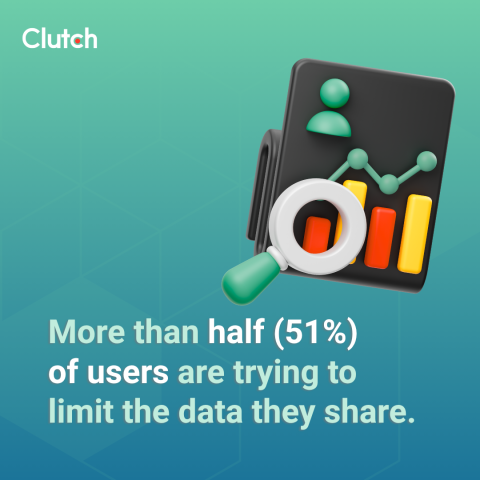
That’s why many users share only the minimum amount of personal data needed for a service to function as intended. In fact, a recent Clutch survey revealed that more than half (51%) of users are trying to limit the data they share.
Data minimization is the idea that less shared data means a lower risk of data exposure. In the event of a breach, cyberattack, or even a mishandling of the data by an employee, the less collected, the less there is to use against you or the company.
It’s important to remember that data minimization is a two-way street. The company determines what data they need, then asks you to agree to the terms, but both sides must understand their positions. The company should collect only what they genuinely need to deliver the service effectively, and users should be selective about what they grant access to.
Data minimization has its roots in the European Union’s General Data Protection Regulation (GDPR). The GDPR formally recognizes data minimization as a legal principle, requiring organizations to collect only relevant and adequate data and limit collection to what is necessary for the app’s purpose. The California Consumer Privacy Act (CCPA) and other frameworks echo similar principles.
Being a data mining advocate doesn’t mean walling off access to all of your data. Instead, it means being intentional about the tradeoff between functionality and exposure and taking steps to protect yourself and your sensitive information.
For app users, the upside of data minimization should be clear. For years, new technologies have been infringing on users' privacy and personal security. Some major incidents have made headlines, such as Meta’s $8 billion lawsuit settlement for Facebook’s privacy violations, while other breaches have gone under the radar, still affecting millions of users.
The main takeaway is that every piece of data you share as a user creates some level of risk. While certain things, such as your location history or contact list, may seem insignificant, it can be woven together with other data to build a detailed profile of yourself.
When you reduce the amount of data you make available, the app company doesn’t have it. Then, if there is a breach or something goes wrong, your data is safe.
Minimization also limits what companies can infer. Data inference is what algorithms can conclude through the analytical processing of your data. For example, a company can use inferred data to personalize recommendations, improving your experience. However, in the wrong hands, a hacker can use inferred data to run highly targeted phishing scams, commit identity theft, or engage in doxxing. In some cases, stolen data could lead to insurance or employment discrimination based on a data profile you never knew existed.
For customization and personalization, some data collection is necessary for apps to function effectively. However, there are specific permissions that you should think twice about before passively tapping the “allow” prompt.
As a rule of thumb, if you’re not sure about granting permission or why that specific app would need access to your location or microphone, deny it. If that access was unnecessary, the app will function exactly as it should, and you’ll have no issues and no risk of exposure. If a specific aspect of the app doesn’t work because you didn’t grant permission, you can always change your settings later.
Limiting these four permissions to only what is necessary is an excellent way to start out on the path of data minimization:
When apps ask to access your location, they give you the option to choose “Always Allow” or “Only While Using the App.” For an app that gives you up-to-date weather forecasts or tracks your movements while you’re taking an Uber, this is helpful information to share while the app is in use. However, choosing “Always Allow” means you’re allowing that app developer to track you 24/7, which is probably unnecessary.
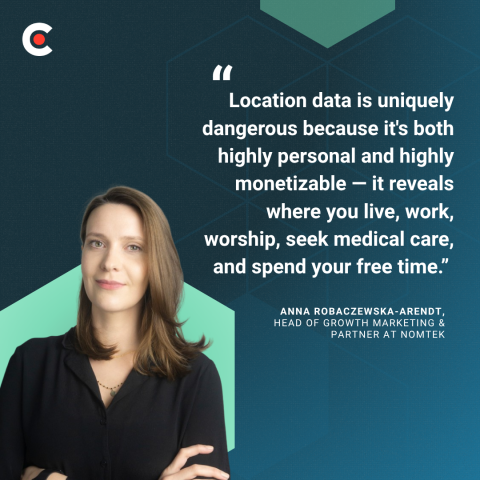
“Location data is uniquely dangerous because it's both highly personal and highly monetizable — it reveals where you live, work, worship, seek medical care, and spend your free time,” explains Anna Robaczewska-Arendt, Head of Growth Marketing & Partner at Nomtek. “Many apps that have zero functional need for your GPS coordinates (think calculators, flashlights, casual games) request it simply because that data can be sold to third-party brokers.”
That's why you should be critically thinking about whether you should be sharing your location data with every app.
An app that asks for access to your contacts isn’t just after your data. It’s essentially asking for the phone numbers, emails, and names of everyone you’ve put in your phone. These contacts haven’t given you consent to share their data, so it’s best to think twice before allowing it.
Both are important tools that smartphones and many apps rely on. When you make video calls, give Siri commands, or apply a funny face filter, you’ll need to grant permission for these. However, you should beware when apps that don’t use either of these features request permission to use them. Granting unnecessary access can lead to spying on or recording you.
Accessing storage and files is a broad request that can seem legitimate in many instances. However, when you grant unrestricted access, malicious apps can download your documents, photos, or other sensitive files.
To practice data minimization, all you need to do is review your phone's app permissions in settings and revoke anything that isn’t essential. Remember, if you revoke access to anything essential to the app's functioning, the app will most likely ask for permission again when it’s needed.
When you install new apps, be mindful of the requests that you’re receiving. Be particularly careful of unlimited requests for your location, contacts, camera, microphone, storage, and files. Just because you have the option to give access only when using the app, you can still decide to revoke access completely by choosing “Don’t Allow.” Again, it’s better to reflexively tap “Don’t Allow” over “Always Allow”.
In many cases, you’ll need to sign up and create an account with new apps. You can practice data minimization here by providing only the minimum necessary information, skipping all optional fields, and using an email alias if you have one. If you sign up on a browser rather than your phone, you’ll avoid granting device-level permissions altogether.
It’s also best practice to go through the apps on your phone from time to time. Many people get accustomed to seeing the same apps in the same order on their screens and gloss over them for years without using them. Just because you haven’t used this data doesn’t mean they don’t have access to your data. Delete the old apps and accounts you no longer use.
Users can take steps to secure their data by choosing which companies and developers can and can’t access. However, the responsibility isn’t entirely on you as a user. Companies should design their apps to minimize their collection by default and, in turn, lower their risk.
In theory, companies should request access to a specific feature only when it’s needed, not upon opening the app for the first time. Each permission should pop up separately, not in all-or-nothing bundles, with clear explanations of why each will improve your experience with the app. These transparent data policies should also state how long the app will retain this data after you grant permission.
Depending on your location, these actions by the app developers may not be legally required. However, data privacy laws like the GDPR and CCPA are increasing the pressure on companies to improve their data practices and rethink how much information they need to operate.
Data minimization is an important practice for protecting your privacy, but some services genuinely need vast swaths of user data to function effectively. In these cases, you’ll constantly be weighing the convenience of that app against the potential exposure in a worst-case scenario.
On its own, data minimization is one layer of a broader approach that includes regulation, corporate accountability, and technical safeguards. While it helps and reduces your risk as a user, it doesn’t solve the entire systemic privacy problem. However, as of today, data minimization is the most direct control you have over your data. Because of this, it’s essential not to dismiss it as an insignificant action and to practice it to whatever possible extent you can.
With new apps launching daily, it’s become second nature for most of us to mindlessly tap the “Always Allow” option just to get started with the service. However, doing so and allowing companies and app developers access to large amounts of data exposes you and them to significant risks in the event of a data breach.
Using data minimization to restrict app permissions and only allowing the tools and data necessary for the apps to function can prevent disasters. Protect yourself from targeted scams, identity theft, invasive ads, and other privacy and security threats by controlling what data apps can access.
Data minimization is about intentionally treating your personal data as something that belongs to you. Don’t choose to give away your sensitive information to anyone who asks.