
Web Hosting Options: A Decision Guide for Businesses
Understand the pros and cons of different web hosting options to choose the best solution for your business.
Updated August 14, 2026

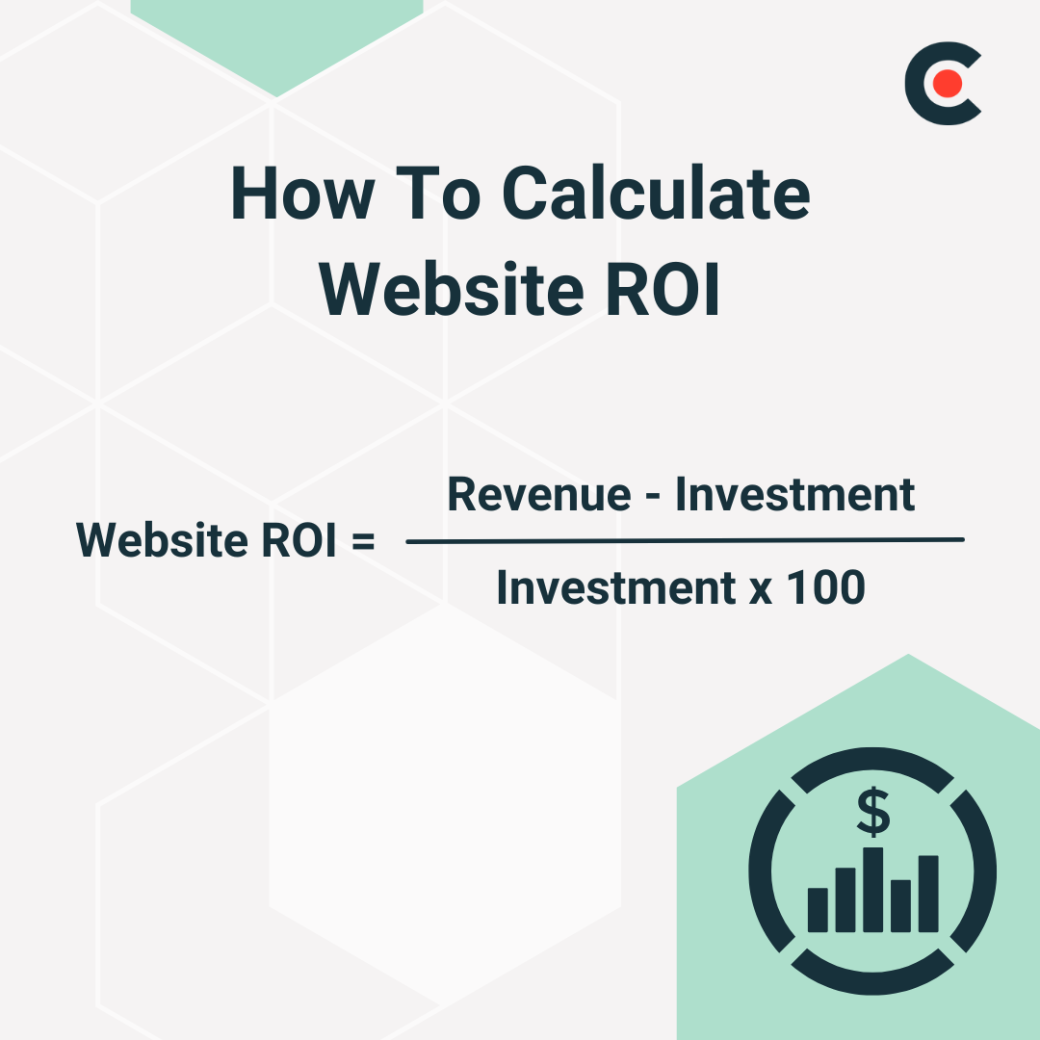
Website ROI tells you whether your site is earning more than it costs to run. Calculate it with this formula: (Revenue − Investment) ÷ Investment × 100. A positive result means your site is paying off. A negative result means something in your measurement, attribution, or execution needs to change.
Most business expenses are relatively predictable. A decent laptop typically runs a couple of thousand dollars, and your rent is the same every month. But a website is much more of a wildcard. While many businesses pay less than $10,000, web development agency projects cost an average of $66,499.
The thought of paying six figures for a few pixels might make you queasy, but cost isn’t the only factor to consider. You also need to think about your site’s return on investment (ROI). This figure calculates how much profit you’re actually gaining from your website.
Depending on the ROI, a website could be a great investment — or a huge money pit. Figuring out which category your site falls into is key to boosting your profits. But businesses often struggle to measure their returns.
Get practical tips for tracking and boosting website ROI from two expert marketers.
Website ROI measures how much value you gain from your site versus how much you put into it.
Businesses often assume that just having a website is enough for success. After all, if you build it, they will come, right? Not always. Many factors can impact a site’s effectiveness — like sluggish loading times or a bewildering checkout process. Tracking ROI helps you spot these issues so you don’t miss out on sales.
Of course, it’s not all about money. Web ROI can also measure intangible benefits, such as improved lead generation and brand awareness. That way, you can make sure your site is actually meeting your long-term goals.
Monitoring ROI can help you make smarter decisions, too. When you understand your site’s value, it’s easier to allocate resources. If your ROI is gradually dropping, for instance, you might invest in a website redesign to get back on the right track.
Website ROI = (Revenue - Investment) / Investment x 100
For example: Say you paid a freelancer $10,000 to build your site, spent $300 on hosting, and invested $20,000 in content marketing — a $30,300 total investment. If your site generated $40,000 in revenue that year, your ROI is 32%. In year two, your ROI will likely be higher since the design cost is already covered.
Web development agencies typically charge $25 to $49 per hour.
Don’t forget to factor in ongoing costs, such as:
These expenses vary by industry. If you have a small business, you can probably get by with a simple website, as long as it has a built-in shop. Meanwhile, an e-commerce giant or SaaS company may spend thousands on hosting and software subscriptions.
While the web ROI formula itself is simple, monitoring ROI is a little more complex. Get started with these four steps.
Don't limit "revenue" to direct sales. Lead conversions, subscription signups, and repeat customer revenue all count.
Customers may come across your brand a few times before they finally follow through with a purchase, making attribution tricky.
“Businesses often struggle to track exactly where revenue is coming from,” explains Veronika Nedashkovskaya, Head of Content and Comms at Rocketech. “Someone might see an ad today, visit next week, and buy a month later. Which channel gets the credit in this case?”
Attribution models help you measure the impact of each touchpoint. That way, you’re not skewing your ROI by giving your website too much — or too little — credit.
It’s always nice to see your traffic and sales growing. But they don’t tell the full story about your website’s performance.
Nedashkovskaya recommends tracking several metrics related to revenue, including:
“These tell you if your website is actually making money, not just generating traffic,” Nedashkovskaya notes. For instance, if you’re attracting more visitors but your conversion rate is low, you might need stronger calls to action.
Your ROI website is only as accurate as the numbers you use to calculate it. As Nedashkovskaya puts it, “If data is missing or inaccurate, you’re flying blind.”
There are plenty of tools to help you measure KPIs and attribution, such as:
Of course, you also need the right people to “pull the data together and make important decisions,” observes Colby Flood, Founder at DataAlly. If you’re not an expert number cruncher yourself, you may need to hire a data analyst or train your existing staff.
“For direct-to-consumer marketing, understanding the website add-to-cart rate and checkout-initiated follow-through uncovers why a website's ROI is high or low,” Flood continues. “We built this calculator to understand the website's metric and how improvements would impact ROI.”
Sure, everyone wants to earn more money. But you should have more specific goals for your website that fit your larger business plan. Here are a few examples:
Use these objectives to decide which KPIs to pay attention to.
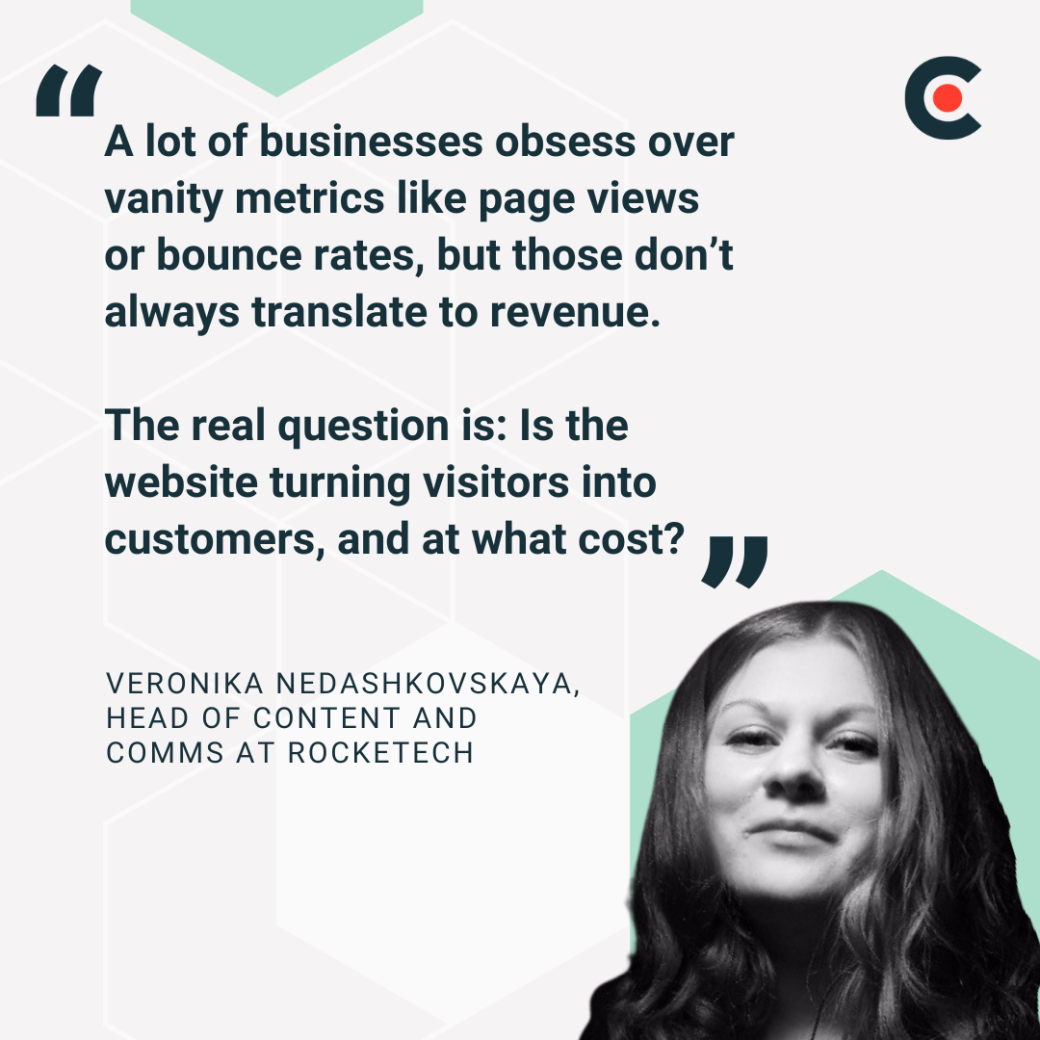
Make sure the metrics you’re tracking actually matter. “A lot of businesses obsess over vanity metrics like page views or bounce rates,” Nedashkovskaya explains. “But those don’t always translate to revenue.”
“The real question is: Is the website turning visitors into customers, and at what cost?” Nedashkovskaya adds. For example, if you have thousands of visitors each month but few sales, your messaging might be off.
Don’t expect your site to become an overnight sensation — or break even for the first few months.
“One of the key issues businesses face is understanding the value of their website with the longer sales cycle,” Flood says. “Many of the ROI metrics don’t show as an immediate payoff because customers go through a long sales process.”
Give your new website at least three to six months before you try to analyze it. In fact, it’s not even worth obsessing over the data until then.
Up until now, this article has mostly focused on cold, hard data. But don’t forget to check in with your customers. As Nedashkovskaya puts it, “Data tells you what is happening, but user feedback tells you why.”
“If data shows a problem and user feedback explains it, you know exactly what to fix,” Nedashkovskaya continues. “However, businesses that rely only on numbers risk making the wrong changes.”
For example, analytics might show that your customers tend to drop off once they reach the checkout page. Based on just this data, you might assume that there’s something wrong with the page itself — maybe clunky formatting or an expired security certificate.
However, heatmaps may tell a different story: customers get confused by unclear pricing. This revelation can help you get to the root of the problem instead of throwing money and time at the wrong thing.
“It’s vital to remember that ROI isn’t static but changes with trends, seasons, and events,” Nedashkovskaya explains. “Looking at raw numbers without context can be misleading.”
During the holidays, you might pour more resources into ads. That can make it seem like ROI is lower, even if revenue has actually increased. Nedashkovskaya adds, “Seasonal dips aren’t always bad either: Lower conversions might come with more email signups, leading to future sales.”
Comparing similar time periods can help you see the big picture. If your ROI dipped in Q1 this year and the year before, it’s probably just a seasonal trend.
Track costs consistently throughout the year so you always have accurate inputs for calculating ROI. If you let expenses pile up or rely on outdated cost estimates, you may overestimate your returns, misjudge which channels are performing well, or continue investing in initiatives that aren’t actually profitable.
Use a spreadsheet to track all relevant expenses, including:
Update your spreadsheet regularly as costs change. Keeping your expense data current makes it easier to spot trends, compare performance across channels, and make informed decisions about where to invest your budget.
While you appreciate all your clients, they’re not all created equal. Repeat customers will always bring more value to your business through sales and word-of-mouth.
Additional Reading to Enhance Your Website's ROI: "How To Increase Your Website's Conversion Rate (Free Checklist)"
Understanding web ROI isn’t rocket science. Positive ROI means your website has earned more than you put in, while the opposite is true for negative ROI.
Research industry benchmarks to see how your ROI compares to others. But use common sense, too. If you just invested thousands in a website redesign, it may take a year or two to earn a positive ROI. That doesn’t mean your website is a failure.
Measuring ROI only helps if you act on what you find. Here are five ways to improve your return.
Organic traffic has one of the highest long-term ROIs of any channel because incremental cost per visitor drops over time. Use Google Search Console or Ahrefs to find keywords you already rank for on page two, then improve those pages to move up. Positions 1–3 capture the majority of clicks for most queries.
More traffic doesn't automatically mean more revenue. Audit your highest-traffic pages using Hotjar heatmaps or session recordings to find where users drop off. Simple fixes — clearer CTAs, faster load times, fewer form fields — often improve conversion rates more than increasing ad spend.
Content that answers questions buyers ask late in the purchase process — like "best [product] for [use case]" or "[tool] vs. [competitor]" — converts better than broad awareness content. Map your content to funnel stages and prioritize pages that directly support conversion.
If CAC is high, audit where you're spending. Paid search and social often carry higher CAC. Email marketing and SEO typically produce lower long-term CAC. Shift budget toward channels with stronger ROI track records for your specific audience.
Analytics tells you where users drop off. Feedback tells you why. Use Hotjar, on-site surveys, or direct user interviews to surface friction. Fixing one confusing step in your checkout process can improve ROI more than any new marketing campaign.
If your ROI calculations point to structural problems rather than execution issues, a redesign may be the right move. Consider it if you're experiencing:
Sound familiar? It might be time to refresh or redesign your site. Browse Clutch’s directory of web designers to find reputable professionals.
Some sites are incredible marketing tools that rake in the profits. Others are money sinks, costing much more than they earn. Calculating website ROI will help you figure out how you stack up.
If your site just isn’t getting results, it’s time for a website audit to pinpoint the problem. Or get in touch with a skilled web designer to help you reimagine your site.
There's no universal benchmark, but positive ROI is the baseline goal. Most businesses aim for at least a 100–200% return — meaning the site generates 2–3x what it costs to run. Industry, business model, and site maturity all affect what's realistic.
Most new websites take three to six months to show meaningful ROI, according to DataAlly's Colby Flood. Sites relying on organic SEO may take 12–18 months to generate significant traffic. Set expectations accordingly before evaluating results.
Website ROI = (Revenue − Investment) ÷ Investment × 100. Revenue includes direct sales, lead conversions, and subscription income. Investment includes design, development, hosting, content, and marketing costs.
Conversion rate, customer acquisition cost (CAC), customer lifetime value (CLV), and revenue per visitor. These connect site activity directly to business outcomes — unlike vanity metrics like pageviews or bounce rate.