7 Tips For Designing Web Forms
Clutch surveyed 502 web users about what they actually want from form design. Here are 7 data-backed UX principles that reduce abandonment and improve...
Updated February 13, 2026

A slow, static website can instantly turn visitors off without them even realizing it. People expect movement — subtle cues that guide their attention, provide visual feedback, and smooth interactions. Web animations create that experience by keeping users engaged while reinforcing your brand’s identity.
The best web animations highlight essential content, improve usability, and give your website a polished, professional feel. But poorly executed effects can slow loading times and frustrate visitors. The key is balance: using lightweight, purposeful animations that enhance user experience (UX) without bogging the site down or becoming distracting.
Let’s explore 10 effective web animation techniques combining creativity with performance and a few animation types to avoid.
Looking for a Web Design agency?
Compare our list of top Web Design companies near you
Web animations do a lot of heavy lifting. They clarify interactions, guide users, help shape your brand’s online presence — and, ideally, look fantastic. Thoughtful animations boost engagement and usability while reinforcing your brand identity.
Here’s how good web animations can elevate your website’s UX.
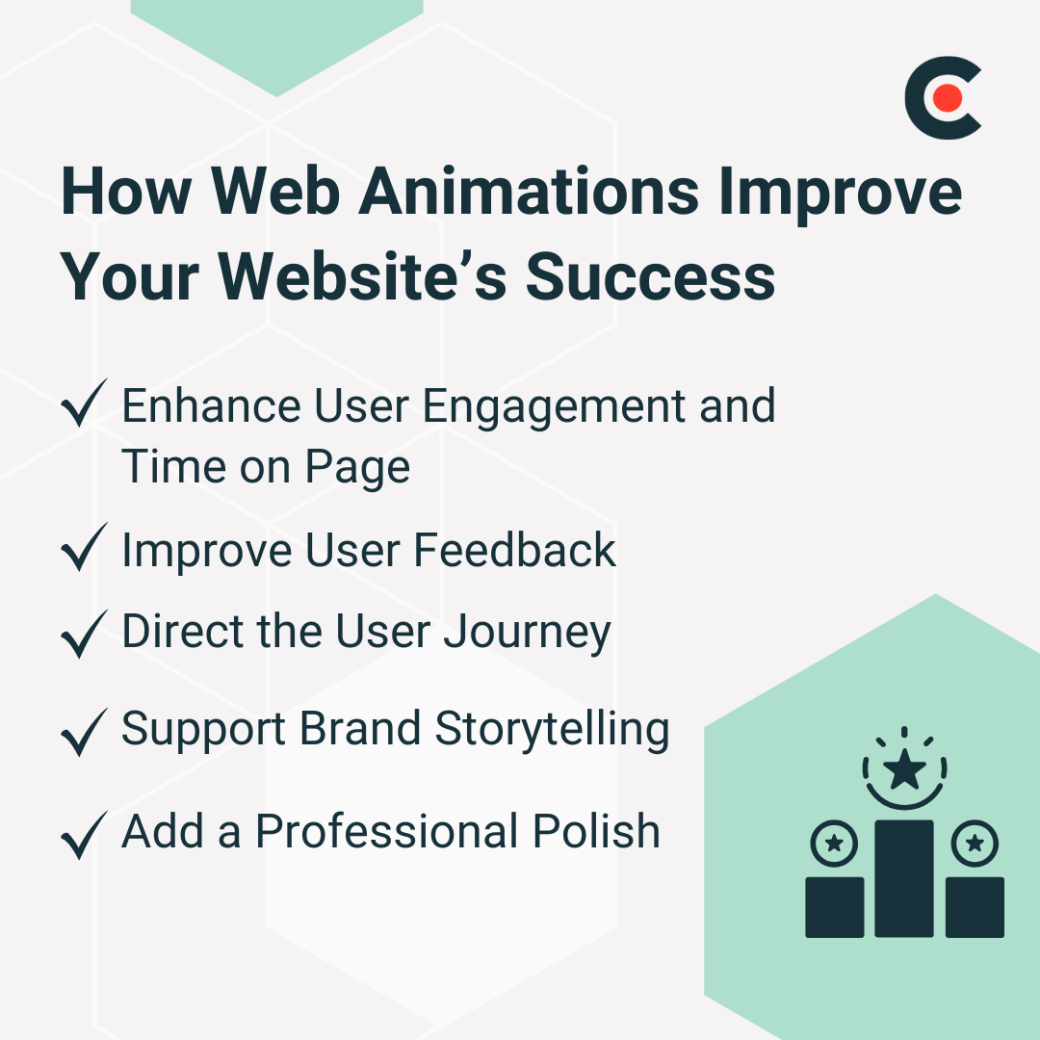
Website animations capture attention and encourage interaction. Subtle effects like hover animations and smooth transitions make browsing more enjoyable. Visitors who find your site attractive and pleasant to use will more likely explore its content, which can extend the time users spend on your site.
Animations indicate responsiveness and confirm user actions. Mykola Bilous, CEO of Stubbs, explains, “They make interactions clearer — like showing a loading animation so users know something is happening or giving visual feedback when they click a button.”
Strategic animations shepherd users through your website. Animated call-to-action buttons and subtle scrolling effects help steer the user’s attention where you want it. “They help guide users, highlight important elements, and make everything feel smoother,” says Bilous.
Animations create a more immersive brand experience. They help communicate your company’s identity and make your brand memorable.
Smooth transitions, hover effects, and page animations make interactions seem more fluid and less abrupt. Vladyslav Teplynskyi, Founder of Teplin, says, “They create a more polished and intuitive experience by making interactions feel natural and seamless.”
Not all animations serve the same purpose. Some improve usability, while others strengthen your brand presence or augment the story you’re trying to tell. The best web animations feel natural, bolster user interactions, and don’t hinder loading speeds.
These 10 web animations perfectly balance aesthetics, creativity, and functionality.
Hover effects change an element’s appearance when the user moves their cursor over it. This could be a button changing color, an image zooming slightly, or text becoming underlined to signal its interactivity. These animations make a site feel more interactive by providing immediate visual feedback and helping users understand which elements are clickable. This feedback boosts their overall engagement with your site.
“I love microinteractions that provide instant feedback (e.g., button hovers, form field validations),” adds Teplynskyi.
These animations provide feedback when users interact with buttons and other clickable elements. For example, when pressed, a button might shrink slightly or change color to confirm the action. These subtle cues assure users that the site has registered their input.
Well-designed button animations make interactions feel more responsive. This contributes to your website’s usability and reinforces its purposeful design.
Hero animations bring movement to the most prominent section of your webpage: the hero area. Subtle fading text, looping background videos, and interactive graphics that respond to user input can all function as hero animations.
These animations set the tone. The moment a visitor arrives on your site, hero animations capture their attention. They should emphasize your brand’s messaging, highlight your main offerings, and create a more captivating first impression.
However, overly complex hero animations can hamper load times and distract from your core message, so they should always serve a purpose. “Hero animations can also be really effective when they reinforce the brand instead of just being decorative,” says Bilous.
Image and text reveal animations gradually display content as users scroll or interact with your page. This could involve images fading in or sliding from the side or text appearing letter by letter in a typewriter effect.
These animations capture user attention and add a sense of progression to the UX. They help guide the user through the page while revealing content in a natural, engaging way. By building anticipation, they encourage users to keep exploring. These reveals can make your website feel more interactive without overwhelming your visitors.
As users scroll, background parallax creates a sensation of depth as the background moves faster or slower than the foreground content. This technique adds visual intrigue and gives your page a dynamic, almost 3D effect for an immersive feel that encourages users to stay engaged with the website.
While this effect can be compelling, too much movement may distract from the content or slow down the page. Use background parallax selectively. With balanced execution, parallax scrolling can highlight select content or enhance storytelling.
These effects trigger when a user moves up or down your page. Elements could fade in, slide into the frame, or change color as the user scrolls. Scroll-based web animations guide the user through the page in a more engaging, interactive way and provide a feeling of progression. Too many scroll animations can be distracting, though, so focus on enhancing the user’s journey without overwhelming them.
What you want, Teplynskyi says, are “smooth scrolling animations that make content flow naturally.”
With accordion or expandable content animations, clicking or hovering reveals additional information within a compact space. These animations typically involve content that expands or collapses, such as the answers on an FAQ page.
It's a neat and efficient way to organize text, images, or lists and keeps the page clean and organized, especially when you have a lot of content. Allowing users to expand sections as needed prevents overwhelming them with too much information at once.
Navigation menu animations add movement and interactivity to your site’s menu system. These might include sliding menus, dropdowns that fade in, or animations that occur when the user clicks on a hamburger menu button.
These animations make navigation more intuitive, responsive, and professional. They can also highlight menu items and guide users toward certain pages. Keep them simple and quick. Overly complex or slow transitions can detract from the user experience.
Page transitions animate the shift between pages, so moving from one section to another flows smoothly. This could involve a fade, slide, blur, or glitch effect that connects one page to the next.
These animations make your site feel more cohesive and improve the overall UX. Rather than a sudden jump from page to page, transitions add continuity and polish to your site. Excellent page transitions help engage users and prevent the jarring effect of abrupt page reloads. Just remember that too many — or unnecessarily complex — transitions can slow down your site or become distracting.
Alex Doda, creator of Agent.so and founder of Abruptive Institute, says that transition animations “work best with static or well-cached sites where you preload pages and have near-zero loading time when you click around other pages.”
“Loading animations help keep users engaged while they wait,” explains Bilous. These can range from simple spinning icons to more intricate progress bars. Instead of leaving users staring at a blank screen, loading animations signal that something is happening and reduce user frustration.
Additional Reading: “10 Types of UI Animations for Your Mobile App”
Different website types benefit from different animation strategies.
For service-based sites, subtle animations maintain elegance while engaging visitors. Simple website animations convey clarity and professionalism without overwhelming the user. These effects also contribute to a clean, user-friendly experience that telegraphs your brand’s trustworthiness and credibility.
“Subtle fade-ins, parallax scrolling, and animated icons help convey professionalism and clarity,” says Teplynskyi.
For e-commerce websites, animations add visual cues and guide users through the process. They make the buying process simple and intuitive and improve customer satisfaction overall.
“Hover effects on products, smooth cart interactions, and checkout progress indicators improve the shopping experience," Teplynskyi adds.
For portfolio websites, animations can bring your work to life and enhance user engagement without hindering navigation. The goal is to balance aesthetic appeal with functionality so the content shines while still being easy to navigate.
Teplynskyi says, “Scroll-triggered animations and creative images reveal work dynamically without slowing navigation.”
Doda explains from a digital agency perspective: “You want to find that balance between designing sites that are impressive, but also sell the outcome your clients are looking for. It’s both a game of art and conversions.”
Well-planned animations can complement your website, but some types can detract from the UX. Remember:
Skilled web animation designers excel at balancing creativity and performance. Their expertly crafted animations will provide a smooth, simple UX while underlining your brand’s identity.
“When done right, animations can also reinforce brand personality and improve usability without overwhelming users,” says Teplynskyi.
Here are a few tips when considering outsourcing:
Web animations can improve user engagement, guide attention, and enhance your site’s UX. The right animations can keep visitors interested and invested in your polished, professional website.
But remember to balance creativity with performance, employing animations that enhance your site’s functionality without distracting from its purpose. Experienced web animation designers can help bring your vision to life while maintaining optimal site performance.
To connect with expert design agencies skilled in creating engaging web animations, visit Clutch.co’s web design directory and take your website to the next level.