How App Companies Can Build Trust with Customers
Learn how app companies can build customer trust through better privacy practices, transparent communication, and stronger security to improve retention and...
Updated October 17, 2025

Developers lose time, money, and energy developing an app if it doesn’t perform well. App reskinning helps reduce this lost time and revenue.
Instead of developing an app from scratch, you can reskin your app.
Compare our list of top Mobile App Development companies near you
Looking for a Mobile App Development agency?
Compare our list of top Mobile App Development companies near you
Reskinning an app is taking existing source code and giving it a fresh look, new branding, and updated features without rebuilding from the ground up. For businesses, choosing to reskin an app can cut development costs and timelines significantly while still delivering a unique product to market.
If you’re a B2B buyer weighing whether to build new or optimize existing assets, reskinning offers a faster, lower-risk path to launching a competitive app at a fraction of the investment.
App reskinning is the process of reusing an app’s core codebase but redesigning its interface, graphics, and user experience to create a distinct product. This approach isn’t limited to gaming apps. It’s also common in productivity, lifestyle, and utility apps where businesses want to expand their offerings or target new audiences without starting from scratch.
There are huge perks to opting not to build a completely new app from scratch. Reskinning is a strategic approach that can save businesses time and resources by extending the app’s lifecycle and diversifying its audience.
Buying a ready-made source code costs a fraction of full development, often just 10%–20% of the price. Some templates are available for as little as $50. Instead of spending $20,000–$60,000 to build an app from scratch, a business can invest around $2,000 per reskin and create multiple unique apps for the same price. This approach also lowers costs when targeting new audiences, since reskinned apps can be adapted for different markets without the expense of developing entirely new products.
Because you are not building code from scratch, the time creating the app is also reduced. It can take 2–12 months to build an app from scratch. While there is no exact time frame for developing a reskinned app, reskinning requires fewer resources than building from scratch, so development time is significantly less than this average. A more complicated reskinning project can take longer, with the type of app, quality of the pre-built code, and number of graphic elements all factors.
There is no exact time frame for developing a reskinned app, as it depends on various factors such as:
This time, however, is far less than developing a project from scratch.
Be aware that complicated development projects tend to take longer.
Reskinning saves money, time, and manpower. Look no further than John Hayward-Mayhew, who proved that a sound knowledge of app reskinning is all you need to profit from app development.
Mayhew, entrepreneur and founder of casino mobile app company Toochill, created 600 iOS apps with 25 million downloads in four years by developing multiple reskinned apps. Mayhew cannot even code, but he built a one-man empire with app reskinning instead of waiting for one app to be developed from scratch.
Reskinning can help you launch faster and at lower cost, but it can also come with compliance and intellectual property pitfalls. The Apple App Store and Google Play have strict rules designed to weed out spammy, cloned, or IP-infringing apps. Cutting corners and failing to adhere to their compliance and IP guidelines risks your brand’s credibility, can lead to rejection or expulsion from the app stores, and can derail your app before it even reaches users.
Be sure your reskinned app is compliant by checking:
App store metadata: Titles, descriptions, and screenshots must clearly differentiate your reskinned app from similar offerings. Overly generic or duplicate listings can trigger rejection. Stores also monitor submission patterns. Pushing out too many reskinned versions too quickly can raise red flags and lead to removals.
Copyright and trademarks: Graphics, icons, audio, and even certain UI elements may be protected assets. If you’re purchasing source code, make sure all bundled media files are cleared for reuse. If not, you’ll have to replace them with your own. Conduct a quick copyright review before launch to reduce the risk of takedown notices or future disputes.
Code license: Many third-party bundles or marketplace templates come with licensing restrictions. Run a license audit upfront to confirm whether you have full rights to reuse, reskin, and publish the app commercially. This step is especially critical when scaling reskinned apps across multiple markets.
The Apple App Store and Google Play prohibit low-effort clones, keyword stuffing, and misleading content. Apps must have clear differentiation in design, features, or branding to pass review. Reusing identical screenshots, copying another app’s description, or submitting multiple near-identical versions under the same developer account can get an app rejected.
Source code can be sold under limited or unlimited licenses. A limited license may allow only one app release, while an unlimited license covers multiple reskins. Always verify the seller actually owns the code they’re licensing and check that bundled assets are free from third-party restrictions. If not, you could end up facing infringement claims and costly takedowns.
I have broken the reskinning process into steps that can serve as your checklist when you begin app reskinning. Here are 7 steps to reskinning an app for time, money, and labor savings:
Gaining some knowledge regarding development tools helps you communicate your app idea smoothly to developers and designers. As a result, you will save money by requesting exactly what needs to be done.
Development tools are different for both iOS and Android.
If you want to reskin an app for iOS, then you must know how to use the tool XCode, Apple’s IDE (Integrated Development Environment) where developers write code for iOS and Mac apps.
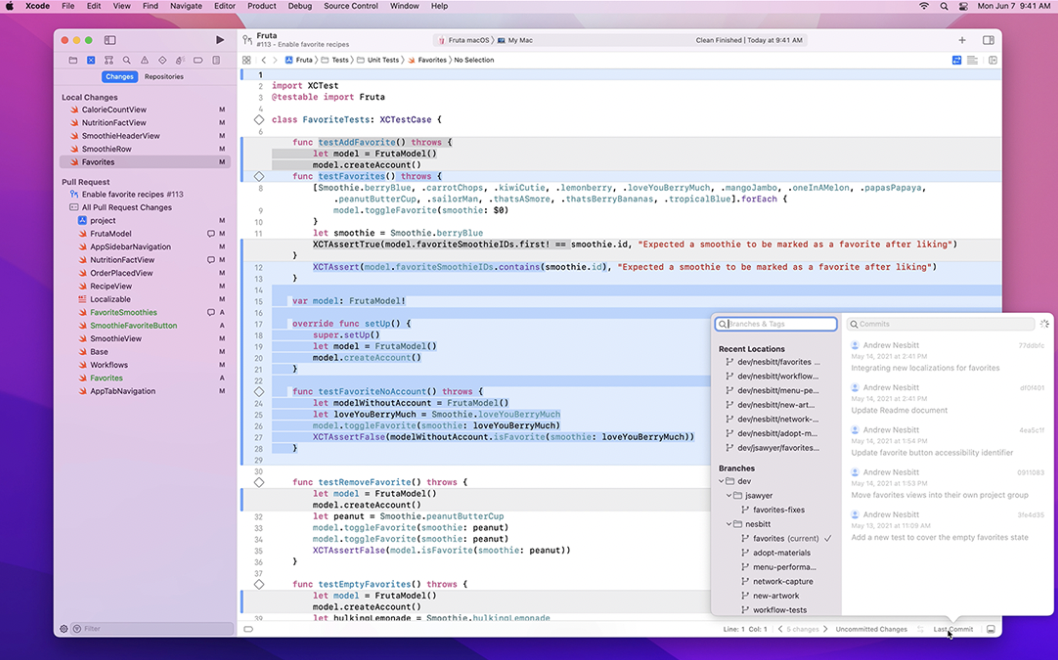
Source: Apple Developer
XCode is just like Microsoft Word or Keynote; you don’t need to be a professional programmer to learn to use this. After a few tutorials, you will know the positions of important buttons and menu options, and you will also learn how to build and test your device.
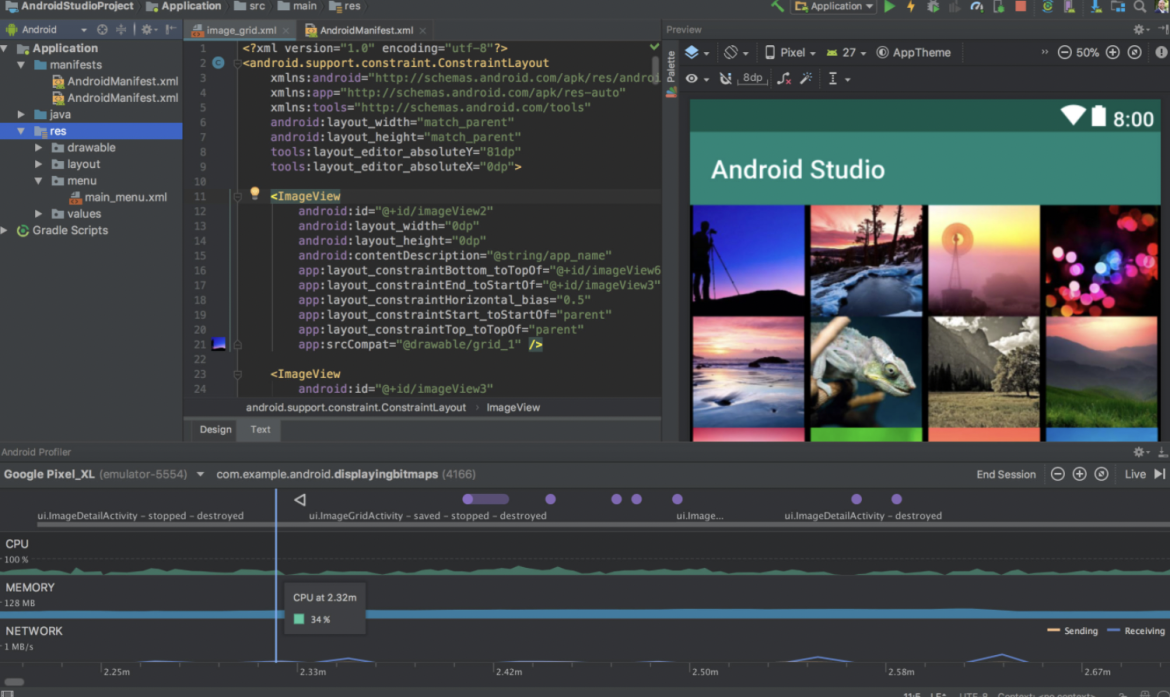
The IDE for Android apps is Android Studio.
Source: Android Developer
Android Studio is where you write, edit, and save your projects and project-related files. It also gives you access to Android SDK (Software Development Kit), which helps you run programs smoothly.
There are many video and text tutorials that will help you figure out how it works. Google has also made Android Studio more understandable by offering tutorials.
A source code is the skeleton of your app. There are two ways of obtaining a source code:
Developing a personal code means you can develop a unique code for yourself based on your own idea. You will have the copyrights to that code.
You can either reach out to a developer or simply hire a freelancer to develop your personal code. Many companies opt to outsource development tasks to a dev firm.
Once the code is developed, get help from a designer and create as many reskins of your app as you wish.
Buying a code is, perhaps surprisingly, much more frugal than having it developed.
There are source codes as cheap as $50. However, buying these codes is the same as requesting a license to use them. You do not own the original code but instead receive a copy of it.
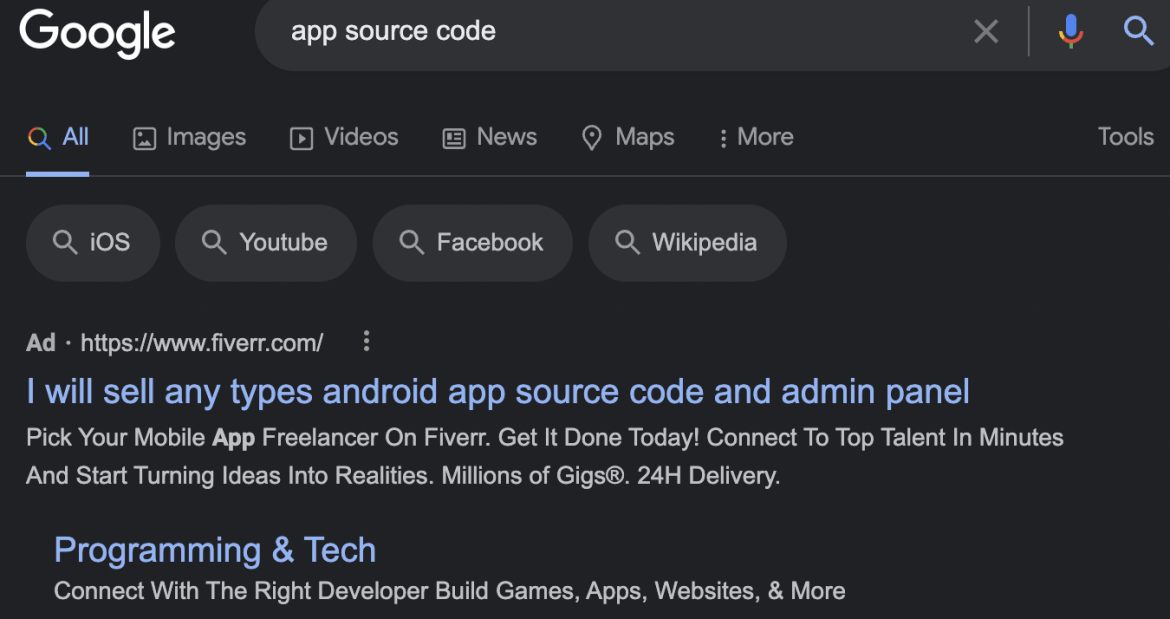
A source code can be bought through various marketplaces available online. Simply type "app source code" in Google, and you will see a variety of marketplaces, including Sell My App, Apptopia, and Codester.
When browsing these platforms, review seller ratings, documentation quality, update history, and customer support responsiveness. Well-documented code with active support will save you time and frustration during reskinning.
There are two types of licensed code you can purchase: limited and unlimited.
The only drawback with licensed versions is that you cannot sell your app code, as you do not own the code. Vet any code before purchasing to see if the package includes design assets, third-party plugins, or dependencies that may carry extra licensing requirements. Avoid low-effort templates with poor reviews, as they may increase rejection risk on app stores or create maintenance headaches later.
You have the idea, and you have the code. Now what?
Before beginning to reskin your app, research each app store thoroughly. Focus on trending apps in a similar domain as yours, and then note everything about them.
Source: App Store
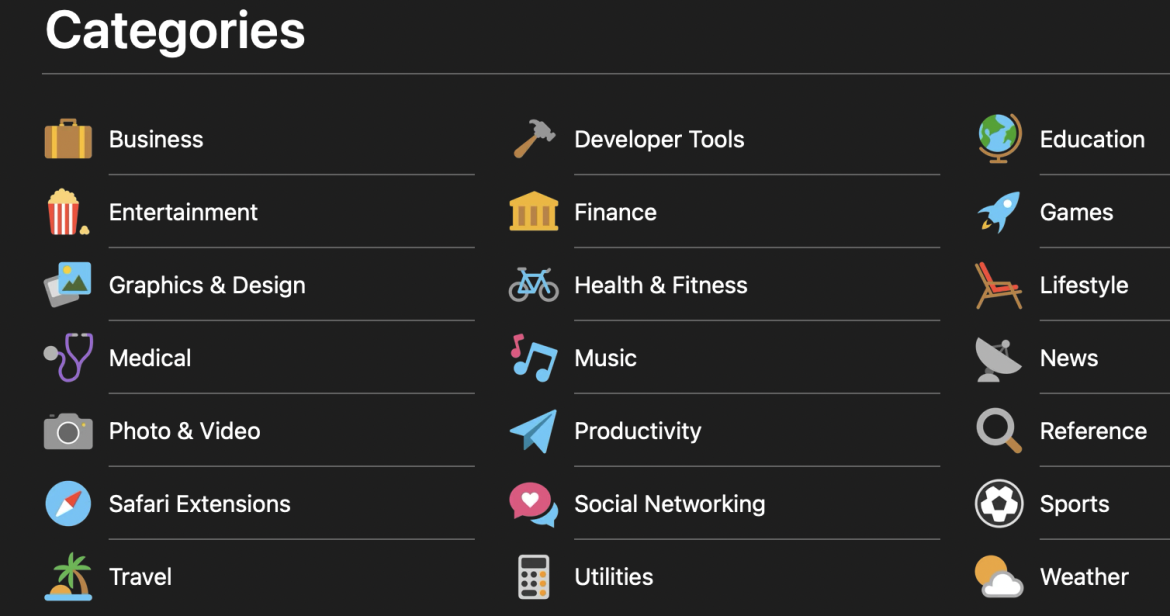
You can start by taking a look at the apps rankings in app categories similar to your product. Creating a puzzle app? Check out the "games" category to see what you'll be competing with once you go live.
Go beyond surface-level research by mapping competitor keywords to your own strategy. Build a keyword framework that aligns search terms with your app’s features, benefits, and audience segments. Analyze how rivals use keywords in their titles, subtitles, and descriptions, and then draft template variations to test what drives visibility and clicks.
Compare competitor icons and design trends to identify opportunities to stand out in crowded search results. Unique, recognizable iconography can boost installs even when apps compete head-to-head in the same category.
By combining keyword mapping, optimized metadata, and distinct visual branding, you’ll clarify which operating system to prioritize and which audience segments to target most effectively.
After you have chosen the themes you want for your app, you are ready to reskin.
Here are your options for getting this done:
Always keep high-quality design your top priority. Start by locating the original graphic assets and identifying where they connect in the codebase. These are usually stored in dedicated asset folders within your app project.
Set up a clear asset-swap workflow: Catalog each file’s size, format, and dimensions, then map them against the new design files to ensure seamless replacement. Using version control (e.g., Git) is essential, as it lets you track changes, roll back errors, and collaborate smoothly with designers and developers.
Establish quality standards for your graphics. Use high-resolution images, consistent color palettes, and scalable formats like SVGs where possible. Maintaining design consistency across screens not only improves user experience but also increases your chances of successfully passing app store review with your first submission.
After changing the elements, don’t forget to test your app.
The next step is to set up developer accounts and monetization opportunities.
Before you can publish your reskinned app, you’ll need developer accounts on the platforms where you plan to distribute it. For Android, that means a Google Play developer account with a one-time $25 registration fee, while iOS apps require an Apple Developer account at $99 per year. These accounts allow you to publish, update, and manage your app in the marketplace.
Once your app is live, you can integrate monetization options to generate revenue. Advertising networks connect your app to relevant advertisers and manage ad placements automatically. There are various ad networks you can choose from, such as Media.net, Chartboost, Millennial Media, Start.io, and InMobi. To optimize returns, test multiple networks to observe the impressions and consider ad mediation tools that balance inventory across providers for higher fill rates.
Besides ads, you can diversify revenue streams with in-app purchases, freemium upgrades, and subscription models, all of which tend to deliver more predictable, long-term income. Combining multiple strategies ensures your reskinned app captures value across different user behaviors.
Before launch, run a final QA pass using a structured checklist.
Alongside QA, establish your analytics framework. Define an event schema that tracks installs, session length, feature usage, and monetization funnels so you can measure success from day one. Consider a soft launch in a smaller market to gather real-world performance data and user feedback before scaling globally.
After release, plan for a steady update cadence: initial bug fixes followed by feature improvements informed by analytics and user reviews. This signals active maintenance to app stores and builds trust with users.
Localization ensures your app resonates in new markets. Start “localizing” by translating assets, like text, images, and currencies, as well as store listings, to feel native and natural to local audiences.Translate with cultural nuance in mind, not just literal word swaps.
Prioritize markets strategically. Focus first on regions where your app category is already popular or where competitors are gaining traction. This targeted approach allows you to test demand without overextending resources.
Finally, build a feedback loop into your workflow. Use analytics, app store reviews, and user surveys to identify feature gaps and cultural misalignments. Regular iterations based on real-world feedback keep your app relevant, strengthen retention, and provide data to refine future reskins.
These tables give you a rough estimate of the cost of a reskinned app based on various parameters I’ve discussed above.
Note* The following rates vary from developer to developer and also depend entirely on the complexity of the app.
Approximate cost and time of developing an app from scratch:
| Project Type | Time | Rate/hour ($50) | Rate/hour ($150) |
|---|---|---|---|
| Simple app | 400 hours | 50x400=$20,000 | 150x400-$60,000 |
| Medium app | 700 hours | 50x700=$35,000 | 150x700=$105,000 |
| Complex app | 1,000 hours | 50x1000=$50,000 | 150x1000=$150,000 |
Here’s a rough estimate of the cost of a reskinned app based on various parameters:
| Parameters | Single License (in $) | Multiple License (in $) |
|---|---|---|
| App developer program | 99 | 99 |
| Google Play developer program | 25 | 25 |
| 2 hours labor (developers) | 100 | 100 |
| 8 hours labor (designers) | 360 | 360 |
| App source | 99 | 259 |
| Total | 683 | 843 |
The costs can be reduced by buying cheaper source codes or cutting the labor costs. Also, the more apps we make, the more money we save per app with multiple app licenses.
Here are some popular examples of what app reskinning looks like:
Outfit7 is known for its app My Talking Tom Friends, a virtual pet adventure that stars the animals from the animated series Talking Tom & Friends. After the success of Talking Tom, Outfit7 reskinned it and created Talking Ben the Dog, Talking Ginger, and My Talking Angela. All of these apps are similar but with different characters.
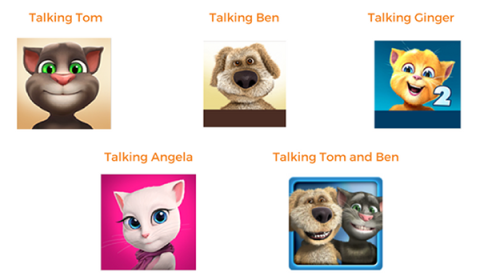
My Talking Tom Friends received 300 million downloads within 19 months of the app’s launch. In January 2017, Outfit7 was sold for approximately $1 billion.
King, an interactive entertainment company, has developed reskinned games such as Candy Crush Saga, Pet Rescue Saga, Candy Crush Soda Saga, and Bubble Witch 3 Saga.
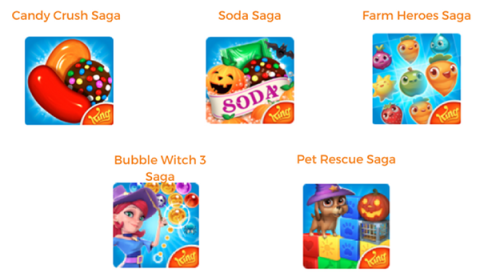
Each reskinned game differs from the other just in design; the rest of the concept is the same. Yet, these reskins are extremely popular; 238 million people access a King app every month.
The app reskins of Runtastic, a company that offers health- and fitness-tracking products, are also very popular.
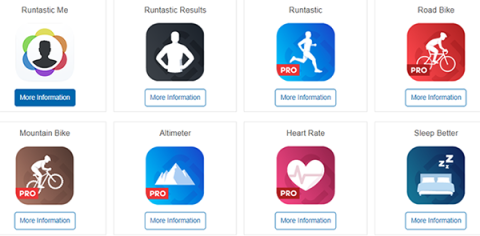
There are 20 different apps, including for runners, cyclists, and pedestrians, but each app has the same look and feel.
Runtastic’s 140 million app downloads and 70 million registered users caught the attention of global athletic brand Adidas, which acquired the company for $260 million and rebranded the various apps as "Adidas Running," "Adidas Training,” etc.
If you are looking to earn high revenue from the development market, app reskinning is for you.
You can earn profits from reskinned apps, provided you do not pick cheap source codes and bad quality designs.
Clutch makes it easy to compare and connect with leading mobile app developers and providers through our verified reviews and Ability to Deliver metrics. Every provider on our platform is vetted through an extensive interview process that captures verified client feedback, project details, and measurable results. Use Clutch’s filters to sort providers by budget, tech stack, industry expertise, and location, whether you need a studio in the United States, United Kingdom, or Canada.
Thinking of starting an app development project? Partner with one of Clutch's top-rated teams.
Start with your app’s metadata. Titles, descriptions, and screenshots should be distinct and not copied from other apps. Both Google Play and the App Store reject apps that appear to be low-effort clones or use misleading text. Avoid keyword stuffing in descriptions and ensure visuals match the actual app experience.
When submitting, provide complete information about your app’s functionality, permissions, and target audience. Common rejection reasons include duplicate content, incomplete metadata, and apps that fail to demonstrate unique value. Taking the time to clearly differentiate your reskin will greatly increase approval chances.
In-app purchases (IAPs) allow you to sell virtual goods, premium content, or unlockable features. Subscription models create recurring revenue and work well for utilities, lifestyle, and content-driven apps. You can also implement a “freemium” strategy, where the core app is free, but there’s a charge for advanced features or ad-free experiences. If using ads, ad mediation platforms can help optimize performance by balancing inventory across multiple ad networks for higher fill rates and better eCPMs.
Follow a QA checklist. Test your app on a device matrix that covers different screen sizes, operating systems, and hardware capabilities. Set performance budgets for loading times, memory usage, and responsiveness, ensuring the app meets acceptable thresholds. Monitor crash reports and fix stability issues before release. App stores track crash rates, and unstable apps risk lower rankings or rejection. Finally, run a closed beta with real users to catch usability and performance issues in real-world conditions before launch.
Start with a licensing audit. Confirm whether the code you’re purchasing comes with a limited license (one app release) or unlimited rights (multiple reskins). Always verify that the seller owns the code they’re distributing and that any third-party libraries or assets are properly licensed. Keep records of purchase agreements, license terms, and correspondence with sellers. If possible, consult an IP attorney before releasing reskinned apps at scale. This investment can prevent costly disputes or takedowns later.
Localization requires workflows to adapt copy, images, and UI assets for each target market. Asset swapping (e.g., changing currencies, symbols, or culturally specific visuals) helps make your app feel native to new audiences. Prioritize markets with proven demand for your app category before scaling further.
For updates, build feedback loops into your reskin strategy. Monitor reviews, in-app analytics, and support requests to identify common issues or feature requests. Regular updates improve user experience and signal to app stores that your app is actively maintained, boosting trust and discoverability.